Claude Enterprise Webhook Context Update: Developer Guide
Learn how to perform a reliable claude enterprise webhook context update. Discover essential tips for effective integration and avoid common pitfalls!
ClaudeDrive
A Yungsten Tech product

Claude Enterprise Webhook Context Update: Developer Guide

Claude Enterprise webhooks deliver a minimal event payload containing only the event type, resource ID, and timestamp. To perform a reliable claude enterprise webhook context update, your handler must verify the signature, then fetch full resource state from the Claude API. This design keeps deliveries lightweight and prevents stale data from corrupting your integration. Skipping the API fetch step is the single most common production failure in Claude webhook integration.
What does a Claude Enterprise webhook event actually contain?
Claude Managed Agents webhooks deliver a small event payload containing only the event type, ID, and resource identifiers. The payload is intentionally thin. Anthropic designed it this way to keep delivery fast and to avoid the race condition where a payload sent at T=0 reflects state that has already changed by T=1 when your handler processes it.
A typical event body looks like this:
-
`event.id`: unique identifier, reused across retries
-
event.type: lifecycle signal such assession.status_idled -
event.created_at: ISO 8601 timestamp -
Resource identifiers: session ID, agent ID, or similar reference
The payload omits full context by design to reduce delivery size and avoid stale data. That means your handler cannot answer “what is the current state of this session?” by reading the payload alone. You must call the Claude API with the resource identifier to hydrate the full object. Always fetch authoritative state using the provided resource IDs via API after webhook reception. This prevents outdated or incomplete context during retries or race conditions.
Pro Tip: Treat every webhook event as a notification, not a data snapshot. The event tells you something happened. The API tells you what the world looks like right now.

How to configure webhook endpoints and verify signatures securely
Secure enterprise webhook configuration starts at registration. Follow these steps to get your endpoint production-ready:
-
Register your endpoint. Open Claude Console, go to Settings → Webhooks, and enter your HTTPS public URL. The endpoint must be publicly reachable. Webhook registration is done once in Console, and a
whsec_signing secret is shown only at this moment. -
Store the signing secret immediately. Copy the
whsec_value into a secrets manager such as AWS Secrets Manager, HashiCorp Vault, or your platform’s equivalent. You will not see it again in the Console. -
Verify every incoming request. Use the Anthropic SDK’s
unwrap()helper or implement HMAC verification manually against theX-Webhook-Signatureheader. The SDK’sunwrap()helper verifies the signature and enforces payload freshness within five minutes, which prevents replay attacks. -
Reject invalid or stale payloads immediately. Return HTTP 400 for any request that fails signature verification. Do not process it further.
-
Test with a real HTTPS endpoint. Tools like ngrok or Cloudflare Tunnels work well for local development. The Cloudflare Workers example verifies webhook signatures and responds to session lifecycle events securely before processing, and it is worth reading as a reference implementation.
Pro Tip: Never log the raw X-Webhook-Signature header in production. If that value leaks into your logging pipeline, an attacker can forge valid webhook calls.
What are best practices for handling webhook retries and event ordering?
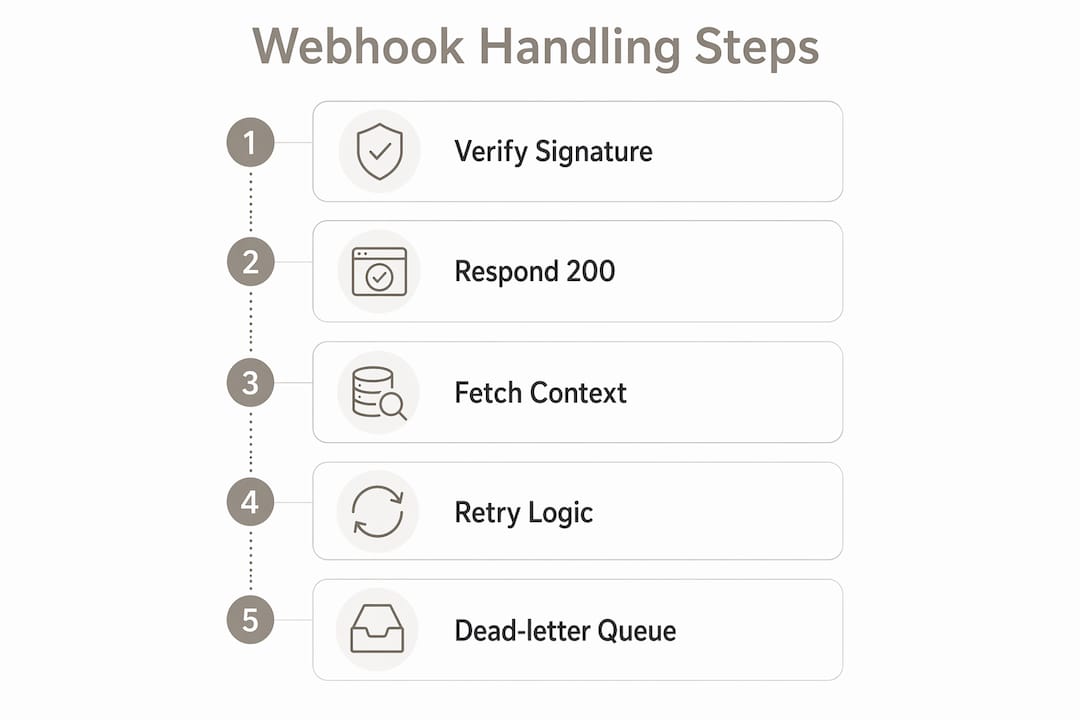
At-least-once delivery is the contract Claude webhooks operate under. That means your handler will occasionally receive the same event more than once, and it will sometimes receive events out of the order they were created. Both conditions are normal, not bugs.
The key design decisions for production reliability are:
-
Use
event.idas your idempotency key. Event.id is unique per event and reused on retries, which allows you to discard duplicates safely. Store processed event IDs in Redis, PostgreSQL, or any fast key-value store. Before processing, check whether the ID already exists. If it does, return HTTP 200 and exit. -
Do not rely on arrival order. Webhook arrivals may be out of order. Applications requiring ordered processing should sort by
created_attimestamps rather than assume delivery sequence matches creation sequence. -
Design state machines for replay safety. Webhook context update handlers must be replay-safe and tolerant of unordered delivery due to at-least-once retries. A state machine that applies event semantics based on
created_atis far more reliable than one that assumes the latest arrival is the latest event. -
Return HTTP 2xx within your timeout window. Non-2xx status triggers retry attempts by Anthropic with no guaranteed ordering. A slow handler that times out before responding will generate unnecessary retries and can cascade into delivery failures.
The practical implication: if you build a session state tracker, always compare the incoming event’s created_at against the timestamp of the state you have stored. Apply the event only if it is newer.
Recommended async processing patterns for webhook context updates
The most reliable pattern for webhook data handling separates acknowledgment from processing. Your endpoint does one thing: validate the signature and return HTTP 200. Everything else happens asynchronously.
Here is the recommended flow for production:
-
Receive the POST request. Verify the
X-Webhook-Signatureusingunwrap()or HMAC. If verification fails, return HTTP 400. -
Acknowledge immediately. Return HTTP 200 before doing any business logic. This tells Anthropic the delivery succeeded.
-
Enqueue the event. Push the raw event payload (including
event.id,event.type, and resource identifiers) onto a job queue. AWS SQS, Google Cloud Tasks, RabbitMQ, and BullMQ are all suitable choices. -
Process asynchronously in a background worker. The worker fetches full resource state from the Claude API using the resource identifier. This is where the actual claude enterprise webhook context update happens.
-
Handle human-in-the-loop scenarios. The recommended production trigger for human-in-the-loop workflows is the
session.status_idledwebhook event. When your worker detects this event type, it pauses automated processing and routes the session to a human review queue. After the human acts, the worker posts backuser.custom_tool_resultto resume the session.
The table below maps event types to the correct async processing action:
| Event type | Async action | API call required |
|---|---|---|
session.status_idled |
Route to human review queue | Fetch full session state |
session.status_completed |
Mark session closed, archive context | Fetch final session transcript |
session.status_error |
Trigger alert, log error details | Fetch error metadata |
tool.result_pending |
Queue tool execution | Fetch tool input parameters |
Pro Tip: Set a dead-letter queue for your job queue. Events that fail processing after three retries should land there for manual inspection, not silently disappear.
Using session.status_idled as a webhook trigger builds scalable, restart-resilient, human-in-the-loop integrations without long-lived HTTP connections. This pattern also makes your system far easier to debug, because every processing step is a discrete job with its own logs.
Common mistakes when implementing Claude Enterprise webhook context updates
Most production failures in Claude webhook integration fall into a small set of repeatable patterns. Knowing them in advance saves hours of debugging.
-
Processing the payload as full context. This is the most common error. The webhook JSON does not contain current resource state. Initial integration attempts commonly err by trying to update context directly from webhook JSON, missing required fields and risking stale data. The correction is always to fetch fresh context via the Claude API.
-
Skipping signature verification. Any HTTP client can POST to your endpoint. Without HMAC verification, you have no way to confirm the request came from Anthropic. This is not optional in production.
-
Ignoring payload freshness. Signature verification alone is not enough. The
unwrap()helper also checks that the payload is less than five minutes old. A valid signature on a six-minute-old payload is a replay attack. -
Assuming event order. Teams building session state trackers frequently assume that the third event to arrive is the third event that occurred. In production, do not assume lifecycle event deliveries arrive in time order. Build state machines that sort by
created_atand apply event semantics accordingly. -
Neglecting endpoint health monitoring. Claude webhooks auto-disable after approximately 20 consecutive delivery failures or redirects. A disabled endpoint means your integration goes silent with no error thrown on your side. Set up uptime monitoring and alerting on your webhook endpoint before you go live.
A webhook endpoint that returns HTTP 200 without processing the event is not a solution. It is a silent data loss bug. Always confirm that your background worker successfully completed the API fetch before considering an event handled.
Key takeaways
A reliable Claude Enterprise webhook context update requires signature verification, an immediate HTTP 200 response, and a follow-up API call to fetch full resource state. The webhook payload is a notification, not a data source.
| Point | Details |
|---|---|
| Payload is intentionally thin | Fetch full resource state from the Claude API using the resource ID in every event. |
| Idempotency is non-negotiable | Store processed event.id values and discard duplicates before any business logic runs. |
| Order is not guaranteed | Sort events by created_at timestamp in your state machine, never by arrival order. |
| Acknowledge before processing | Return HTTP 200 immediately, then offload all processing to an async background worker. |
| Monitor endpoint health | Auto-disable triggers after roughly 20 consecutive failures. Alert on delivery errors before they accumulate. |
What I’ve learned from real webhook integrations with Claude Enterprise
The pattern I see fail most often is not a code bug. It is an architectural assumption. Teams build their first Claude webhook integration the same way they built REST API integrations: receive data, process data, update state. That mental model breaks immediately because the webhook payload is not the data. It is a pointer to the data.
The second failure I see consistently is secret management treated as an afterthought. The whsec_ signing secret is shown exactly once in the Console. I have seen teams screenshot it, paste it into a Slack message, or store it in a .env file committed to a public repository. None of those are acceptable. Treat it with the same discipline you apply to database credentials.
The async queue pattern is not optional at scale. A synchronous handler that fetches from the Claude API inside the HTTP request lifecycle will eventually time out under load, generate retries, and create a feedback loop that degrades your endpoint health score. The queue decouples receipt from processing and makes your system observable. Every job has a status, a retry count, and a log. That observability is what lets you debug production issues in minutes instead of hours.
One more thing: build your alerting before you go live, not after your first incident. A webhook endpoint that silently auto-disables is the worst kind of failure because nothing breaks loudly. Your application just stops receiving events.
— Paul
Simplify your webhook setup with ClaudeDrive
Managing webhook secrets, monitoring delivery health, and tracing context updates across multiple Claude sessions is operationally expensive without the right tooling.
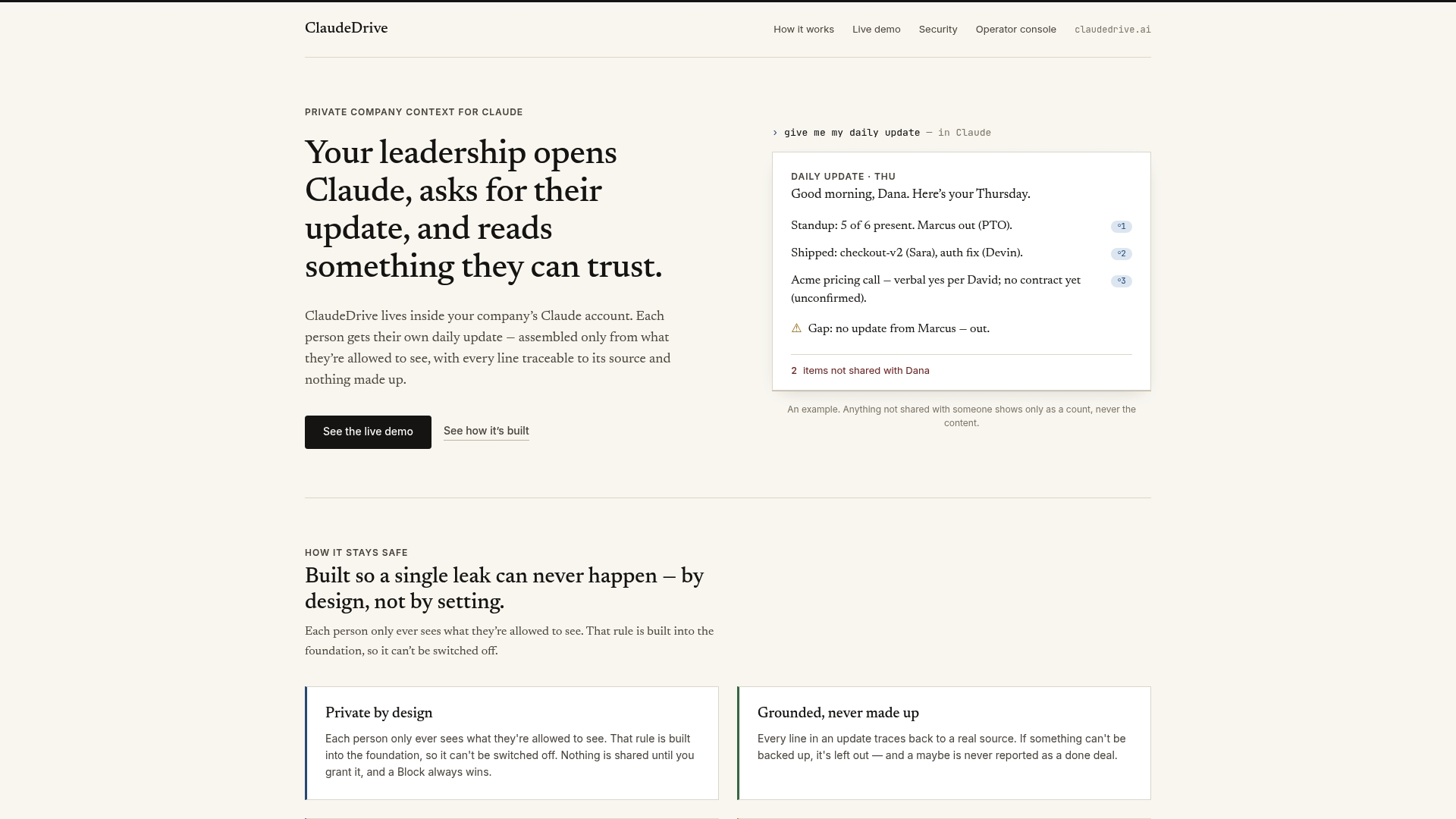
ClaudeDrive is a permission-aware context layer built for Claude Enterprise deployments at mid-sized companies. It handles webhook registration, secure secret storage, and real-time delivery monitoring through a single console. Every context update is traceable to its source, and access-scoped so team members only see what they are authorized to see. If you are managing Claude webhook integration across multiple teams or environments, ClaudeDrive removes the manual overhead that slows production deployments down.
FAQ
What data does a Claude Enterprise webhook payload include?
A Claude Enterprise webhook payload contains the event type, a unique event ID, a created_at timestamp, and resource identifiers such as session or agent IDs. It does not include full resource state, which must be fetched separately from the Claude API.
Why must I fetch context from the API after receiving a webhook?
The webhook payload reflects state at delivery time, not at processing time. Fetching full resource state via the Claude API after receipt prevents stale or incomplete data from corrupting your integration, especially during retries.
How do I prevent duplicate processing of webhook events?
Use event.id as an idempotency key. Store processed event IDs in a fast data store such as Redis, and check for the ID before processing. Since event.id is reused across retries, this approach safely discards duplicate deliveries.
What happens if my webhook endpoint returns errors repeatedly?
Claude webhooks auto-disable after approximately 20 consecutive delivery failures. This means your integration stops receiving events silently. Monitor your endpoint’s HTTP response rates and set up alerts to catch failure accumulation before the auto-disable threshold is reached.
How should I handle the session.status_idled event in production?
The session.status_idled event signals that a session is paused and waiting for input. The recommended pattern is to route it to a human review queue, collect the required decision or data, and then post back user.custom_tool_result to resume the session asynchronously.