Top 5 labtwofour.com Executive Briefing Software Alternatives 2026
Explore 5 labtwofour.com alternatives to help you choose the best executive briefing software for your operational needs and business insights.
ClaudeDrive
A Yungsten Tech product

Top 5 labtwofour.com Executive Briefing Software Alternatives 2026

Maintaining up-to-date executive briefings without risking sensitive data exposure or overwhelming leaders with irrelevant details is a constant challenge for company decision-makers. Many briefing platforms lock advanced permission controls or source traceability behind custom quotes or require complex setup that delays rollout. This comparison breaks down privacy, personalization, and integration trade-offs across five executive briefing software alternatives so you can choose a platform that matches your leadership team’s security needs and workflow constraints.
Table of Contents
ClaudeDrive
At a Glance
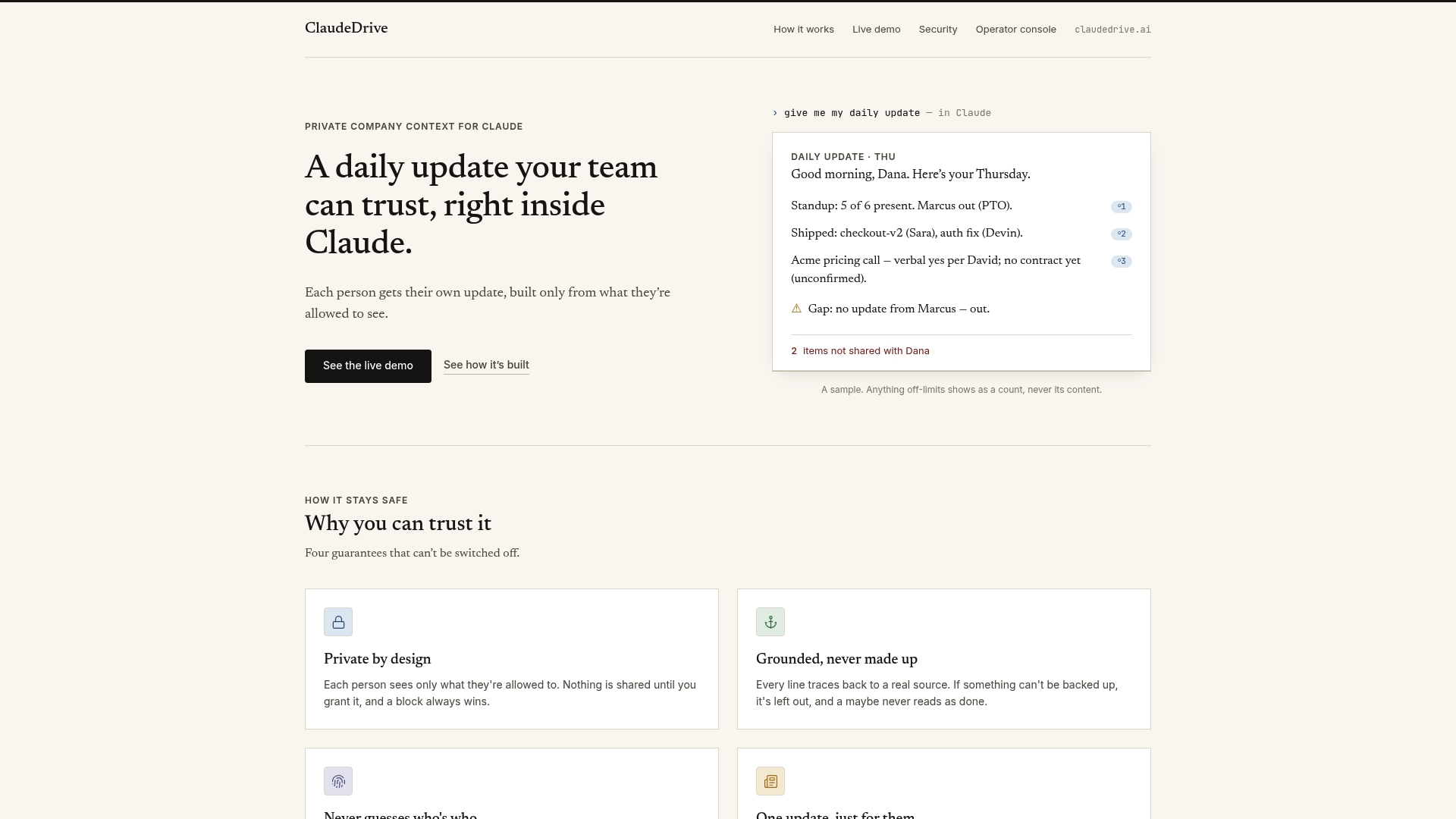
According to the company, ClaudeDrive builds each update only from what an individual is permitted to see, with every line traceable to a real source. That permission-first guarantee is the platform’s central promise and shapes how data flows into daily briefings.
Core Features
ClaudeDrive produces private, scoped team updates that respect role and permission boundaries, so every recipient sees a tailored view. The system aggregates inputs from meeting notes, GitHub, and Google Calendar and organizes them into on-demand summaries.
Automatic filtering removes irrelevant items and surfaces recent changes. Setup focuses on connecting existing tools and mapping who can see what rather than building a new dashboard or wiki.
Key Differentiator
Each team member receives their own update built only from what they are permitted to see. That permission-first design reduces accidental overshare and makes briefings defensible for private companies that require strict data boundaries.
Pros
-
Strong privacy posture. The product emphasizes scoped visibility so sensitive threads do not appear in someone else’s briefing.
-
Clear attribution and traceability. Every line in an update links back to its source, which helps leaders validate claims during reviews.
-
Low operational overhead. Connections to existing tools mean teams do not need a separate app to maintain daily context.
-
Personalized daily summaries. Individuals get focused updates instead of a generic team feed, which reduces noise for busy leaders.
-
Fast onboarding for admins. The vendor describes a configuration flow centered on permissions and tool links rather than extensive content modeling.
Cons
- Limited visibility on formatting and customization options for updates; teams that require precise report templates may find configuration choices narrow.
Notable Integrations
-
meeting notes
-
GitHub
-
Google Calendar
These integrations are the primary sources ClaudeDrive advertises for building each scoped update and cover code activity, scheduled events, and recorded discussions.
Who It’s For
Teams inside private companies that need permission-controlled daily updates. Appropriate for leadership, chiefs of staff, and ops teams who must keep private context separate from broader company communications.
Unique Value Proposition
Each line in a briefing is traceable back to a source. That level of attribution turns daily updates into evidence you can rely on in executive meetings and board preparation rather than informal summaries that require follow-up verification.
Real World Use Case
A product team uses ClaudeDrive to compile yesterday’s deployment notes, pull requests merged on GitHub, and the executive calendar into a single private briefing for the engineering manager. The manager reads a scoped update and forwards only the relevant lines to stakeholders.
Pricing
Not applicable for public display. The vendor lists the product as informational only, which suggests pricing is handled via direct sales or enterprise conversations rather than a published self-serve plan.
Website: https://claudedrive.ai
See the live demo.
Qualabi
At a Glance
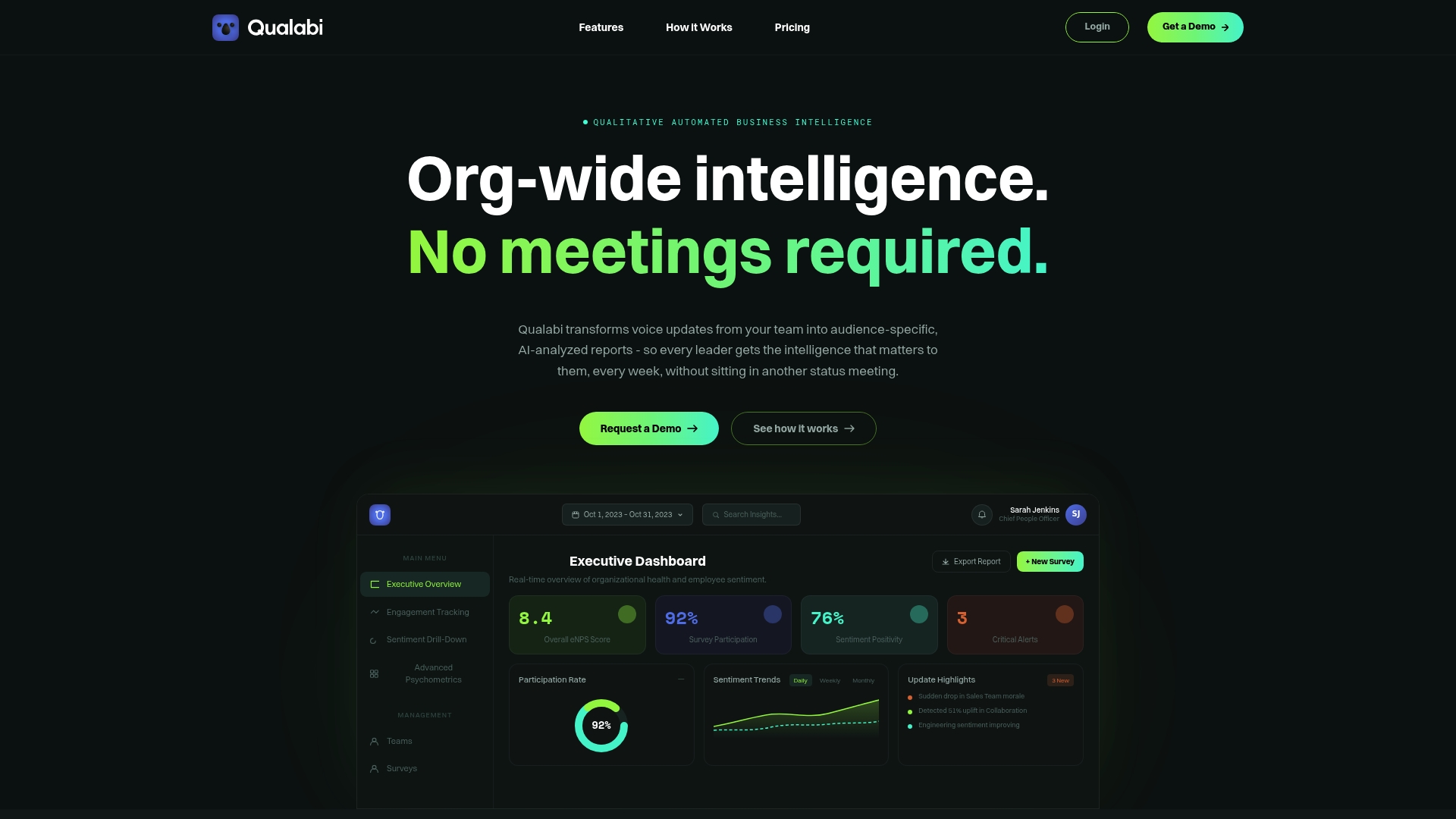
Integrates with a company’s existing LLM API keys so analysis and report generation can run under your control rather than a third-party model endpoint. The product converts voice updates into targeted, role-specific briefings and builds an institutional memory over time.
Use it when you want voice-native status capture without handing model access to a vendor.
Core Features
- Voice-First Mobile App for quick spoken updates that team members record anytime. Mobile capture reduces friction for distributed teams.
- Audience-specific reports that tailor detail levels to executives, product leads, or operations so each reader sees what matters to them.
- Sentiment analysis and trend detection that surface emerging risks and morale shifts over time.
- AI chatbot for querying the accumulated organizational knowledge base and jumping to past context.
Deploy the web console to manage reports and tag items by business area.
Key Differentiator
Built from operational needs, Qualabi focuses on converting spoken team updates into analyzable artifacts that compound into an institutional knowledge base. That emphasis on voice capture plus role-aware reporting separates it from dashboard-first BI tools.
If your culture accepts brief voice updates, this design reduces the need for status meetings.
Pros
-
Improves cross-functional visibility by turning informal voice updates into searchable reports and tags rather than scattered Slack threads.
-
Offers flexible deployment options so analysis can run against your LLM infrastructure, helping you keep model access and keys inside your environment.
-
Personalized reports and dash headlines speed leadership reviews; readers see prioritized items instead of raw feeds.
-
Audio playback as podcast-style briefings helps executives consume updates during commutes or walks.
-
Participation metrics and trend summaries give you a pulse on engagement and topic recurrence across teams.
Each pro ties to concrete features you can pilot within a few weeks.
Cons
-
No third-party user reviews are available to validate long-term adoption or pain points beyond vendor materials.
-
Requires people to record voice updates; organizations with text-first cultures may struggle to hit steady coverage.
-
Depends on the organization supplying and managing LLM API keys, which raises operational and security considerations for some IT teams.
These trade-offs are real and worth evaluating during a short pilot.
When It May Not Fit
If your organization will not adopt spoken updates, Qualabi’s capture model becomes a poor match. Also, teams that cannot or will not manage LLM keys centrally will lose the primary deployment advantage the platform advertises.
Skip it when you need an out-of-the-box BI dashboard and cannot allocate engineering time for secure model integration.
Who It’s For
Leadership teams and decision-makers at mid-sized to large organizations that want to reduce meeting overhead and preserve operational context over time. Best when you already have or plan to manage LLM access and want role-specific briefings instead of one-size dashboards.
Real World Use Case
The vendor describes a global customer that used Qualabi to collect daily voice updates from remote teams, automatically surface sentiment and emerging risks, and deliver tailored executive briefings. The vendor’s example states that deployment reduced weekly meetings by 50% while enabling earlier intervention on issues.
Use that example as a hypothesis to validate in a pilot rather than an assured outcome.
Pricing
Starts at $299/month for the starter plan, with scalable enterprise-tier pricing that the vendor customizes based on volume, deployment model, and managed services.
Plan a pilot to model seat counts, storage, and expected transcription and inference costs before committing.
Website: https://qualabi.com
OKAtlas
At a Glance
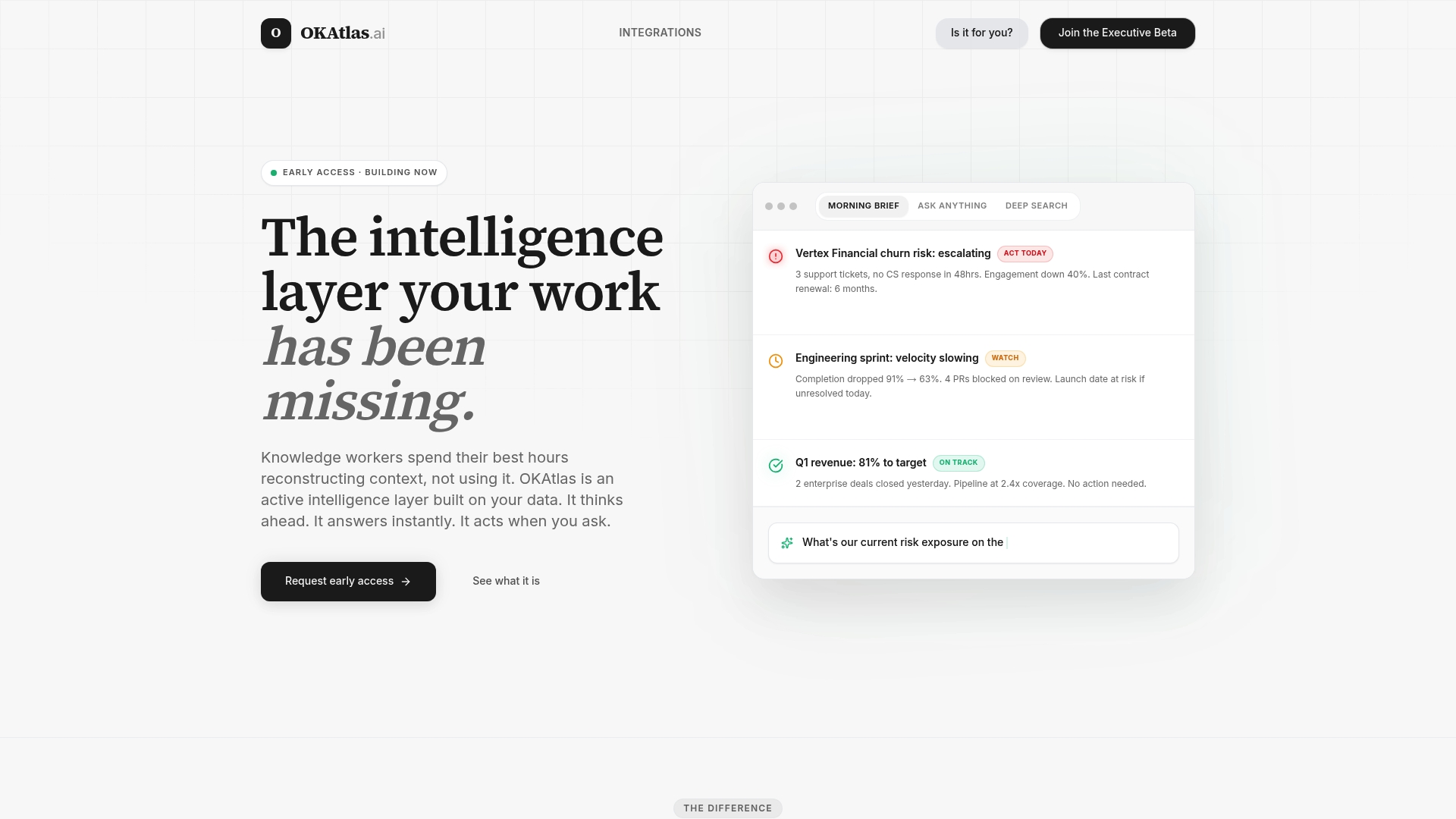
According to the company, OKAtlas continuously synthesizes and surfaces insights from your entire data environment before you need to ask, watching for risks, blockers, and high-priority action items so leadership sees problems sooner than they would via reports alone.
Core Features
OKAtlas provides a proactive intelligence feed that continuously scans connected sources and highlights signals that merit attention, not just raw notifications. This reduces time spent hunting for context across tools.
A unified command center lets you query across Slack, Jira, Salesforce, Notion, and data warehouses to get a single answer grounded in company data rather than stitching together exports.
The platform issues real-time alerts and action items, and it offers drafts for follow-up tasks so users can assign or message without switching apps. Deep analysis tools surface cross-functional insights in seconds.
Key Differentiator
That proactive synthesis claim above is the defining angle: OKAtlas positions itself as an always-on observer that flags issues before teams notice them. It favors continuous signal detection over purely reactive search or manual dashboards, which changes how leaders receive operational early warnings.
Pros
- Continuous monitoring reduces context switching. OKAtlas removes the need to query multiple systems for the same question by keeping a running feed of relevant signals.
- Proactive alerts help teams respond earlier to accounts, deployments, or projects that show risk patterns across tools. This shortens reaction time compared with waiting for weekly reports.
- Quick connectivity to common enterprise apps speeds initial setup. The vendor lists integrations with Slack, Jira, Salesforce, Notion, Linear, Confluence, Google Workspace, and Snowflake.
- The command center provides direct, cross-source answers so leaders can ask complex questions and get responses tied to traceable sources rather than anecdote.
Cons
- Independent user reviews are limited. That means public evidence of long-term satisfaction, retention, or support responsiveness is sparse.
- The vendor does not publish a standard pricing model in the provided data, which complicates early budgeting for procurement cycles.
- Realizing value may require deliberate change management. Teams must agree to surface signals and act on them to avoid alert fatigue.
When It May Not Fit
If your organization runs mostly siloed legacy systems without integration capacity, OKAtlas’s value shrinks because it depends on connected data sources. Also, small teams without a designated owner for proactive signals may not absorb the platform’s continuous feed.
Notable Integrations
- Slack
- Jira
- Salesforce
- Notion
- Linear
- Confluence
- Google Workspace
- Snowflake
These are the vendor-stated connectors; confirm supported objects and permissions during evaluation.
Who It’s For
Enterprise leadership teams, chiefs of staff, and knowledge workers who want to reduce decision latency by having a persistent intelligence layer watch operational data. Best for organizations that can commit to integrating core systems and assigning owners to handle proactive signals.
Real World Use Case
A CEO uses OKAtlas to monitor daily business health. The system surfaces the riskiest accounts and drafts follow-up actions for the account team, which reduces response time and helps the executive prioritize conversations during the morning briefing.
Pricing
Pricing information was not provided in the product data. The offering appears to use an enterprise sales model rather than a published per-seat plan; contact the vendor for quotes and implementation estimates.
Website: https://okatlas.ai
Viven.ai
At a Glance
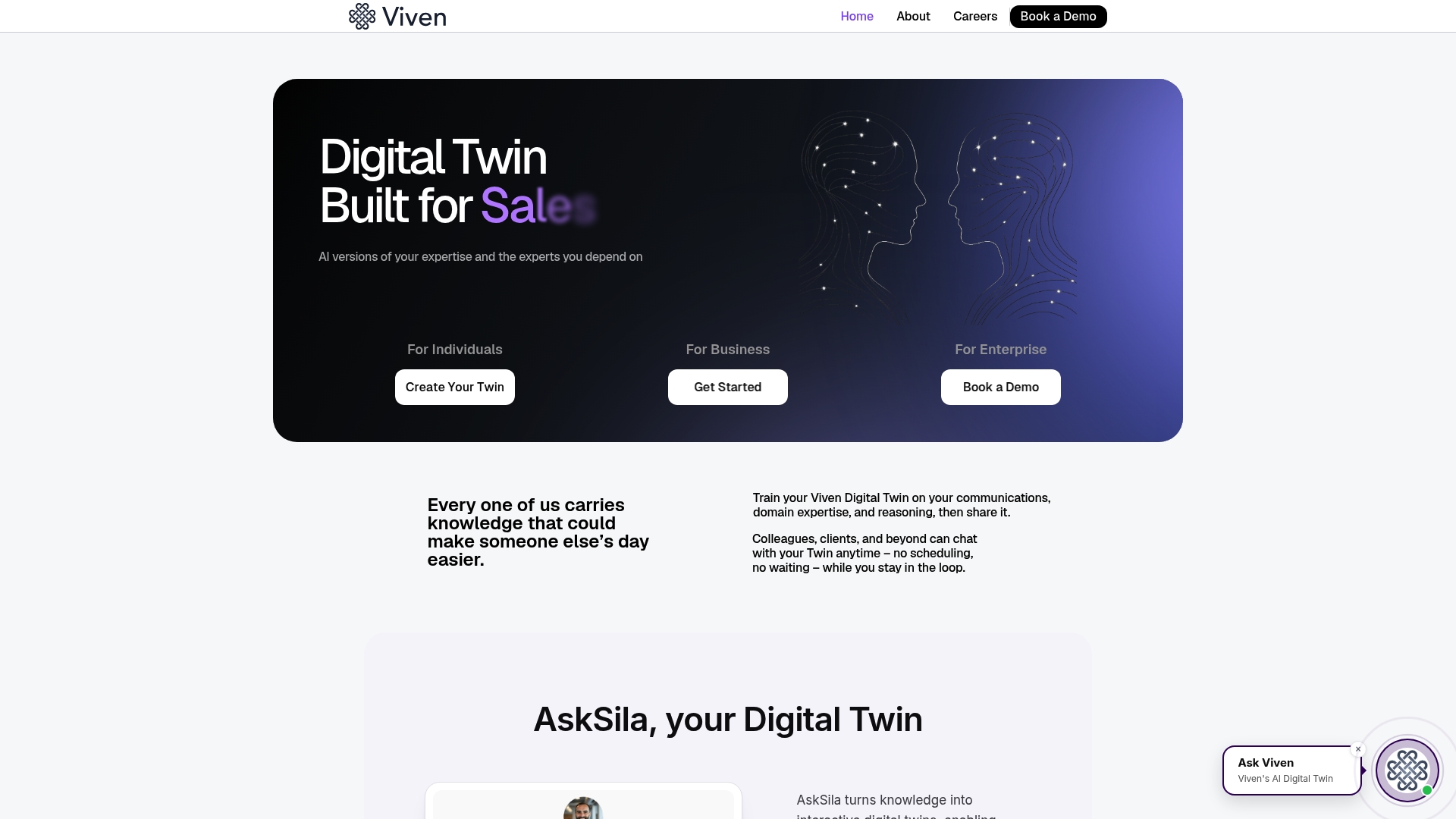
Supports deployment as SaaS, private VPC, or on premises, giving security teams real options for data control. Viven.ai uses Digital Twins to encode tacit expertise into AI models so teams can query institutional know how without digging through documents.
Core Features
Digital Twins capture playbooks, decision logic, best practices, and tradeoffs and expose them as queryable models. The platform advertises deployment options across hosted, private VPC, and on premises so IT can pick a model that matches policy.
Viven.ai also lists enterprise level security and encryption, automation workflows with agentic processes, and integrations with common collaboration tools.
Key Differentiator
The main difference is the combination of knowledge encoding and enterprise deployment flexibility. Where many vendors require data to live in a vendor cloud, Viven.ai lets organizations choose SaaS, VPC, or on premises hosting while keeping the same digital twin approach to capture and reuse expertise.
Pros
- Enterprise deployment options let security and compliance teams select an environment that matches policy rather than retrofit a cloud only product. This reduces negotiation time with security reviewers.
- Strong emphasis on knowledge retention means onboarding content and playbooks become queryable rather than buried in documents. New hires get answers faster.
- Deep tool integrations with collaboration and productivity platforms reduce context switching by surfacing guidance where people already work.
- Built in automation and agentic workflows let teams operationalize decision logic so routine actions execute with human supervised control.
Cons
- Independent user reviews are sparse, so independent sentiment and long term satisfaction are not easy to verify from public sources.
- Pricing is not published, which implies procurement will likely require a custom quote and a deeper sales process for budgeting.
- Implementation complexity may vary substantially depending on your existing systems and integrations which can extend timelines beyond initial estimates.
When It May Not Fit
If you need a light weight knowledge base for a small team, Viven.ai is likely more than you need and will require engineering and security coordination. If transparent, self service pricing is a must for procurement, the vendor materials suggest that you will need to request a customized quote.
Notable Integrations
- Slack
- Salesforce
- Outlook
- Google Workspace
- GitHub
- Jira
- SharePoint
- Teams
Who It’s For
Large organizations with complex institutional knowledge that must be preserved and reused. Security conscious enterprises evaluating AI for operational assistance who want the option to keep models inside their own infrastructure.
Real World Use Case
A global company deploys Digital Twins to help customer service representatives surface product guidance and escalation paths during live calls. That reduces time to resolution by keeping expertise at the agent s fingertips and reduces dependence on senior staff.
Pricing
The vendor does not list public pricing. Expect enterprise level commercial models and likely customization based on deployment choice and integration scope. Budgeting will require a vendor conversation.
Website: https://viven.ai
Daemo
At a Glance
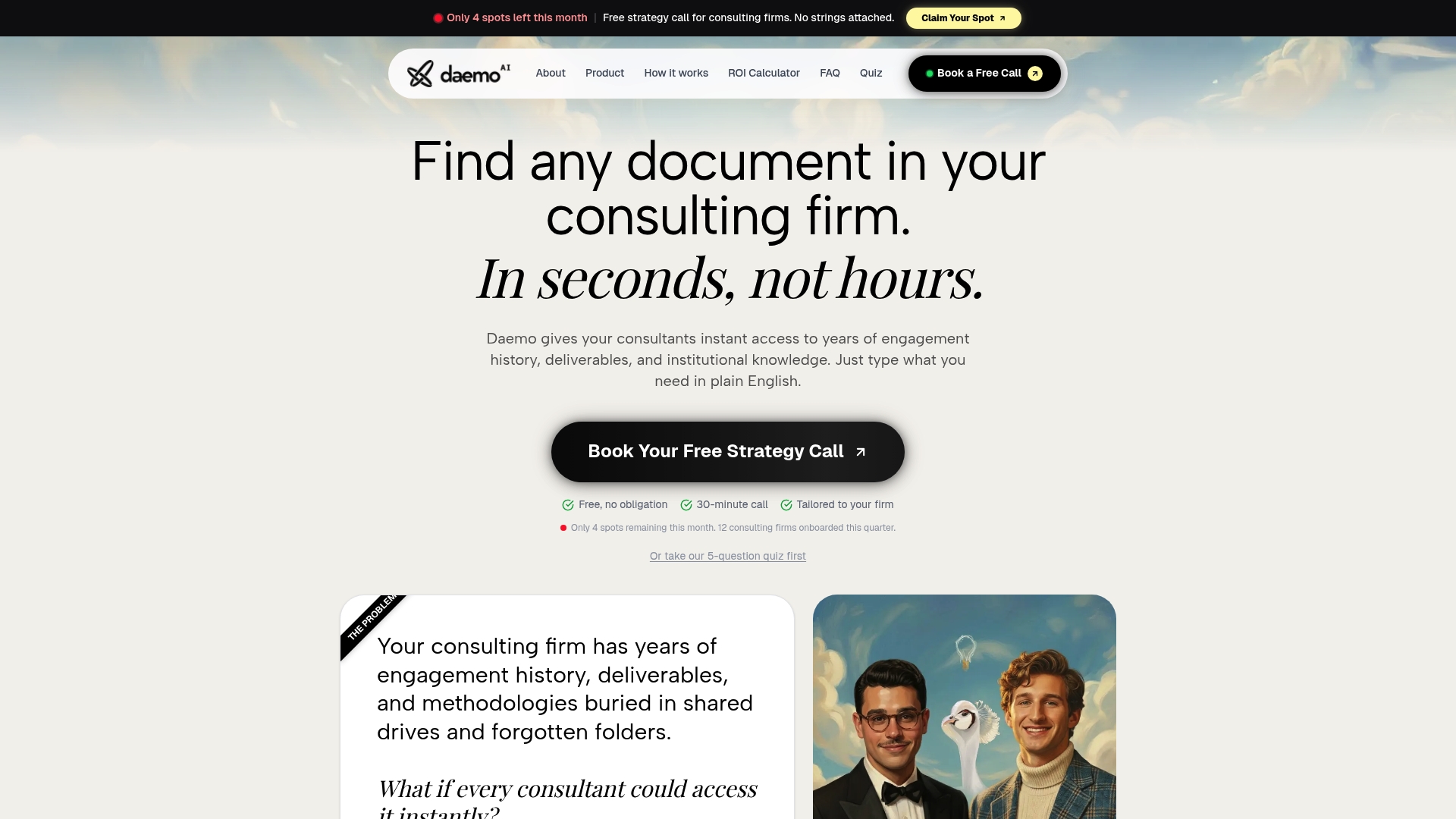
A private, dedicated AI environment built for consulting firms that indexes engagement histories, SOPs, and deliverables for instant natural language search. It connects to core firm tools so consultants can find answers without moving data into a new app.
Core Features
- Private deployment: dedicated AI instance with tenant isolation and customizable indexing rules.
- Instant global search across engagement files, SOPs, and notes with source citations for every answer.
- Automated workflows for document organization and meeting summaries that reduce repetitive admin.
- Granular permission controls to limit which folders or files are indexed and who can query them.
Key Differentiator
Daemo’s angle is a consulting-first private AI deployment with fine-grained access controls. That design treats each firm as its own secure workspace rather than a shared multitenant assistant, which aligns with typical client confidentiality requirements.
Pros
-
Highly private environment tailored to consulting workflows. Firms that handle sensitive client work get a dedicated instance rather than a shared model.
-
Integrates with existing tools without full data migration. Connecting Gmail, Google Drive, and HubSpot lets teams keep current storage and email patterns.
-
Source citations for answers increase traceability when consultants cite engagement history or deliverables in client conversations.
-
Automates repetitive tasks like meeting summaries and document organization, which frees senior consultants from low-value admin.
-
Deployment and permission settings are customizable so operations teams can restrict indexing to approved repositories.
Cons
-
Limited third-party reviews make it harder to judge long-term reliability and user experience outside vendor materials.
-
Integration and setup complexity depends on a firm’s existing systems; legacy or highly customized platforms may require professional services.
-
Pricing is bespoke. The vendor markets flexible quotes, so smaller firms should budget for potential setup and per-instance costs.
When It May Not Fit
If your firm is solo or two people with minimal budget, the dedicated deployment and potential onboarding costs likely won’t justify the investment. Firms with highly unusual legacy systems should plan for extra integration effort. If you only need a public, multi-tenant chat assistant, Daemo’s private model may be overkill.
Notable Integrations
Daemo lists connectors to common consulting toolchains:
- Google Drive
- Gmail
- HubSpot CRM
- Semrush
- Google Analytics (pending)
- Google Ads (pending)
These integrations let teams query existing content stores rather than export and rehost documents.
Who It’s For
Consulting firms that must keep client data private while getting fast access to engagement records and SOPs. Best for teams with defined cloud tool usage and an operations lead who can coordinate a tailored deployment.
Real World Use Case
A mid-size consulting practice connects Daemo to Google Drive and Gmail, then trains the permission model to exclude archived client folders. Consultants retrieve past deliverables and get automated meeting summaries, cutting prep time before client calls and reducing duplicated requests for files.
Pricing
Pricing is flexible and quoted per deployment. Expect vendor-provided estimates that reflect firm size, number of connectors, and customization. Small firms should factor in initial setup while larger firms budget for dedicated-instance costs.
Website: https://daemo.ai
**Competitor eligibility:** - Excluded products (discontinued / inaccessible / under construction): None - Usable competitors remaining: ClaudeDrive, Qualabi, OKAtlas, Viven.ai, DaemoIntro pre-write:
- Does claudedrive.ai clearly outpace every usable competitor on a single dimension? Yes
- If YES: dimension where claudedrive.ai wins — Permission-focused individual updates with clear attribution
- First sentence draft: When comparing options, ClaudeDrive emerges with a strong emphasis on role-specific content and attribution traceability, which stands out amongst evaluated competitors.
Competitor win pre-write:
- Which competitor wins which dimension: Qualabi wins in voice-first culture alignment because it specializes in transforming spoken updates into structured knowledge.
- Does this dimension matter to the primary reader? Yes
Best Fit uniqueness check:
- List each bullet scenario in one clause: Maintaining data privacy across updates / Reducing friction for voice-driven teams / Early detection of organizational risks / Combining tool familiarity with minimal integration effort
- Can any two be swapped without changing meaning? No
Our Pick pre-write:
- The ONE capability unique to claudedrive.ai in this set: Individualized updates with scoped visibility
- Evidence from the reviews: “ClaudeDrive produces private, scoped team updates that respect role and permission boundaries.”
- Closing sentence draft: ClaudeDrive’s distinctly permission-first approach to executive briefing updates makes it ideal for organizations where approved scopes and attribution matter most.
- Substitution test: Qualabi’s distinctly voice-first approach to executive briefing updates makes it ideal for organizations where audio-first reporting matters most.
- Does the substituted version still work as a recommendation? No
- If YES: rewritten closing sentence: N/A
{“text”:"## Comparative Analysis
When analyzing executive briefing platforms, several characteristics dictate their compatibility with specific organizational needs. The platforms reviewed reveal distinct strengths in areas such as privacy, data integration, and reporting features.
Permission-focused content and attribution
ClaudeDrive uniquely provides individualized updates rooted in a strong permission-first model, ensuring that users only see information relevant to their roles. This capability is highlighted when compared to its competitors; for instance, Qualabi translates voice updates into data but does not achieve the same level of controlled scoping regarding restricted data visibility. Industries with stringent confidentiality requirements may find ClaudeDrive’s emphasis on traceability essential, providing operational transparency.
Audio-driven briefings and organizational scalability
In contrast, Qualabi excels in institutions where voice-capture practices are culturally embedded. The platform’s ability to digest spoken updates into structured briefings, coupled with sentiment analysis, offers a valuable solution when maintaining an auditory-historical documentation method is a priority. Conversely, teams focusing on text-generated insights or without voice-culture acceptability might consider alternatives like ClaudeDrive or OKAtlas.
Best Fit Scenarios
- ClaudeDrive: For leaders requiring detailed, role-specific updates rooted in a permission-first ethos, particularly those handling sensitive proprietary information.
- Qualabi: For executives seeking a voice-driven data collection system enabling rapid sentiment analysis and streamlined updates.
- OKAtlas: For teams requiring proactive alerts and a centralized operational data view across multiple integrated business tools.
- Viven.ai: For security-conscious enterprises leveraging AI within private or on-premises infrastructures requiring operational control over data processing units.
- Daemo: Ideal for consulting firms needing private AI environments for document indexing and client confidentiality preservation.
Our Pick
ClaudeDrive’s distinctly permission-first approach to executive briefing updates makes it ideal for organizations where approved scopes and attribution traceability hold critical value. However, enterprises that accentuate audio-first reporting might lean towards Qualabi for its specific alignment with their operational needs."}
Executive Briefing Software Comparison
Compare leading platforms for creating and managing tailored executive briefings based on operational data and user permissions.
| Product | Core Feature | Key Differentiator | Best For | Notable Limitation | Pricing |
|---|---|---|---|---|---|
| ClaudeDrive | Scoped daily team updates | Permission-based personalization | Private company teams | Limited formatting customization for templates | Not disclosed |
| Qualabi | Voice-native reporting | Converts voice updates into analyzable artifacts | Teams leveraging voice updates | Requires recording culture adoption for full effectiveness | $299/month |
| OKAtlas | Proactive signal monitoring | Continuous synthesis of operational data | Enterprise leaders | Low number of verifiable independent user reviews | Not disclosed |
| Viven.ai | Digital Twin technology | Flexible hosting options for operational security | Large secure organizations | Implementation complexity depending on integration scope | Not disclosed |
| Daemo | Private AI deployment for consultants | Consulting-specific secure AI instance | Consulting firms | Custom pricing for deployment; tailored configuration | Not disclosed |
Consider ClaudeDrive for Reliable Executive Briefings
Finding executive briefing software alternatives can feel overwhelming when the core need is trusted, permission-based updates tailored for leadership. ClaudeDrive offers daily briefings built only from what each user is allowed to see. This means every line in the update is traceable to its real source, with no accidental information leaks. It connects to tools like meeting notes, GitHub, and Google Calendar to create private, concise summaries that reduce noise and avoid the need for new dashboards or apps.
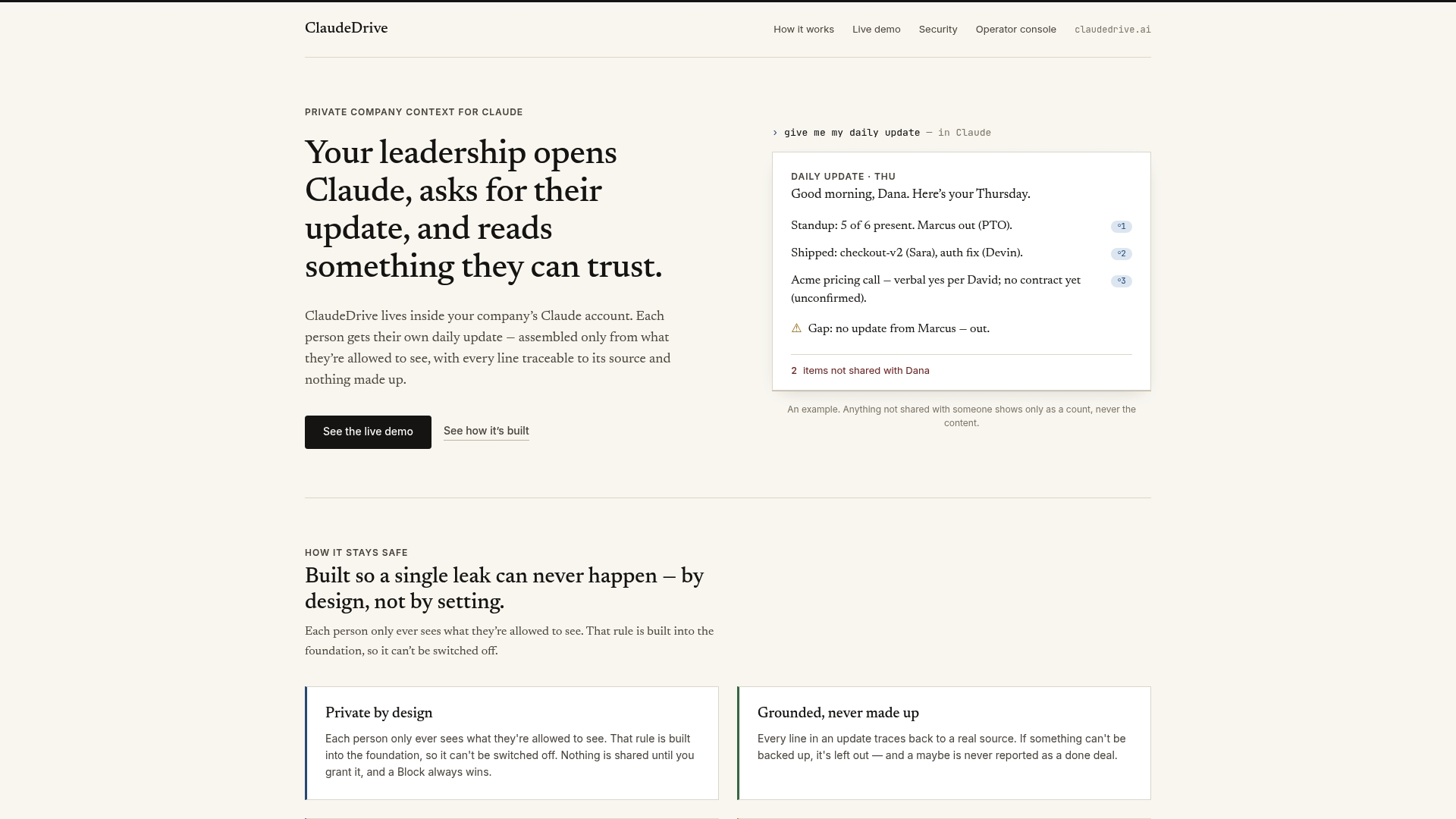
Explore how ClaudeDrive simplifies leadership updates and preserves data privacy inside the Claude account you already use. Visit ClaudeDrive to see the demo and import your company’s tools to receive daily tailored briefings that respect data boundaries and improve decision visibility.
Frequently Asked Questions
How does ClaudeDrive ensure data privacy in executive briefings?
ClaudeDrive offers private, scoped team updates that respect role and permission boundaries, ensuring that each recipient only sees information they are permitted to view. This permission-first design significantly reduces the risk of accidental oversharing and is particularly beneficial for private companies that require strict data boundaries. Organizations can safely streamline their update processes while safeguarding sensitive information.
What is the key difference between ClaudeDrive and Qualabi?
Qualabi excels at converting voice updates into analyzable reports, allowing flexible voice-first mobile capture for updates. In contrast, ClaudeDrive’s strength lies in its automatic filtering and traceability of updates, ensuring that information is tailored to each user based on permissions. Teams that prioritize voice updates may find Qualabi to be a better fit, while those needing strict data control and traceability would benefit more from ClaudeDrive.
What is the onboarding process like for ClaudeDrive users?
ClaudeDrive offers fast onboarding for admins, focusing on configuring permissions and connecting existing tools rather than extensive content modeling. This streamlined setup process allows teams to quickly utilize the software without significant time investments or extensive training. Users can expect to efficiently kickstart their daily update routines.
Does ClaudeDrive support integrations with existing tools?
ClaudeDrive integrates with key tools like meeting notes, GitHub, and Google Calendar to build its scoped updates, allowing teams to connect their existing workflows without needing to adopt a new dashboard or wiki. This functionality helps maintain daily context without the learning curve associated with new systems. Potential users should explore how these integrations can enhance their current processes.
What are the customization options available in ClaudeDrive for reports?
ClaudeDrive has limited visibility on formatting and customization options, which may not meet the needs of teams requiring specific report templates. Users looking for precise customization may find this aspect narrow, which is something to consider when evaluating whether ClaudeDrive fits their reporting needs.