What Is an AI Team Update Tool? A 2026 Guide
Discover what is an AI team update tool and how it simplifies team management in 2026. Learn to streamline AI configurations now!
ClaudeDrive
A Yungsten Tech product

What Is an AI Team Update Tool? A 2026 Guide

An AI team update tool is software that modifies and maintains AI-powered team configurations through guided commands or automated workflows, replacing manual rewrites with structured, approval-gated processes. For tech team leaders managing multi-agent setups or distributed project reporting, these tools reduce the overhead of keeping AI roles, skills, and status reports current. Projects like the /ai-team tool on GitHub, Tencent’s TeamAI CLI, and Mission PM each take a different approach to the same core problem: how do you keep an AI-assisted team configuration accurate without breaking what already works?
What is an AI team update tool and how does it differ from a full rebuild?
An AI team update tool lets users modify multi-agent configurations through guided commands rather than rewriting the entire setup from scratch. The /ai-team tool provides commands like "/ai-team init, /ai-team run, and /ai-team update` that walk users through adding or removing members with previews before any change is applied. That preview step is the critical difference from a manual rebuild. It means a project manager can see exactly what will change before committing, which prevents the kind of accidental reconfiguration that breaks active workflows.
The tool category covers two distinct use cases. The first is agent configuration management, where you are updating which AI roles exist, what they do, and how they relate to each other. The second is project status automation, where AI generates and distributes team updates, status reports, and blocker alerts without requiring manual standups. Both fall under the broader label of AI project management tools, but they solve different problems. Understanding which type your team needs is the first decision to make before evaluating any specific product.

Pro Tip: Before selecting any AI team update tool, write down whether your primary pain point is configuration drift in your agent setup or manual overhead in status reporting. The two problem types map to different tool categories, and conflating them leads to buying the wrong solution.
How do AI team update tools work: commands, workflows, and safety features
The operational model for most AI team update tools follows a lifecycle pattern: initialize, run, update, and archive. Each stage has guardrails.
- Initialize. The
/ai-team initcommand sets up the base configuration, defining roles, responsibilities, and relationships between agents or team members. - Run. The
/ai-team runcommand executes the current configuration, activating the defined roles for a session or sprint. - Update. The
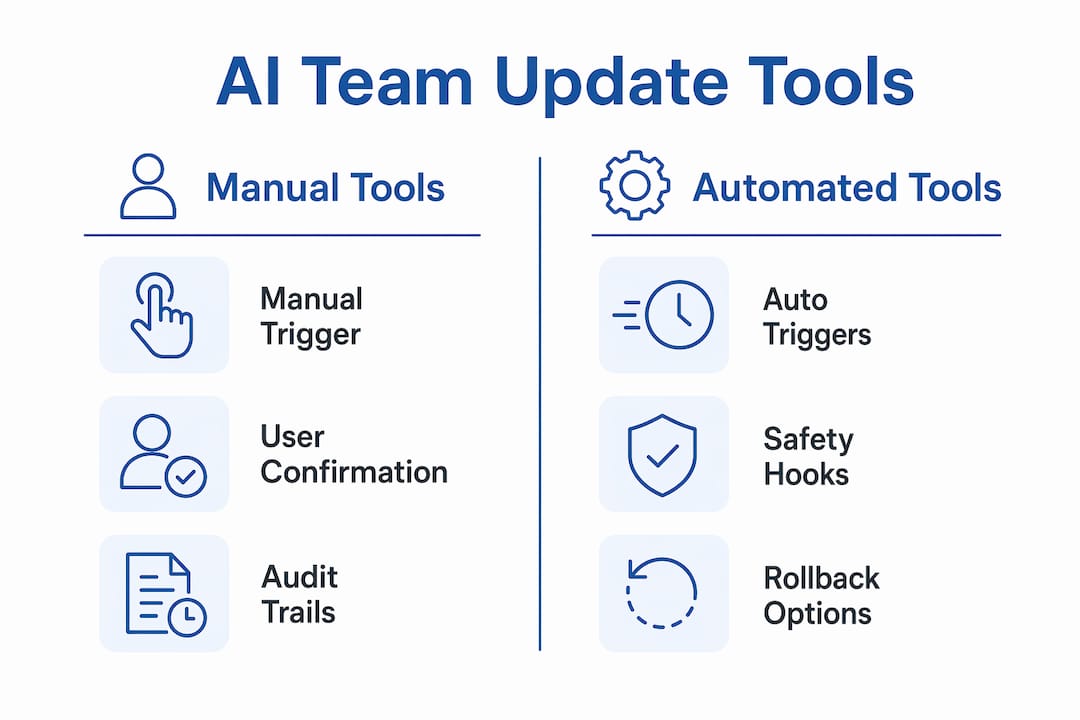
/ai-team updatecommand triggers the guided modification flow. Updates apply only after user confirmation, which is the primary safety mechanism against accidental reconfiguration. - Archive. Removed roles are not deleted. The /ai-team system archives roles in
.ai-team/archive/roles/{id}/and never reuses role IDs. This preserves historical references and keeps issue history intact even after a team restructure.
Tencent’s TeamAI CLI takes a different approach to the update trigger. Rather than requiring a manual command, it auto-updates installed packages at session end via a Stop hook. The behavior is controlled by teamai.yaml at the project level and ~/.teamai/config.yaml at the user level, with user-level settings taking precedence. This means individual contributors can override organizational defaults, which matters in teams where different members have different risk tolerances for automatic changes.
The lifecycle hook integration aligns updates with natural session boundaries rather than forcing a separate maintenance window. That design choice reduces manual overhead because updates happen when work is already stopping, not as an interruption to active work.
Pro Tip: If your team uses Tencent’s TeamAI CLI, set the user-level config file explicitly for each contributor during onboarding. Leaving it at the default means the organizational policy applies universally, which removes the individual override capability that makes the tool flexible.
Comparing leading AI team update implementations in 2026
Four distinct implementations represent the current state of the category. Each makes different tradeoffs between automation, safety, and governance.
| Tool | Update trigger | Safety mechanism | Key governance feature |
|---|---|---|---|
| /ai-team | Manual command | Preview plus confirmation | Role archiving, stable IDs |
| Tencent TeamAI CLI | Session Stop hook | User override policy | YAML-based policy precedence |
| Skill Update Team (SUT) | Automated discovery | 6-point security audit plus rollback | Snapshot before install, smoke test |
| Toolkit-ai | Daily scheduled check | Content-hash lockfile | Skips CI, reproducible updates |
The Skill Update Team (SUT) is the most security-focused of the four. It automates AI tool discovery, security checks, and installation with rollback support, running a scoring system and a six-point security audit before any change is applied. A snapshot is taken before installation, and a smoke test runs after. If anything fails, the rollback restores the prior state. SUT treats updates like production installs, which is the right mental model for any team where AI tool changes could affect customer-facing systems.
Toolkit-ai takes the governance question seriously from a different angle. Its content-hashed lockfile approach tracks outdated components by comparing content hashes rather than version numbers alone. This distinction matters because a version number change does not always mean the content changed, and a content change does not always come with a version bump. The content-hash comparison differentiates between upstream content drift and official new versions, which is vital for teams that need to know exactly what changed and why before approving an update.
Key differences to weigh when choosing between these implementations:
- Manual vs. automated trigger. /ai-team requires a deliberate command; TeamAI CLI and SUT automate the trigger. Manual is safer for high-stakes configurations; automated is better for routine maintenance.
- Rollback capability. SUT provides explicit rollback. The others rely on archiving or version control to recover from bad updates.
- Policy granularity. TeamAI CLI supports both project-level and user-level policy files. The others operate on a single configuration layer.
Why AI-driven team updates matter for tech team leaders
The practical value for a project manager or team lead is not in the commands themselves. It is in what those commands eliminate from the weekly calendar.
Mission PM demonstrates the reporting side of this value clearly. It generates automated status reports and detects blockers proactively without requiring manual standups, sending asynchronous standup digests and a blocker radar report automatically on Fridays. For a team lead managing five engineers across two time zones, that replaces a recurring meeting with a structured document that arrives without anyone having to write it. The time saved is real, but the more significant gain is consistency. Automated reports follow the same format every week, which makes them easier to compare across periods and easier to share with stakeholders who need project visibility without attending every standup.
Beyond reporting, AI-driven team updates improve how quickly a team can adapt its configuration. When a new AI tool becomes available or an existing role needs to change, a guided update flow with preview and confirmation means the change can be evaluated and applied in minutes rather than scheduled for a future sprint. That speed matters most during periods of rapid tooling change, which describes most tech teams in 2026.
Pro Tip: Use automated status reports as the single source of truth for stakeholder updates. When leaders receive AI briefings instead of email threads, they spend less time synthesizing information and more time acting on it.
The transparency benefit compounds over time. When every configuration change is logged, previewed, and confirmed, the team builds an audit trail that makes post-mortems faster and compliance reviews simpler. That audit trail is not a nice-to-have for a regulated industry. It is a requirement.
Best practices for integrating AI team update tools into your workflow
Adoption fails most often not because the tool is wrong but because the rollout skips the governance conversation. These steps reduce that risk.
- Define your update policy before you configure the tool. Decide whether updates should be automatic or manual, who can override the default, and what the rollback procedure is. Write this down before touching any configuration file.
- Use preview and confirmation steps on every first run. Even if you plan to automate updates later, run the first several updates manually with confirmation enabled. This builds team familiarity with what a normal update looks like, which makes it easier to spot an abnormal one.
- Maintain a change log for AI role and configuration updates. The archiving behavior in /ai-team handles this automatically for role changes. For other tools, create a simple log entry for each update: what changed, who approved it, and what the rollback path is.
- Coordinate cross-functionally before rolling out to the full team. An update to an AI team configuration can affect engineers, product managers, and QA leads differently. A brief review with each group before a major update prevents the kind of surprise that erodes trust in the tooling.
- Test rollback before you need it. SUT’s snapshot-and-smoke-test pattern is worth borrowing even if you are not using SUT. Run a deliberate rollback in a staging environment so you know the procedure works before a production incident forces you to use it under pressure.
Update flows with user confirmation improve team trust over time. Teams that skip the confirmation step to save time often pay for it with a single disruptive incident that sets adoption back by months.
Key takeaways
AI team update tools deliver the most value when they combine guided commands, approval steps, and audit trails into a single workflow that leaders can trust without monitoring every change.
| Point | Details |
|---|---|
| Definition is precise | An AI team update tool modifies agent configurations or automates project reporting through structured, approval-gated commands. |
| Safety mechanisms vary | /ai-team uses preview and confirmation; SUT uses security audits and rollback; TeamAI CLI uses policy-file precedence. |
| Archiving beats deletion | Removing a role should archive it, not delete it, to preserve project history and issue references. |
| Automation aligns with work cycles | Session-based triggers like TeamAI CLI’s Stop hook reduce manual overhead by updating at natural stopping points. |
| Governance requires a written policy | Define update authority, override rules, and rollback procedures before configuring any tool. |
Why the governance question is the one most teams skip
I have watched teams adopt AI project management tools with genuine enthusiasm, configure them carefully, and then quietly stop using them six months later. The pattern is almost always the same. The tool worked fine until one update changed something unexpected, no one was sure who had approved it, and the rollback took longer than anyone expected because no one had tested it. The tool did not fail. The governance did.
The implementations covered in this article each handle governance differently, and that difference is more important than any feature comparison. SUT’s approach of treating every update like a production install is the right mental model for any team where AI configuration changes touch customer-facing systems. The content-hash lockfile in Toolkit-ai is the right model for teams that need to distinguish between a vendor pushing a silent content change and an official version release. These are not engineering concerns. They are leadership concerns, because the consequences land on the team lead when something breaks.
The trend I expect to continue through 2026 is tighter integration between AI team update tools and the project management layer above them. Right now, most of these tools operate at the configuration level and report upward only through logs or manual summaries. The next step is tools that surface configuration changes directly in the leadership briefing, so a team lead sees not just what the team did but what the AI setup changed and why. That is where the category is heading, and it is worth evaluating current tools with that future state in mind.
— Paul
See how ClaudeDrive delivers trusted daily updates for tech leaders
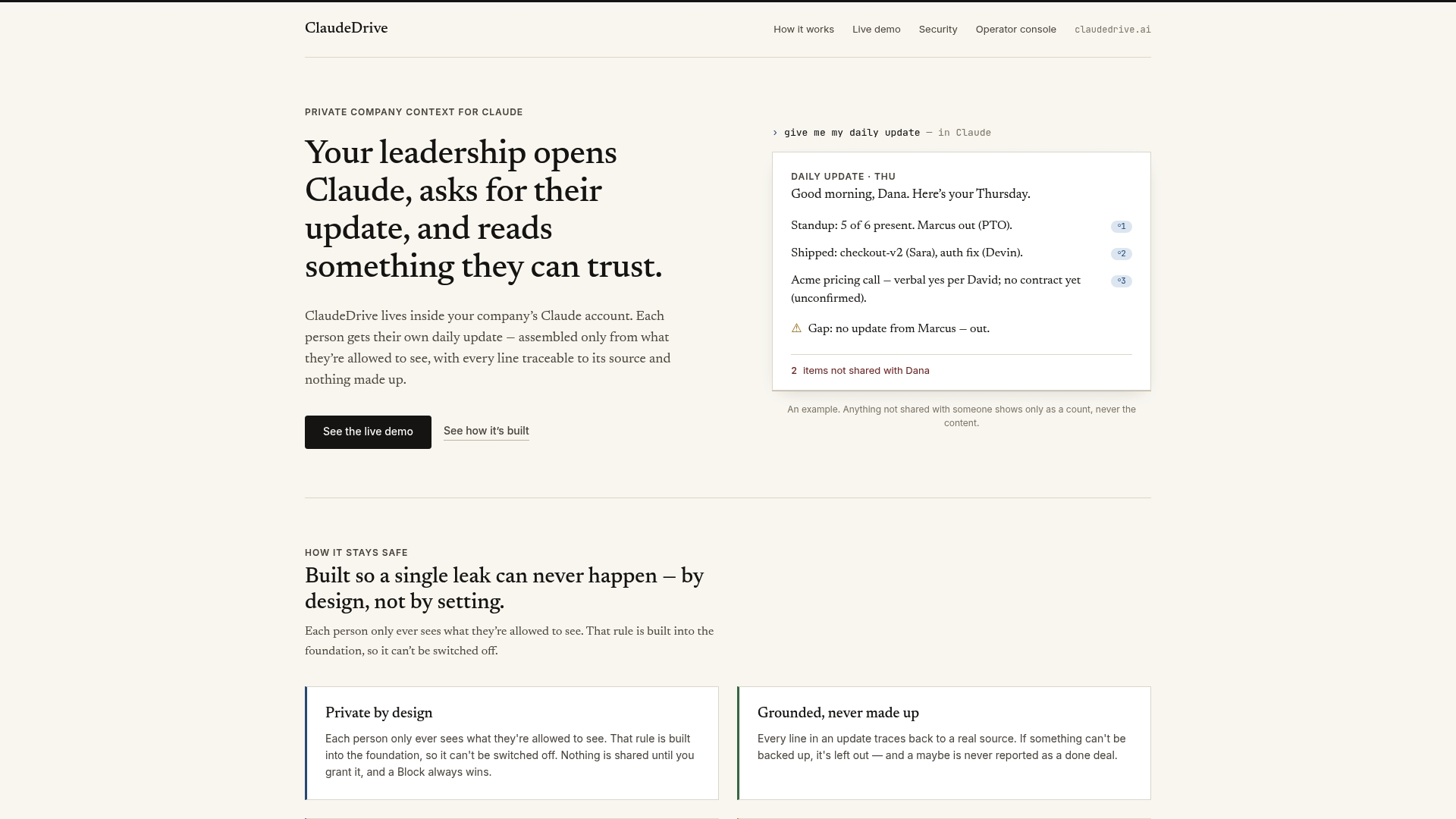
ClaudeDrive is built for exactly the problem this article describes: leaders need a daily update they can trust, built only from sources they are allowed to see, with every line traceable to a real document. Connect GitHub, meeting notes, and your calendar, and each person on your leadership team gets their own private briefing inside the Claude account they already use. No new dashboard to learn, no wiki to maintain, and nothing fabricated. Visit ClaudeDrive to see the live demo or talk to us about a pilot for your team.
FAQ
What is an AI team update tool used for?
An AI team update tool modifies and maintains AI-powered team configurations through guided commands or automated workflows, replacing manual rewrites with structured, approval-gated processes. Some tools also automate project status reporting and blocker detection without requiring manual standups.
How does role archiving work in AI team update tools?
In the /ai-team system, removed roles are archived in .ai-team/archive/roles/{id}/ rather than deleted, and role IDs are never reused. This preserves historical project references and issue history even after a team restructure.
What safety features should I look for in an AI team update tool?
Look for preview steps before changes apply, user confirmation requirements, rollback capability, and a change log. The Skill Update Team (SUT) runs a six-point security audit and takes a snapshot before every install, which represents the most thorough safety model currently available.
How do automated update triggers differ from manual commands?
Manual triggers, like those in /ai-team, require a deliberate command and confirmation before any change applies. Automated triggers, like Tencent’s TeamAI CLI Stop hook, run at session end based on policy files. Manual is safer for high-stakes configurations; automated reduces overhead for routine maintenance.
Can AI team update tools replace weekly status meetings?
Tools like Mission PM generate asynchronous standup digests and automated Friday status reports that cover the same ground as a weekly standup. They do not replace judgment calls or strategic discussions, but they do eliminate the meeting format for routine progress reporting.