Claude Skills for Company Context: A Leader's Guide
Explore how Claude Skills for company context streamline tasks and enhance accountability. Optimize team workflows with tailored AI solutions.
ClaudeDrive
A Yungsten Tech product

Claude Skills for Company Context: A Leader’s Guide

Claude Skills for company context are reusable, domain-specific AI workflows that companies embed directly into Claude to automate operational tasks, standardize communication, and create clear accountability across teams. Unlike general AI prompting, Skills are structured modules: each one carries its own instructions, reference data, and execution logic, scoped to a specific job. Anthropic’s Claude platform supports these Skills natively, and ClaudeDrive builds on that foundation to give leaders a private, permission-aware context layer. For high-growth firms where communication breaks down faster than headcount grows, Skills are the most direct fix available today.
How Claude Skills work within company workflows
A Claude Skill is not a prompt. It is a modular folder that contains instructions, scripts, and reference material, all loaded on demand when Claude needs them. The key design principle is progressive disclosure: Claude loads only the context relevant to the current task, which prevents the AI’s context window from filling up with irrelevant information and keeps responses fast and accurate. That design choice matters operationally. A Skill for payroll planning does not pollute the context of a Skill for lead triage.
Anthropic’s “Claude for Small Business” package ships with 15 pre-built Skills covering common operational tasks including payroll planning, month-end closing, and lead triage. That gives most companies a working starting point without building from scratch. Leaders familiar with their top two or three workflows can build and test a first working Skill in 15–30 minutes using the built-in Skill creator tools. The time investment is low; the operational return compounds quickly.

Skills connect to the tools your teams already use. When a Skill pulls from meeting notes, a CRM, or a calendar, it executes tasks with real company data rather than generic AI output. That connection is what makes Skills useful for company context rather than just useful in general.
Practical Skill workflows include:
- Payroll planning: Pulls headcount data and flags discrepancies before the finance team closes the month.
- Lead triage: Scores inbound leads against defined criteria and routes them to the right sales rep.
- Department reporting: Aggregates updates from connected tools and drafts a weekly briefing for leadership.
- Invoice chasing: Identifies overdue accounts and drafts follow-up messages with the correct payment details.
Pro Tip: Write Skill descriptions that are concise and trigger-focused. Skill metadata competes for attention in the system prompt, so a tight description increases the likelihood Claude selects the right Skill at the right moment. One sentence per Skill is the target.
What are the strategic benefits for communication and accountability?
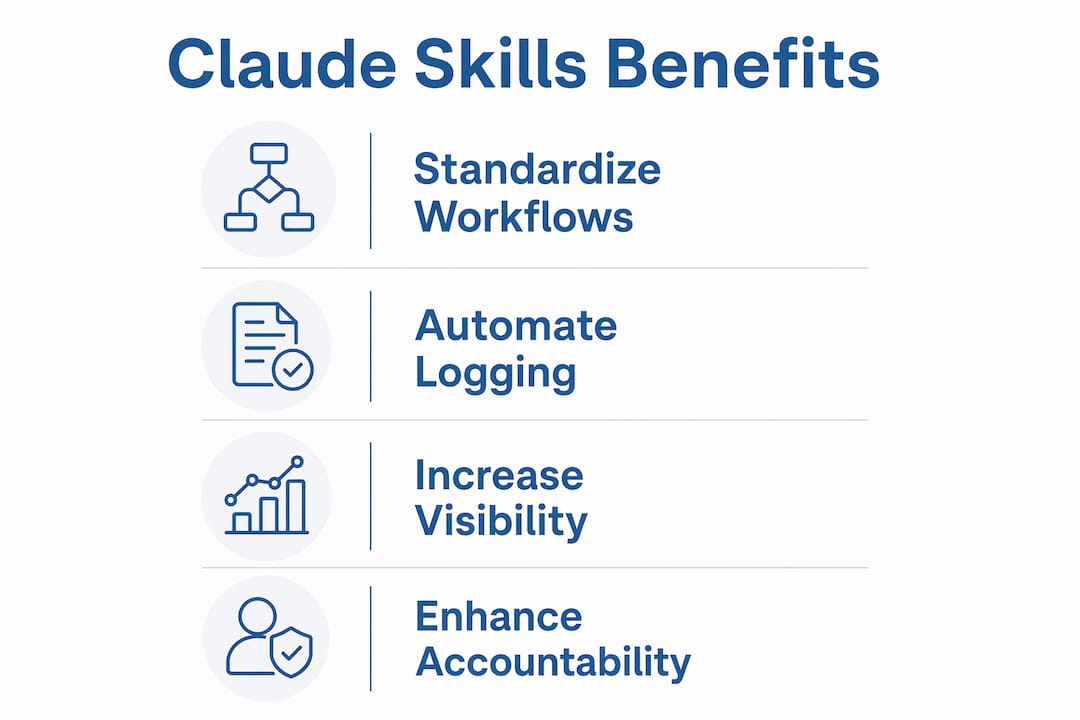
Claude Skills improve internal communication by standardizing workflows and automating task visibility across the organization. Standardization matters because communication failures in high-growth companies are rarely caused by bad intentions. They are caused by inconsistent processes. When a Skill handles the weekly status update or the project handoff checklist, every team member receives the same structure, the same prompts, and the same expectations.
Accountability improves when tasks are visible. A Skill that logs what was completed, flagged, or escalated creates a record that managers can review without chasing people for updates. That shift from reactive management to visible workflow is one of the clearest gains leaders report after deploying Skills at scale.
Skills also address what researchers call the leadership gap: the communication and feedback tasks that technically strong employees struggle to perform consistently. A Skill can prompt an engineer to write a project summary in plain language, guide a sales rep through a structured deal review, or remind a team lead to document a decision before a meeting ends. The Skill does not replace judgment. It removes the friction that causes judgment to go undocumented.
Key organizational benefits include:
- Communication consistency: Every team member follows the same workflow structure, reducing information gaps between departments.
- Task visibility: Automated logging means leaders see what happened without requesting manual status reports.
- Leadership gap coverage: Skills guide technical employees through communication tasks that would otherwise require manager intervention.
- KPI alignment: Linking Skill outcomes to business metrics, not just task completion, keeps the AI’s work connected to what the company actually measures.
The corporate training market reflects this direction. Investment in skill-building for organizational impact is growing at a 12.8% compound annual growth rate. That growth signals that companies recognize skills, whether human or AI-assisted, as a direct driver of performance, not a support function.
How to deploy and govern Claude Skills at scale
Governance is where most Skill deployments succeed or fail. The single most common mistake is deploying too many Skills at once. Limiting active Skills preserves recall accuracy and prevents Claude from selecting the wrong Skill for a given task. The practical rule: consolidate related narrow Skills into broader bundles before adding new ones.
A structured deployment process looks like this:
- Map workflows by role. Identify the top three to five repeatable tasks for each role before building any Skill. Role-based bundles keep the Skill library organized and prevent overlap.
- Build and test in isolation. Test each Skill independently before adding it to the live library. Evaluations in isolation and in coexistence with other Skills catch regressions before they reach production.
- Run a security review. Confirm permission scopes before deployment. Each Skill should access only the data its users are authorized to see.
- Deploy to a pilot group. Roll out to a small team first. Collect feedback on accuracy, relevance, and ease of use before a full organizational rollout.
- Track usage with logging hooks. PreToolUse hooks let teams identify which Skills are used frequently and which are ignored, so development effort goes where it creates the most value.
- Schedule staleness checks. Context older than 90 days in a Skill workflow should trigger a manual review to keep the Skill’s advice current in a fast-changing company.
Pro Tip: Separate Skill uploads are required for distinct Claude surfaces, including the API, claude.ai, and Claude Code. Synchronized governance across all three surfaces prevents a situation where one team gets an outdated Skill version while another gets the current one.
The table below summarizes the governance framework for a high-growth deployment:
| Governance area | Recommended practice | Review frequency |
|---|---|---|
| Skill count per role | 3–5 active Skills maximum | Quarterly |
| Context freshness | Flag content older than 90 days | Monthly |
| Permission scopes | Audit access before each deployment | Per release |
| Usage tracking | Log with PreToolUse hooks | Ongoing |
| Regression testing | Test in isolation and in combination | Before each update |
How do Claude Skills integrate with existing business tools?
Skills work best when they are embedded in the tools your teams already use every day. Embedding Skills within familiar tools lowers resistance and accelerates adoption faster than any training program. A finance team that already lives in a spreadsheet environment will adopt a payroll Skill faster if it connects directly to their existing data source rather than requiring a new interface.
Practical integration examples include:
- QuickBooks connection: A month-end closing Skill pulls account balances, flags anomalies, and drafts a summary for the CFO.
- HubSpot connection: A campaign management Skill reads pipeline data and drafts a weekly performance briefing for the marketing lead.
- Google Workspace connection: A meeting notes Skill reads calendar entries and summarizes action items into a structured follow-up email.
- GitHub connection: A development Skill reads commit history and generates a plain-language progress update for non-technical stakeholders.
Permission scopes govern what each Skill can read and write. A Skill connected to HubSpot for one team should not expose that data to a different team’s Skill. Maintaining clean permission boundaries is not a technical detail. It is the trust mechanism that makes leaders confident in what Claude reports.
End-to-end workflows combine multiple connected Skills. A sales cycle, for example, might use a lead triage Skill to qualify inbound contacts, a CRM update Skill to log the outcome, and a reporting Skill to surface the weekly pipeline summary. Each Skill handles one job. Together, they cover a complete operational process without requiring a new platform. For a deeper look at how to architect this kind of context, the context layer guide for technical leaders covers the design decisions in detail.
Common pitfalls when implementing Claude Skills
The most common failure mode is deploying Skills that measure completion rather than business impact. A Skill that confirms a task was done tells you less than a Skill that confirms the task moved a metric. Leaders who connect Skill outcomes to KPIs from the start avoid the trap of building a busy AI that produces no measurable value.
Other pitfalls to watch for:
- Overloading the Skill library: Adding Skills faster than teams can absorb them creates confusion about which Skill to use. Governance slows this down intentionally.
- Skipping adoption planning: A Skill no one uses is a Skill that solves nothing. Engaging teams early, explaining what the Skill does and why it exists, drives consistent use.
- Ignoring staleness: A Skill built on outdated pricing, outdated org charts, or outdated process documentation gives confident-sounding wrong answers. Regular staleness checks are not optional.
- Misaligned Skill scope: A Skill that tries to do too many things becomes unreliable. One Skill, one job is the rule that holds at scale.
The role of AI in consultant team training follows the same pattern: focused, role-specific AI tools outperform broad, general-purpose deployments when the goal is measurable organizational change. The same logic applies to Skills. Narrow scope, clear purpose, and measurable outcome are the three criteria that separate a useful Skill from a wasted one.
Pro Tip: Build a Skill marketplace inside your organization. A shared catalog of approved Skills, with usage data and owner contacts, gives teams a place to find what exists before building something new. It also creates natural accountability for Skill quality.
Key Takeaways
Claude Skills deliver the most organizational value when they are scoped narrowly, governed actively, and connected directly to business outcomes rather than task completion alone.
| Point | Details |
|---|---|
| Scope each Skill tightly | One Skill, one job: narrow scope produces reliable, consistent output at scale. |
| Govern the Skill library actively | Limit active Skills per role and run staleness checks every 90 days to maintain accuracy. |
| Connect Skills to KPIs | Link Skill outcomes to business metrics, not just completion, to measure real impact. |
| Embed Skills in familiar tools | Integrating with tools teams already use drives faster adoption with less resistance. |
| Test before production | Evaluate each Skill in isolation and alongside others to catch regressions before they affect the organization. |
What I’ve learned watching Skills land in real organizations
The leaders who get the most from Claude Skills are not the ones who deploy the most of them. They are the ones who pick two or three workflows where the cost of inconsistency is highest, build Skills for those workflows, and measure what changes. That discipline is harder than it sounds when you have a capable AI and a long list of operational problems.
The cultural piece surprises most operators. Technical employees often embrace Skills faster than managers do, because Skills remove the ambiguity in tasks they find uncomfortable, like writing a project summary or flagging a risk to leadership. Managers sometimes resist because they worry the Skill will replace their judgment. The honest answer is that it does not. It replaces the friction that prevents judgment from being documented and acted on. That reframe usually lands well.
Leadership’s role in AI adoption is decisive. When a COO or chief of staff treats a Skill as a trusted part of the workflow rather than an experiment, the team follows. When leadership treats it as optional, adoption stalls. The leadership role in AI adoption is not about being an AI expert. It is about being consistent in how you use and expect others to use the tools you have chosen.
The organizations that scale Skills successfully share one habit: they review usage data regularly and retire Skills that are not being used. A Skill library with 40 Skills and 10 active ones is not a success. It is a governance problem waiting to surface. Keep the library lean, keep the context fresh, and measure what matters.
— Paul
ClaudeDrive Console: built for leaders managing Skills at scale
ClaudeDrive gives company leaders a private context layer that feeds Claude directly, with no new app to learn and no dashboard to maintain. Leaders open Claude, ask for their update, and read a clear briefing built only from sources they are authorized to see.

The ClaudeDrive Console supports the full Skill deployment lifecycle: workflow automation management, version control, permission scoping, and usage monitoring across the organization. Every briefing is traceable to a real source. Nothing crosses a permission line it should not. For teams ready to move from individual AI use to organization-wide Skill governance, ClaudeDrive is the layer that makes that transition manageable. Talk to us about a pilot and see how it works with your existing tools and team structure.
FAQ
What are Claude Skills for company context?
Claude Skills for company context are reusable, modular AI workflows scoped to specific organizational tasks. Each Skill carries its own instructions and reference data, loaded on demand to keep Claude’s responses accurate and relevant.
How long does it take to build a Claude Skill?
Leaders familiar with their top workflows can build and test a Skill in 15–30 minutes using built-in Skill creator tools. Pre-built Skill libraries reduce that time further for common operational tasks.
How many Skills should a company deploy at once?
The recommended practice is to limit active Skills to three to five per role. Deploying too many simultaneously reduces recall accuracy and increases the risk of Claude selecting the wrong Skill.
How do Claude Skills improve organizational accountability?
Skills automate task logging and workflow standardization, which gives leaders visibility into what was completed and flagged without requiring manual status reports. That visibility is the direct mechanism behind accountability gains.
How often should Skill context be updated?
Context older than 90 days in a Skill workflow should trigger a manual review. Fast-changing companies, particularly those in high-growth phases, need fresher context to keep Skill output accurate and relevant.