Context Layer for Claude: A Guide for Technical Leaders
Discover how a context layer for Claude enhances AI performance. Learn to build a system for accurate, reliable insights tailored to your needs.
ClaudeDrive
A Yungsten Tech product

Context Layer for Claude: A Guide for Technical Leaders

A context layer for Claude is the structured system that controls what information the AI receives, when it receives it, and how that information is organized to produce trustworthy, accurate responses. Without this architecture, Claude operates on incomplete or stale data, and the quality of its output reflects that gap. For technical leaders in high-growth companies, building a well-designed Claude context integration is the difference between an AI that delivers reliable daily briefings and one that hallucinates details or repeats instructions every session. ClaudeDrive is built on exactly this principle: a private company-context layer that feeds Claude the right information for each person, drawn only from sources they are authorized to see.
What is the context layer for Claude and how does it work?
A context layer for Claude is not a single file or setting. It is a hierarchy of five distinct components that work together to shape every AI interaction. Context engineering is the structural design of the information environment, including directory structures, commit history, and persistent rules. This is a separate discipline from prompt engineering, which focuses on phrasing a single request well.
The five layers in Claude Code are:
- CLAUDE.md: A static file included in every API call that holds session-wide project rules, team conventions, and permanent instructions. CLAUDE.md and auto-memory together typically occupy about 500 tokens as universal rules applied across all sessions.
- Auto memory: A persistent store of learned observations that Claude accumulates over time, covering personal preferences and team patterns without requiring manual re-entry.
- Skills: On-demand, task-specific instruction sets loaded only when a particular workflow is triggered, keeping the base context window lean.
- MCP servers: Live data connections that pull real-time information such as GitHub pull request diffs, Notion documents, or database schemas only when Claude specifically requests them.
- Conversation history: The current session’s running record of exchanges, which provides immediate context but is subject to compression as sessions grow long.
Each layer serves a different time horizon. CLAUDE.md covers permanent rules. Auto memory covers learned patterns. MCP servers cover live data. Conversation history covers the present moment. Leaders who understand this structure can govern each layer independently, which is where real control begins.
How does context layering improve reliability in AI responses?
Layered context engineering directly reduces the rate of AI failures. Contextual retrieval accuracy improves by up to 67% when contextual embedding is combined with reranking and top-20 chunk retrieval. That figure represents a concrete reduction in cases where Claude returns irrelevant or incorrect information.
Ordering matters as much as content. Transformer models suffer from a known “lost-in-the-middle” problem: critical information placed in the middle of a long context window receives less attention than information at the start or end. The practical fix is placing the most important rules and instructions at the top of the context, with key summaries repeated at the end.

Pro Tip: Place your non-negotiable rules, such as data access restrictions or output format requirements, at the very top of CLAUDE.md. Claude processes the beginning of its context most reliably, so permanent constraints belong there, not buried mid-file.
Session compaction creates another reliability risk. Server-side compaction triggers at context windows exceeding 50,000 tokens, compressing conversation history while preserving tool-use continuity. This means early-session instructions can disappear mid-conversation. CLAUDE.md files solve this problem because they sit outside the compaction process. CLAUDE.md files maintain permanent rules unaffected by compaction or resets, making them the anchor for any governance requirement that must survive a long session.
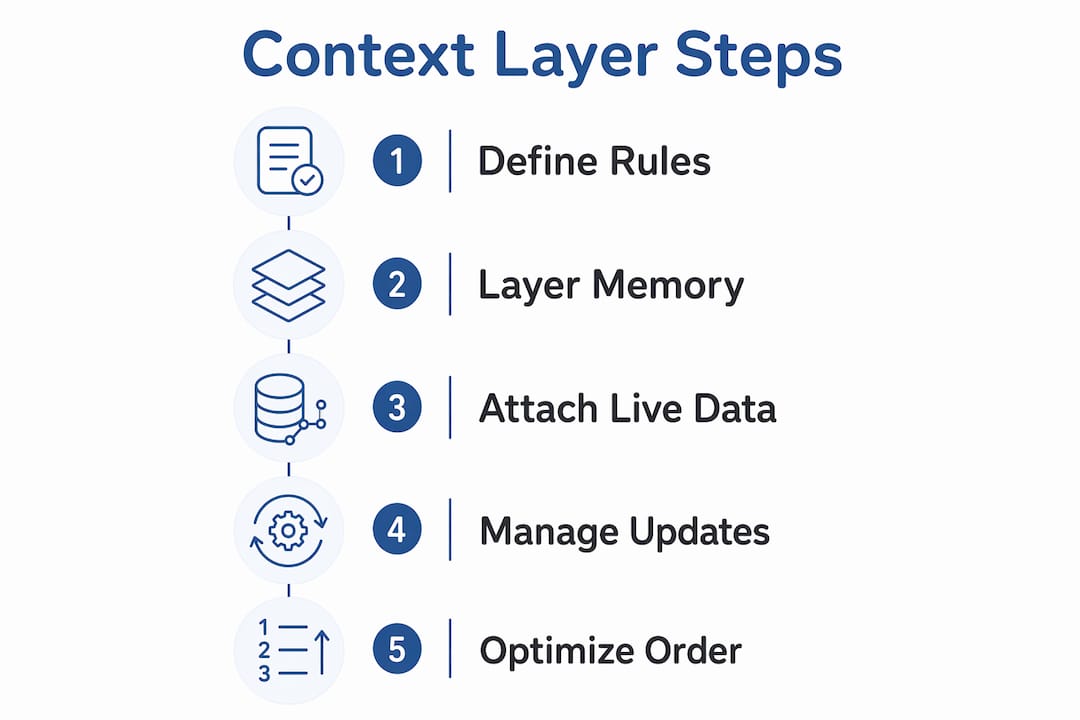
Real-time data access through MCP servers addresses the staleness problem. When Claude pulls live API specs or current database records on demand, it avoids the common failure mode of answering based on outdated static files. The result is a Claude that leaders can trust to reflect the current state of the business, not last month’s snapshot.
Best practices for managing Claude’s context layer in fast-moving environments
Governance of a Claude context integration requires deliberate choices about what goes where and how often it gets updated. These four practices apply directly to high-growth technical teams.
-
Put permanent rules in CLAUDE.md, not in prompts. Rules that must apply across every session belong in CLAUDE.md. Repeating them in prompts wastes tokens and creates inconsistency when someone forgets to include them.
-
Use MCP servers for live data, not static files. Relying on static project files for dynamic information is an anti-pattern. MCP servers supply current data only when Claude requests it, which keeps the base context window clean and the information accurate.
-
Audit your MCP server list regularly. MCP tool definitions consume context tokens by default, though full schema loading is deferred until a tool is invoked. Running a regular audit of active MCP servers removes tools that are no longer needed and prevents token bloat from accumulating silently.
-
Start with low-maintenance data sources. Successful context stacks prioritize passive, low-maintenance sources such as calendar data and bookmarks before adding higher-signal but maintenance-intensive sources like notes. This approach gets a functional context layer running quickly and keeps it sustainable as the team grows.
Pro Tip: Treat your CLAUDE.md file like a policy document, not a prompt. Version-control it alongside your codebase, assign an owner, and review it on a set schedule. A stale CLAUDE.md is worse than no CLAUDE.md because it gives Claude false confidence in outdated rules. See context versioning best practices for a structured approach.
The benefits of scoped AI updates become clear when each layer has a defined owner and a defined update cadence. Without that structure, context layers drift, and the AI’s reliability drifts with them.
How do real-time data sources complement static context files?
Static files and live data connections solve different problems. Treating them as interchangeable creates failures in both directions.
Static files like CLAUDE.md provide the permanent baseline. They hold rules that never change session to session: output format requirements, access restrictions, team conventions, and project scope. These files are always present, always loaded, and always authoritative. Their weakness is that they cannot reflect what happened this morning.
MCP servers enable Claude to pull pull request diffs, retrieve live specs, and access current database schemas in real time. This transforms Claude from a system working from memory into one that can answer questions about the current state of a codebase, a project, or a business. The key design principle is on-demand loading: MCP servers do not flood the context window with data. They respond to specific requests, which keeps token usage controlled.
The practical split looks like this:
| Context need | Best source | Why |
|---|---|---|
| Permanent team rules | CLAUDE.md | Survives compaction, always loaded |
| Live API specs | MCP server | Current data, loaded only on request |
| Learned team preferences | Auto memory | Persistent without manual re-entry |
| Current project files | Conversation history | Available in session, subject to compaction |
| Task-specific workflows | Skills | Loaded on demand, keeps base context lean |
This separation also controls cost. Loading every data source into every session inflates token usage and increases the risk of the lost-in-the-middle problem. Pulling live data only when needed keeps the context window focused and the responses accurate. For leaders evaluating enterprise AI update delivery, this architecture is the foundation of a trustworthy system.
Key takeaways
A well-structured context layer for Claude requires separating permanent rules, learned memory, and live data into distinct layers, each maintained independently.
| Point | Details |
|---|---|
| CLAUDE.md is the governance anchor | Place permanent rules here; they survive session compaction and apply universally. |
| MCP servers handle live data | Use on-demand connections for current information; never load live data into static files. |
| Information ordering affects accuracy | Place critical instructions at the start and end of context to avoid the lost-in-the-middle failure. |
| Audit MCP tools regularly | Unused MCP server definitions consume tokens silently; remove them on a set schedule. |
| Start simple, then add layers | Begin with passive data sources and add higher-maintenance layers only after the baseline is stable. |
Why context engineering is a design problem, not a prompt problem
Most teams I see treat Claude’s context as an afterthought. They write a long system prompt, paste in some project notes, and wonder why the AI gives inconsistent answers two weeks later. The real issue is that they are solving a design problem with a writing solution.
Context engineering is architecture. The decision about what belongs in CLAUDE.md versus an MCP server versus auto memory is the same kind of decision as choosing where to store data in a production system. Get it wrong and the system degrades quietly. Get it right and the system becomes more reliable over time without constant maintenance.
The failure mode I see most often is overloading CLAUDE.md with information that should be live. A team adds their current sprint goals, their latest API endpoints, and their recent meeting decisions to a static file. Within a week, that file is stale. Claude answers confidently based on outdated information, and the team loses trust in the tool. The fix is not better prompts. It is moving dynamic information to MCP servers where it belongs.
The other common mistake is ignoring the compaction threshold. A 50,000-token session limit sounds large until you are running a complex multi-step workflow with tool calls. Instructions added early in a session can vanish mid-task. Leaders who do not account for this build brittle workflows. The solution is straightforward: anything that must persist goes in CLAUDE.md, and anything session-specific gets re-stated at the start of each major task.
Context engineering done well is invisible. The AI just works, every time, for every person who is authorized to use it.
— Paul
How ClaudeDrive manages your context layer
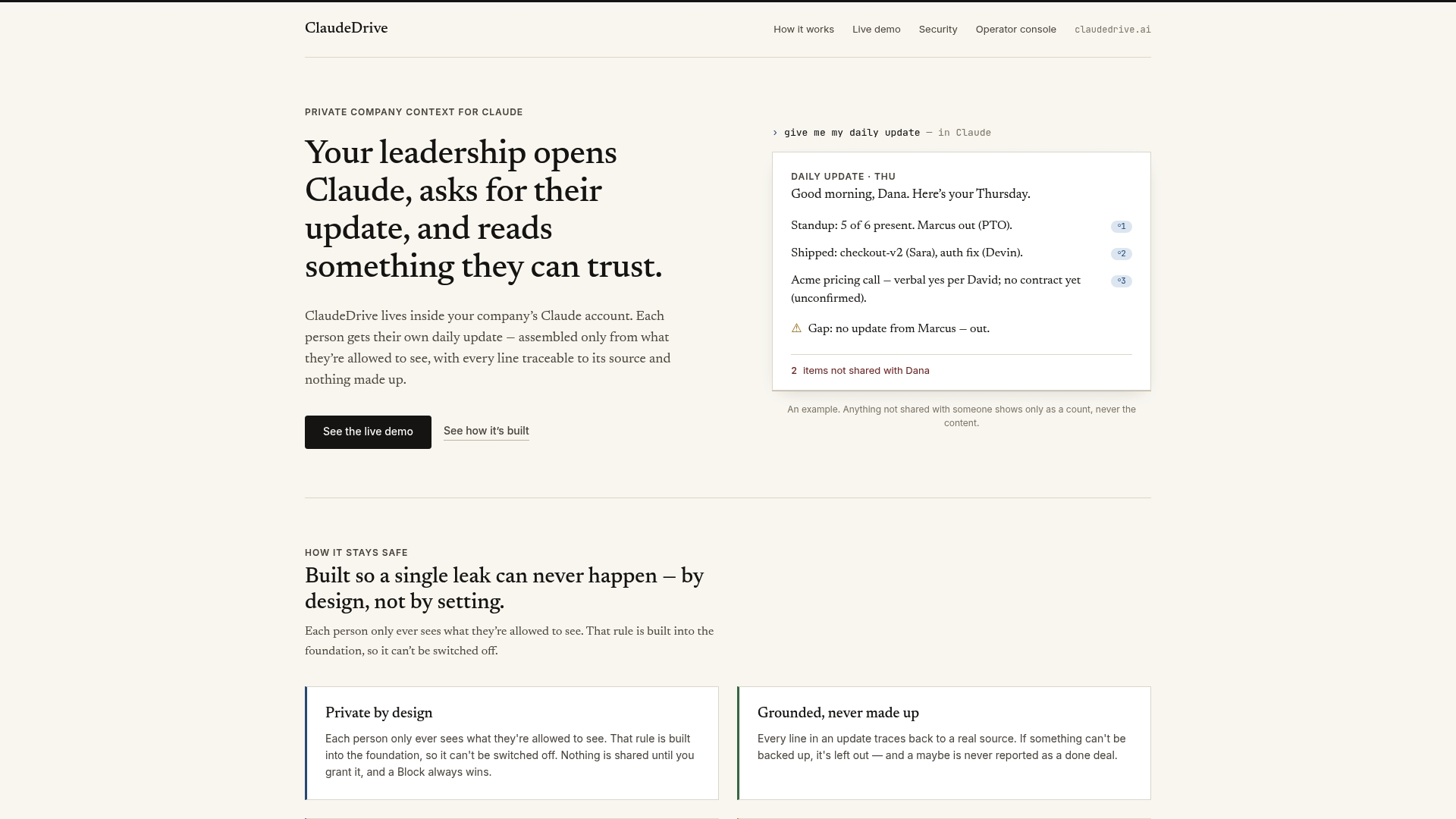
ClaudeDrive is the private company-context layer that feeds Claude the right information for each leader, drawn only from sources they are authorized to see. Connect meeting notes, GitHub, and the calendar, and each person gets their own scoped briefing inside the Claude account they already use. There is no new app to learn and no dashboard to maintain. ClaudeDrive handles the governance work: permission-aware content delivery, traceable sources, and a clean separation between what each person can and cannot see. For technical leaders who want a trusted daily update without building the context architecture from scratch, ClaudeDrive is the starting point. Talk to us about a pilot.
FAQ
What is a context layer for Claude?
A context layer for Claude is the structured system that organizes and delivers information to the AI model across five components: CLAUDE.md, auto memory, skills, MCP servers, and conversation history. Each component serves a different time horizon and information type.
How does CLAUDE.md differ from a system prompt?
CLAUDE.md is a static file loaded in every API call and stored outside the session, so it survives context compaction. A system prompt is session-specific and can be lost when the context window exceeds 50,000 tokens.
Why do MCP servers improve Claude’s accuracy?
MCP servers deliver live data only when Claude requests it, which prevents stale information from entering the context window. This on-demand model keeps responses current without inflating token usage across every session.
What is the lost-in-the-middle problem in Claude?
Transformer models give less attention to information placed in the middle of a long context window. Placing critical rules at the start and end of the context mitigates this and improves the reliability of Claude’s responses.
How does ClaudeDrive handle context layer governance?
ClaudeDrive delivers permission-aware, scoped briefings inside Claude so each leader sees only what they are authorized to see. Every line in the briefing traces back to a real source, and no information crosses access boundaries.