Claude MCP Server for Internal Knowledge: A Leader's Guide
Discover how a Claude MCP server for internal knowledge streamlines access to your company's data, boosts productivity, and empowers informed decisions.
ClaudeDrive
A Yungsten Tech product

Claude MCP Server for Internal Knowledge: A Leader’s Guide

A Claude MCP server for internal knowledge is a self-hosted protocol endpoint that lets AI tools like Claude access, search, and update your company’s documentation, policies, and internal data securely. The Model Context Protocol (MCP) is the recognized industry standard for this connection layer. It gives your team one trusted source of truth, accessible directly inside Claude, without building a new app or maintaining a separate dashboard. For technical leaders at high-growth companies, this means faster decisions, less repeated work, and a knowledge layer that stays current.
How does a Claude MCP server support internal knowledge access?
A Claude MCP server connects your AI client to your company’s knowledge stores through a structured, low-latency query layer. The architecture separates retrieval from generation. Claude asks the MCP server a question, the server searches your internal data, and Claude returns an answer grounded in what your company actually knows.
The retrieval layer uses semantic embeddings alongside full-text search. Millisecond-level query response is achievable using locally hosted SQLite databases with FTS5 or pgvector extensions. That speed matters because slow retrieval breaks the trust leaders place in AI-generated briefings.

Incremental indexing keeps knowledge current without manual effort. Only changed files get re-embedded, verified by SHA-256 checksums on each startup or file change. Your MCP server reflects the latest version of every document, automatically.
Connection setup uses a simple configuration file. JSON config files at paths like ~/.claude/mcp.json define which MCP servers Claude can call, what tools they expose, and how to authenticate. A leader does not touch this file. A technical lead sets it once, and every authorized team member gets access.
| Component | What it does |
|---|---|
| Semantic embedding layer | Finds relevant content by meaning, not just keywords |
| Full-text search (FTS5 or pgvector) | Returns precise matches for specific terms or document names |
| Incremental indexer | Updates only changed files, keeping the knowledge base current |
| JSON config file | Defines which servers Claude can call and what each server exposes |
| Version control integration | Tracks changes to knowledge over time, supporting audit and rollback |
Pro Tip: Start with a single knowledge domain, such as engineering runbooks or HR policies, before connecting multiple stores. A focused MCP server is easier to audit and faster to trust.
What security features protect internal knowledge on MCP servers?
Security is the first question every technical leader asks before connecting internal data to an AI client. MCP servers address this through token-scoped authentication and permission-bounded endpoints.
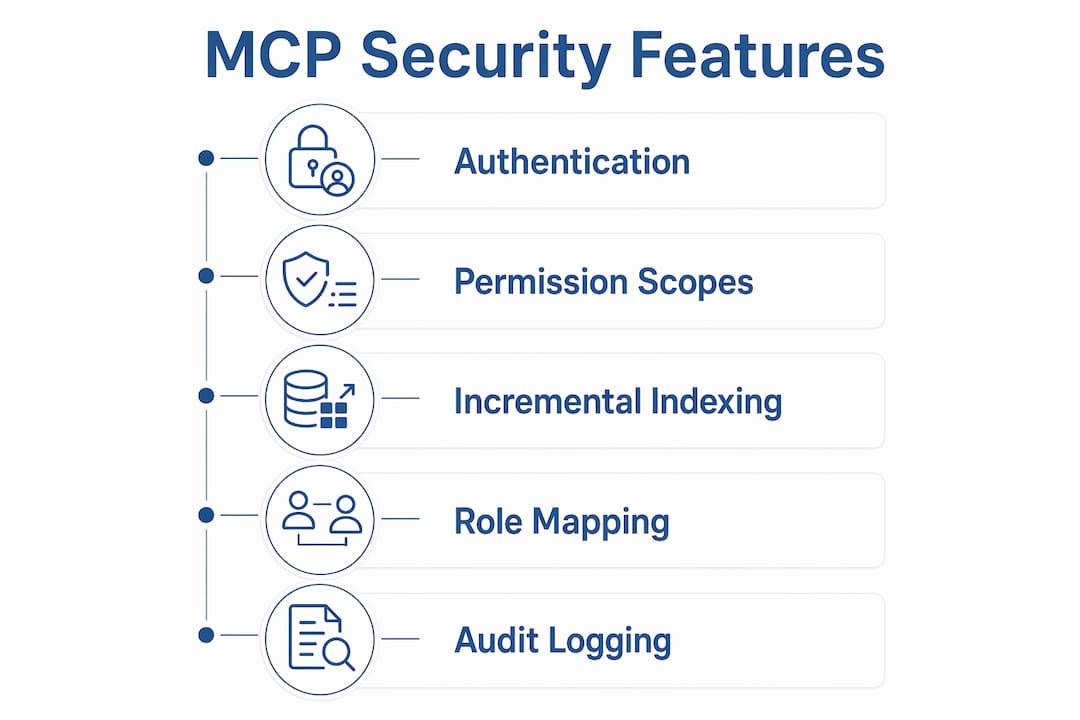
OAuth 2.1 + PKCE is the authentication standard for enterprise MCP deployments. It eliminates manual token copying and ensures every request carries a scoped credential that expires. No standing access, no shared passwords.
Permission-scoped endpoints control what each user or role can see. The key guarantees are:
- Department boundaries: An engineer’s Claude session cannot retrieve HR compensation data, even if both live on the same MCP server.
- Read/write enforcement: Most leaders get read access. Only designated roles can create or edit knowledge entries.
- Audit trails: Every query and write operation is logged with a timestamp and user identity.
- Local hosting: Data stays inside your network. No content leaves to a third-party retrieval service.
- Per-token scope: Tools enforce permission-scoped workflows for wiki search, page reads, edits, and drafts at the token level.
This model matches how enterprise AI governance frameworks approach secure data access: define who sees what before any AI touches the data.
Pro Tip: Map your existing role structure to MCP permission scopes before deployment. Retrofitting access controls after launch is significantly harder than building them in from the start.
How do technical leaders deploy and integrate Claude MCP servers?
Deployment follows a short, repeatable sequence. The steps below reflect how most technical teams get a Claude MCP knowledge base running in a controlled environment.
-
Choose a hosting model. Run the MCP server locally via CLI or inside a Docker container on your internal network. Local hosting keeps data off external services and simplifies compliance reviews.
-
Configure the knowledge store. Point the server at your existing documentation sources: a folder of markdown files, a PostgreSQL database, a Git repository, or a combination. Agent-native schemas using PostgreSQL and pgvector let AI agents read and write autonomously, which supports runbooks and architectural decision records.
-
Add the server to Claude’s config. Adding MCP server connections in Claude Desktop requires a UI update or a JSON config file edit. The change takes under five minutes and gives Claude immediate access to the tools the server exposes.
-
Apply router patterns. Small config files of roughly 40 lines guide Claude to the relevant subset of your knowledge base for each query. This reduces context window waste and keeps answers focused. See the context layer setup guide for a worked example of router configuration.
-
Onboard your team. Leaders do not need training on the MCP server itself. They open Claude, ask a question, and read a sourced answer. Technical leads handle the server. Everyone else just uses Claude as they already do.
The deployment process is intentionally thin on the user side. That is the point. A well-configured MCP server is invisible to the people it serves.
What practical benefits does a Claude MCP server deliver to high-growth companies?
The organizational payoff from a Claude MCP knowledge base is clearest in three areas: continuity, collaboration, and onboarding speed.
Persistent, versioned knowledge prevents context loss between AI sessions. Git-backed or SQLite-based knowledge stores automatically reload preferences, coding styles, and project history each time a session starts. A leader who asks Claude for a project status on Monday gets the same grounded context as they would on Friday, without re-explaining background.
The benefits for high-growth teams include:
- Shared knowledge layer: Every team member’s Claude session draws from the same internal source. Answers are consistent across departments.
- Reduced documentation effort: AI agents can write verified operational context such as runbooks and decision logs directly into the knowledge base. Teams spend less time manually updating wikis.
- Faster onboarding: New hires ask Claude questions about processes, tools, and history. Claude answers from the MCP server, not from hallucination. The knowledge base becomes the onboarding guide.
- Traceable answers: Every response Claude generates from an MCP server links back to a source document. Leaders can verify claims in seconds.
The shift from document-browsing UIs to AI-native knowledge layers is the underlying change here. Knowledge stops being something people search for and starts being something Claude retrieves on demand. For AI context versioning to work at scale, the knowledge layer must be structured, versioned, and permissioned from day one.
Key Takeaways
A Claude MCP server for internal knowledge delivers value only when it is permissioned correctly, kept current through incremental indexing, and connected to a versioned knowledge store that AI agents can read and write reliably.
| Point | Details |
|---|---|
| Authentication standard | OAuth 2.1 + PKCE scopes every request and eliminates standing credentials. |
| Retrieval speed | Locally hosted SQLite or pgvector delivers millisecond-level query response. |
| Context continuity | Versioned knowledge stores prevent session-to-session context loss for AI agents. |
| Deployment simplicity | A JSON config file connects Claude Desktop to any MCP server in minutes. |
| Permission boundaries | Department-level scopes keep each leader’s Claude session within their data access rights. |
What I’ve learned from watching teams deploy MCP servers
Most technical leaders I talk to underestimate one thing: the schema decision made at setup determines whether the knowledge base stays useful six months later. Teams that dump unstructured documents into a flat folder get fast initial results and slow, degrading accuracy over time. Teams that invest two days in a modular schema, separating runbooks from policies from project history, get a knowledge base that AI agents can actually navigate.
Bootstrapping AI sessions with an orientation call that includes role, goals, and current health status produces more consistent agent behavior than letting Claude browse reactively. This is a small configuration choice with a large downstream effect on answer quality.
The access control question also gets underweighted. Leaders often want broad access for convenience. The right answer is the narrowest access that still makes the briefing useful. Permission-aware AI updates are not just a compliance requirement. They are what makes a leader trust the answer they read. If there is any chance the briefing contains data they should not see, they stop trusting all of it.
The teams that get the most out of a Claude MCP knowledge base treat it as a living system, not a one-time setup. They assign an owner, review the schema quarterly, and add new knowledge domains deliberately rather than all at once.
— Paul
ClaudeDrive as your internal knowledge layer for Claude
Technical leaders who want the outcome without managing the infrastructure have a direct path forward with ClaudeDrive. ClaudeDrive is the private company-context layer that feeds Claude, built by Yungsten Tech. Connect your meeting notes, GitHub, and calendar, and each leader gets a daily briefing built only from what they are authorized to see. Every line is traceable to a real source.

There is no new app to roll out and no wiki to maintain. ClaudeDrive handles the MCP server management, permission scoping, and update delivery so your technical team focuses on the work that matters. Visit ClaudeDrive Console to see the live demo or talk to us about a pilot.
FAQ
What is a Claude MCP server for internal knowledge?
A Claude MCP server is a self-hosted endpoint that connects Claude to your company’s internal documentation and data using the Model Context Protocol. It lets Claude search, retrieve, and update internal knowledge with permission-scoped access.
How does MCP server authentication work?
Enterprise MCP servers use OAuth 2.1 + PKCE to authenticate every request with a scoped, expiring token. This eliminates shared credentials and ensures each user only accesses data within their permission boundary.
Can AI agents write to an MCP knowledge base?
Yes. Agent-native schemas using PostgreSQL and pgvector allow AI agents to write verified content such as runbooks and decision logs directly into the knowledge base, not just read from it.
How do I connect Claude Desktop to an MCP server?
Add the server’s connection details to Claude Desktop’s JSON config file or through the UI settings. The change takes under five minutes and immediately exposes the server’s tools to Claude.
What keeps an MCP knowledge base current without manual updates?
Incremental indexing re-embeds only changed files on startup or file change, using SHA-256 checksums to detect what has been modified. The knowledge base stays current with zero manual maintenance.