How to Connect Company Tools to Claude Safely
Learn how to connect company tools to Claude safely, ensuring secure access and controlled permissions for your team. Enhance productivity today!
ClaudeDrive
A Yungsten Tech product

How to Connect Company Tools to Claude Safely

Connect company tools to Claude safely with these core controls
You can connect company tools to Claude safely today. The key is treating each connector as a controlled access point, not a convenience shortcut. Claude connectors let your team pull context from meeting notes, GitHub, calendars, Google Drive, Slack, and Microsoft 365 directly into Claude conversations. What makes this safe is a single design principle: Claude inherits each user’s existing permissions, never exceeding them. Enable a connector at the organization level, and it still cannot show an employee data they couldn’t already access in the original tool.
Before you enable anything broadly, the right sequence is:
- Security review first. Evaluate what data each connector exposes and document the business justification before enabling it for any group.
- Principle of least privilege. Grant connector access only to the roles or groups that genuinely need it, not the whole organization by default.
- Periodic review. Unused connectors expand your attack surface; disable them when they’re no longer active.
- Individual authentication. Enabling a connector organization-wide makes it available, but each user must authenticate with their own credentials before Claude can act on their behalf.
- Pilot before broad rollout. Start with a small group to confirm that sensitive documents aren’t broadly exposed before you scale.
Pro Tip: Run your first connector with five to ten people from a single team. Ask them to probe for data they shouldn’t see. If nothing surfaces, you have evidence the permission model is working as designed.
Table of Contents
- How to run a security review and set up access controls
- How pilot testing and compliance documentation reduce your integration risk
- How ClaudeDrive delivers trusted daily updates from connected tools
- What every leader should do before and after connecting tools to Claude
- Key Takeaways
- ClaudeDrive gives leaders a daily update they can actually trust
How to run a security review and set up access controls
A security review for a connector doesn’t require a full audit cycle. It requires answering three questions: What data does this connector expose? Who has a legitimate business need for it? What happens if a credential is compromised?
Start by mapping the data scope. A GitHub connector, for example, can expose repository contents, commit history, and pull request comments. Decide which repositories are in scope and which are not before enabling it. The same logic applies to calendar connectors (who can see whose schedule?) and meeting notes (are board discussions in the same pool as all-hands recaps?).
- Group-based access. Limit connector access to specific user groups based on documented business needs. A finance connector should not be available to the entire engineering org.
- Credential management. Each user authenticates with their own credentials. Never use a shared service account for personal connectors; that collapses individual permission boundaries into a single point of failure.
- Audit and monitoring. Audit logs, authentication controls, and compliance APIs are the mechanism for catching anomalies early. Review access logs regularly and set up alerts for unusual usage patterns.
- Incident response. Know in advance who gets notified if a connector is misused and how quickly access can be revoked. A connector that takes 48 hours to disable is a liability.
Pro Tip: Write a one-page access policy for each connector before deployment. Include the approved user groups, the data scope, and the escalation path for suspected misuse. Distribute it to stakeholders before the connector goes live.
How pilot testing and compliance documentation reduce your integration risk
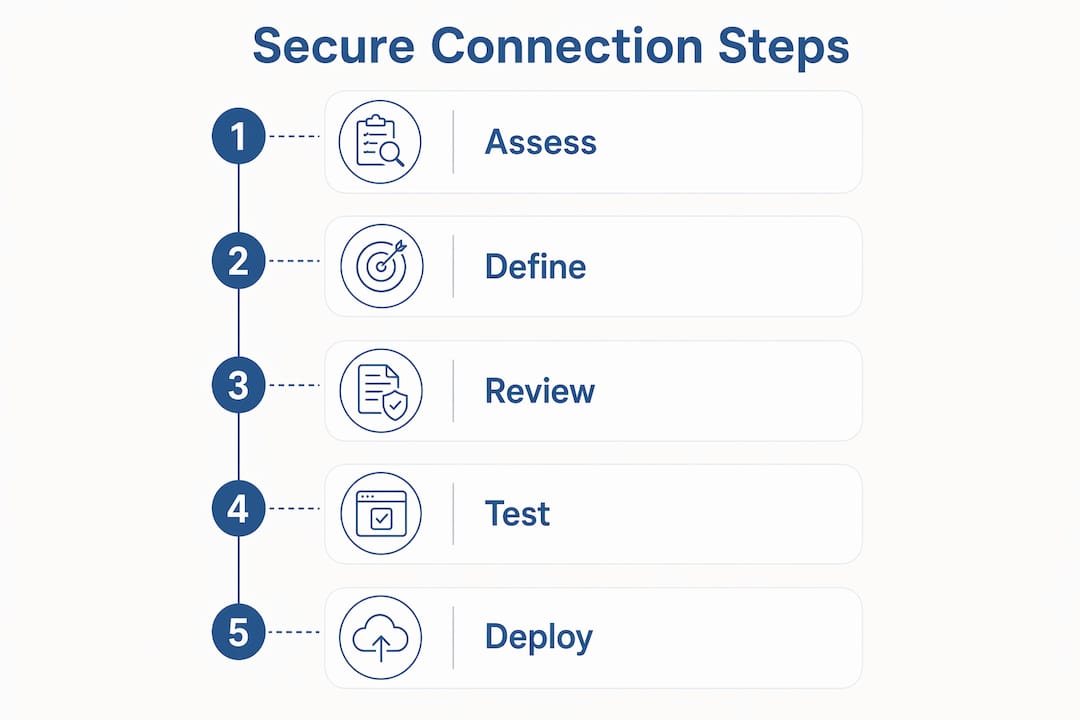
The greatest risk in connecting tools to Claude isn’t a technical failure. It’s starting with permissions that are too broad and discovering the exposure after the fact. Over-provisioning connectors at the start is the most common mistake; a structured pilot catches it before it becomes a problem.
A red team pilot works like this: select a small group of technically literate users, give them access to the connector, and ask them to actively try to surface data they shouldn’t see. If your GitHub connector is scoped to engineering repositories, can a pilot user reach the HR team’s private notes? If the answer is no, you have a tested boundary. If the answer is yes, you fix the scope before anyone else touches it.
Compliance documentation is the other half of this. Treat Claude tool integration the way you’d treat any enterprise IT procurement:
- SOC 2 and ISO 27001. Request compliance documentation from your vendor as part of the procurement process. These certifications confirm that the underlying platform has been independently audited for security controls.
- HIPAA BAA. If your organization handles protected health information, a Business Associate Agreement is a legal requirement before connecting any tool that might surface that data. Don’t assume it’s included in a standard enterprise plan; confirm it explicitly.
- Data residency. Review where data is processed and stored. Some regulatory frameworks require data to remain within specific geographic boundaries.
- Zero Data Retention. For organizations with strict data minimization requirements, Zero Data Retention is available to qualified Claude Enterprise accounts. It requires a specific contractual arrangement through Anthropic’s account team and disables features like chat history persistence.
- Vendor risk assessment. Validate that external connectors meet your organizational security standards through third-party compliance verification before adoption. A connector built by a third-party vendor carries its own risk profile separate from the Claude platform itself.
How ClaudeDrive delivers trusted daily updates from connected tools
ClaudeDrive is a private company-context layer that feeds Claude. It connects your internal tools, meeting notes, GitHub, and calendar, and delivers each leader a daily briefing built only from what they’re authorized to see. No new application to install, no dashboard to learn. A leader opens Claude, asks for their update, and reads a sourced briefing with every line traceable to a real document.

The security model is the same one described above, applied consistently:
| Connected Tool | What It Provides | Security Control |
|---|---|---|
| Meeting notes | Decisions, action items, context from recent calls | Access scoped to meetings the user attended or was granted access to |
| GitHub | Repository activity, pull requests, recent commits | User-level authentication; only repos the user can access |
| Calendar | Upcoming meetings, scheduling context | Individual permission inheritance; no cross-user visibility |
| Google Drive / Docs | Referenced documents, project files | Existing Drive permissions enforced; no external indexing |
What ClaudeDrive adds on top of the standard connector model:
- Every line in the daily briefing is traceable to a real source; nothing is generated without a document behind it.
- Permission boundaries are enforced at the individual level. One leader’s update never contains data from another leader’s private access.
- No fabricated content. If a source doesn’t exist, the briefing doesn’t include the claim.
- No new app rollout. The update lives inside Claude, which leaders already use.
- Each person gets a private view, not a shared dashboard where one person’s access bleeds into another’s.
For leaders who want to understand the permission-aware retrieval model in more depth, the underlying design ensures Claude can only surface what the authenticated user already has rights to see.
What every leader should do before and after connecting tools to Claude
Safe tool integration with Claude is not a one-time setup. It’s an ongoing governance practice. Here’s the short version of what that looks like in practice:
- Before connecting: Run a security review for each connector. Document the data scope, the approved user groups, and the business justification. Get compliance documentation from your vendor.
- Before broad rollout: Run a red team pilot with a small group. Confirm that permission boundaries hold. Fix any exposure before scaling.
- At deployment: Enforce individual authentication. Never use shared credentials. Limit access to groups with a documented need.
- Ongoing: Review connector usage logs regularly. Disable unused connectors. Revisit access policies when teams or roles change.
- For regulated data: Confirm HIPAA BAA status before connecting any tool that might surface protected health information. Clarify data residency requirements with your vendor.
ClaudeDrive applies all of these controls by design. Leaders get a daily update they can trust, built from authorized sources, inside the Claude account they already have. That’s the outcome: less time chasing updates across tools, more confidence in the briefing sitting in front of you.
Key Takeaways
Connecting company tools to Claude safely requires permission-aware connectors, pre-deployment security reviews, red team pilot testing, and ongoing compliance documentation to protect leadership data and decision-making integrity.
| Point | Details |
|---|---|
| Permission inheritance is the foundation | Claude cannot access more than the authenticated user already can in the original tool. |
| Pilot before broad rollout | A small red team pilot confirms permission boundaries hold before organization-wide enablement. |
| Compliance documentation is required | Request SOC 2, ISO 27001, and HIPAA BAA status from vendors before connecting regulated data. |
| Ongoing monitoring matters | Review audit logs regularly and disable unused connectors to keep your attack surface small. |
| ClaudeDrive delivers trusted daily updates | ClaudeDrive connects meeting notes, GitHub, and calendar inside Claude, with every briefing line sourced and permission-scoped. |
ClaudeDrive gives leaders a daily update they can actually trust
Most leaders spend the first hour of their day piecing together what happened: scanning Slack threads, checking GitHub, pulling up calendar notes. ClaudeDrive replaces that with one clear briefing inside Claude, built only from what you’re authorized to see.

The security model is the same one this article describes: individual permission inheritance, no cross-user data exposure, every line traceable to a real source. There’s no new application to roll out and no dashboard to maintain. You connect a few tools, tag who’s allowed to see what, and each leader gets their own private view of what happened. For organizations already on Claude Enterprise, the path to a trusted daily briefing is shorter than most leaders expect.
Talk to us about a pilot at claudedrive.ai.