Top 5 MCP vs Skills vs Connectors for Claude Alternatives 2026
Compare the top 5 MCP vs Skills vs connectors for Claude alternatives to determine which option best fits your company's needs.
ClaudeDrive
A Yungsten Tech product

Top 5 MCP vs Skills vs Connectors for Claude Alternatives 2026

Keeping document access, automation, and compliance in sync inside AI assistants slows teams down when there is no unified context layer. Many solutions either restrict context to a single tool or lack permissions, , so leaders run into gaps with workflow integration or privacy controls. This list compares five company context layer alternatives so teams can pick one that matches document control and automation needs without wasted trial cycles.
Table of Contents
ClaudeDrive
At a Glance
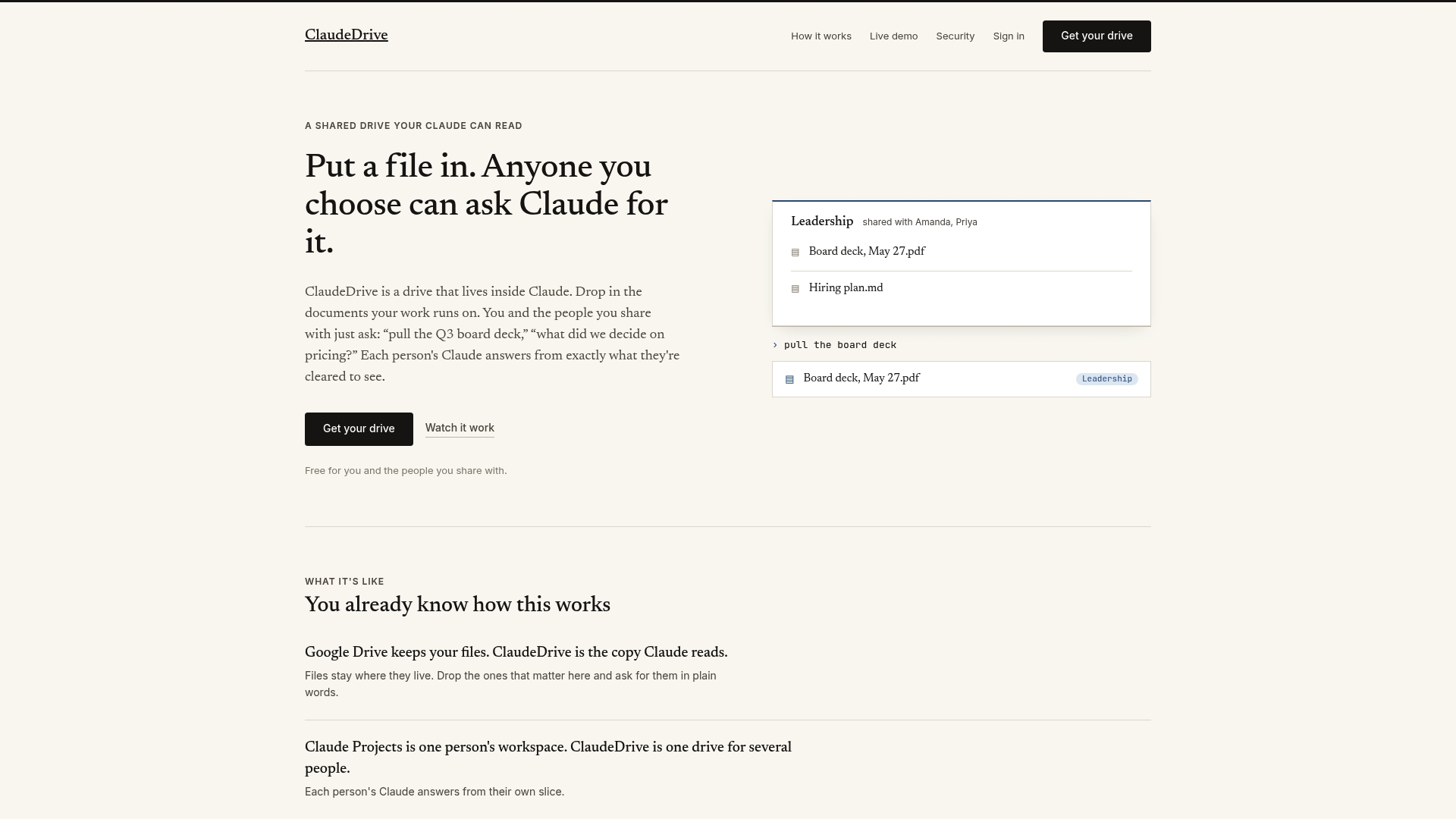
Leaders get a daily update inside the Claude account they already use. Every briefing is built only from documents each person is allowed to see, and each line is traceable to a real source. No new app to roll out, no dashboard to learn, and no wiki to maintain.
Core Features
ClaudeDrive hosts a shared drive inside Claude where teams drop files and organize folders with permission controls. Team members ask plain language questions to retrieve specific documents or summaries. The product delivers daily change reports, preserves file privacy without copying or exporting, and keeps access limited to designated team members.
Key Differentiator
ClaudeDrive integrates document sharing directly inside Claude while enforcing role based, team specific access and delivering natural language queries against those files. That integration means documents and query results never leave the Claude environment.
Pros
Set up is fast because the drive lives inside Claude and does not require separate software. Role based access controls let owners limit who can read or query folders. The drive returns focused summaries and retrieves exact files by plain language requests. Teams avoid duplicate copies and reduce version confusion because files remain in place. Daily updates help leaders stay informed without asking for ad hoc reports.
Cons
- Limited to teams that use Claude; it is not a standalone document management system.
Who It’s For
Teams and organizations that already use Claude and need secure, permissioned document sharing inside their existing workflow. This fits product teams, executive offices, and legal or security groups that must keep files private while allowing selective queries. It is less useful for organizations that do not use Claude.
Unique Value Proposition
Daily updates appear inside Claude and show only the content each person may access. That reduces context switching for leaders who already rely on Claude for briefings. The result is faster situational awareness and fewer email threads about who can see what. Traceable lines back to source files simplify audits and compliance reviews.
Real World Use Case
A startup uses ClaudeDrive to manage project specs, investor documents, and sprint notes. Team members ask Claude for the latest spec changes and get a short, sourced briefing. Role based folders keep sensitive investor paperwork visible only to founders and legal counsel.
Pricing
ClaudeDrive is free for initial use. Paid plans start at $49 per month per user. Pricing details beyond that starting figure are brief, so larger organizations should request a full pricing breakdown before committing.
Website: https://claudedrive.ai
Adeu.ai
At a Glance
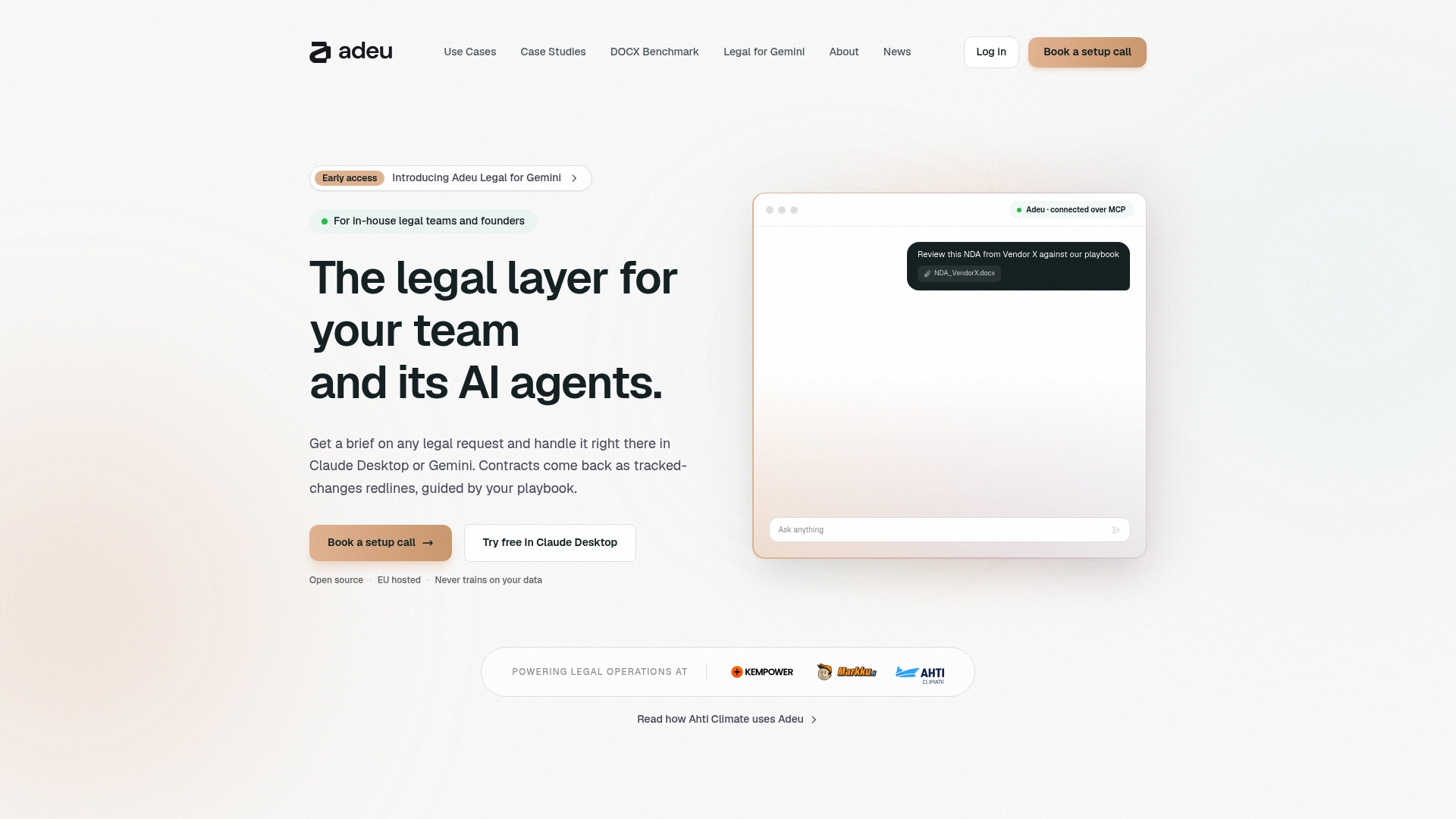
According to the company, Adeu.ai is open source, GDPR compliant, and EU hosted. The product embeds contract review and redlining directly inside Outlook, Word, Teams, Slack, Claude Desktop, and Gemini. That placement removes portal uploads and keeps legal work inside familiar apps. The approach aims to cut administrative overhead for in-house teams and startups.
Core Features
Adeu.ai runs AI-powered contract review and redlining with playbook driven clause analysis and deviation flagging that explains risk in plain language. It automates intake and triage of legal requests, tracks obligations and renewals, and preserves tracked changes inside Word documents. The tooling supports high volume review while working inside existing collaboration and mail apps.
Key Differentiator
Adeu.ai puts contract automation into the same apps lawyers already use. That avoids a separate portal and reduces context switching for legal reviewers. For teams that prioritize keeping contracts inside corporate Office and messaging systems, this is the defining capability.
Pros
Adeu.ai reduces context switching by running inside Outlook, Word, and Slack. That placement helps legal reviewers keep chain of custody and source documents where they already live. The platform automates routine tasks such as triage and clause flagging, which frees senior lawyers for higher value review. Adeu.ai also supports high volume workflows and claims EU hosting and GDPR compliance, which will matter for teams with regional data residency needs.
Cons
-
Some users report technical bugs that disrupt review flows. These interruptions affect throughput for active contract queues.
-
The content editor interface can be confusing, creating a steeper learning curve for operators. Teams will need time to adapt editorial practices.
-
Automation features are reported as occasionally unreliable. That means manual checks remain necessary for certain contract classes.
When It May Not Fit
Adeu.ai may not fit teams that require flawless automation without any manual oversight. It is a poor match for groups that expect a simplified WYSIWYG editor out of the box. Small teams that do not use Outlook, Word, Teams, Slack, or Claude Desktop will not gain the same workflow advantages.
Notable Integrations
- Outlook
- Word
- Teams
- Slack
- Claude Desktop
- Gemini
Who It’s For
Legal teams inside in-house corporations, startups, and SMBs that need contract review embedded in familiar apps. The product fits teams that handle high volumes of NDAs and commercial contracts and that prioritize EU hosting and transparent codebases.
Real World Use Case
Ahti Climate uses Adeu inside Claude Desktop to review and redline contracts within the same day. That setup let the legal team scale contract operations without adding headcount and kept every change traceable in the original document.
Pricing
Pricing information is not listed. The product entry describes capabilities and integrations but states pricing as informational only, so you will need to contact Adeu.ai for current commercial terms.
Website: https://adeu.ai
CorpusIQ
At a Glance
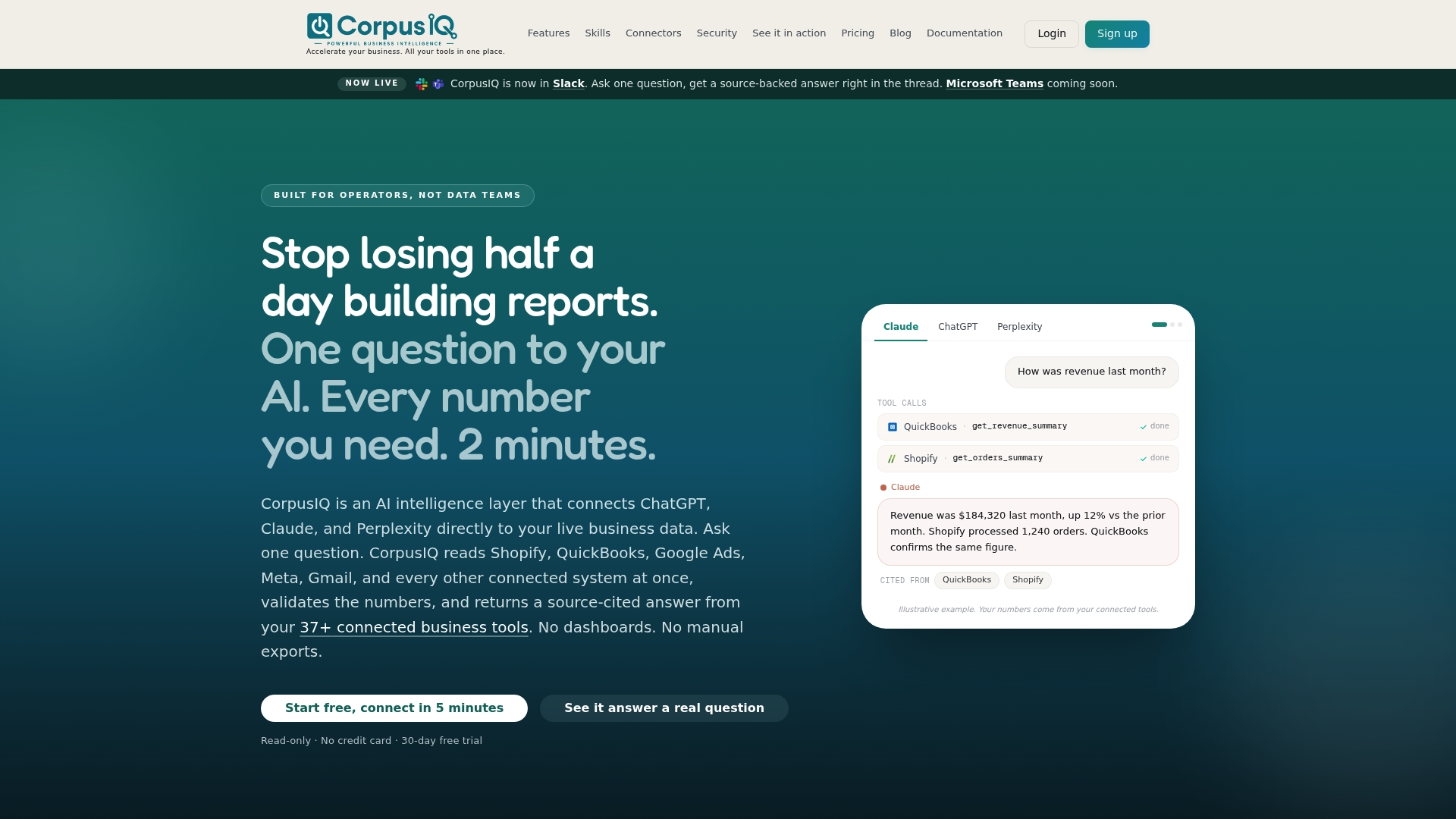
CorpusIQ reports connections to 37+ business tools and advertises 133+ prebuilt skills for common business questions. It returns source-backed answers inside ChatGPT, Claude, and Perplexity using live, read only access and citations. That reduces time spent exporting data or opening dashboards when you need a verifiable number.
Core Features
CorpusIQ routes queries directly to live systems, validates numbers against KPI definitions, and reasons across connected tools to produce source-cited answers. It delivers results inside AI chat tools, team messengers, or via a direct API while maintaining read only permissions through the Model Context Protocol (MCP). Prebuilt skills speed common queries for revenue, cash flow, ad spend, and operations.
Key Differentiator
The product’s distinct focus is returning cross system answers inside the AI assistants teams already use. Each figure links back to its original source, so leaders can trace a number from Claude to the originating tool. That in-place sourcing reduces reliance on separate BI dashboards and manual reconciliation.
Pros
Reducing app switching is the main advantage: you ask a question inside ChatGPT or Claude and receive a cited answer without opening multiple dashboards. Security is explicit because access is read only and ephemeral, and every response carries a linked source for auditability. Cross source reasoning and the library of prebuilt skills cut the time teams spend reconciling finance, ecommerce, and ad metrics.
Cons
- Lacks substantive third party user reviews, so external reliability is less verified.
- Requires connection setup for each tool, which adds initial integration work if a connector is missing.
- Depends on third party AI providers for the assistant interface, so model changes can alter behavior or response quality.
When It May Not Fit
If you need to write access or automation that updates systems, CorpusIQ will not fit because it provides read only access only. Organizations that require a standalone BI dashboard with embedded visualizations may find the chat first approach limiting. Teams that need independent, third party validation of long term reliability may prefer vendors with broader review coverage.
Notable Integrations
Connectors listed include Gmail, Outlook, Slack, Google Drive, Google Analytics 4, Google Ads, HubSpot, and Klaviyo.
Who It’s For
Operators, small to mid sized business teams, ecommerce managers, and financial professionals who want live, source backed answers inside familiar AI tools will get the most value. Small data teams that prefer clicking into a conversation over building dashboards also match this product. Technical leaders evaluating data access patterns will find the read only model relevant.
Real World Use Case
A Shopify store owner asks, “Which product brought in the most revenue last quarter?” CorpusIQ pulls data from Shopify, QuickBooks, Google Analytics, and ad platforms and returns a verified, source linked answer inside the chat. The owner reads each source citation and exports only the numbers they need for the accountant.
Pricing
Plans start at $29.95/month for Solo, $109.95/month for Team, and $189.95/month for Business. Each tier includes all connectors and a 30 day free trial according to the vendor.
Website: https://corpusiq.io
ContextMCP
At a Glance
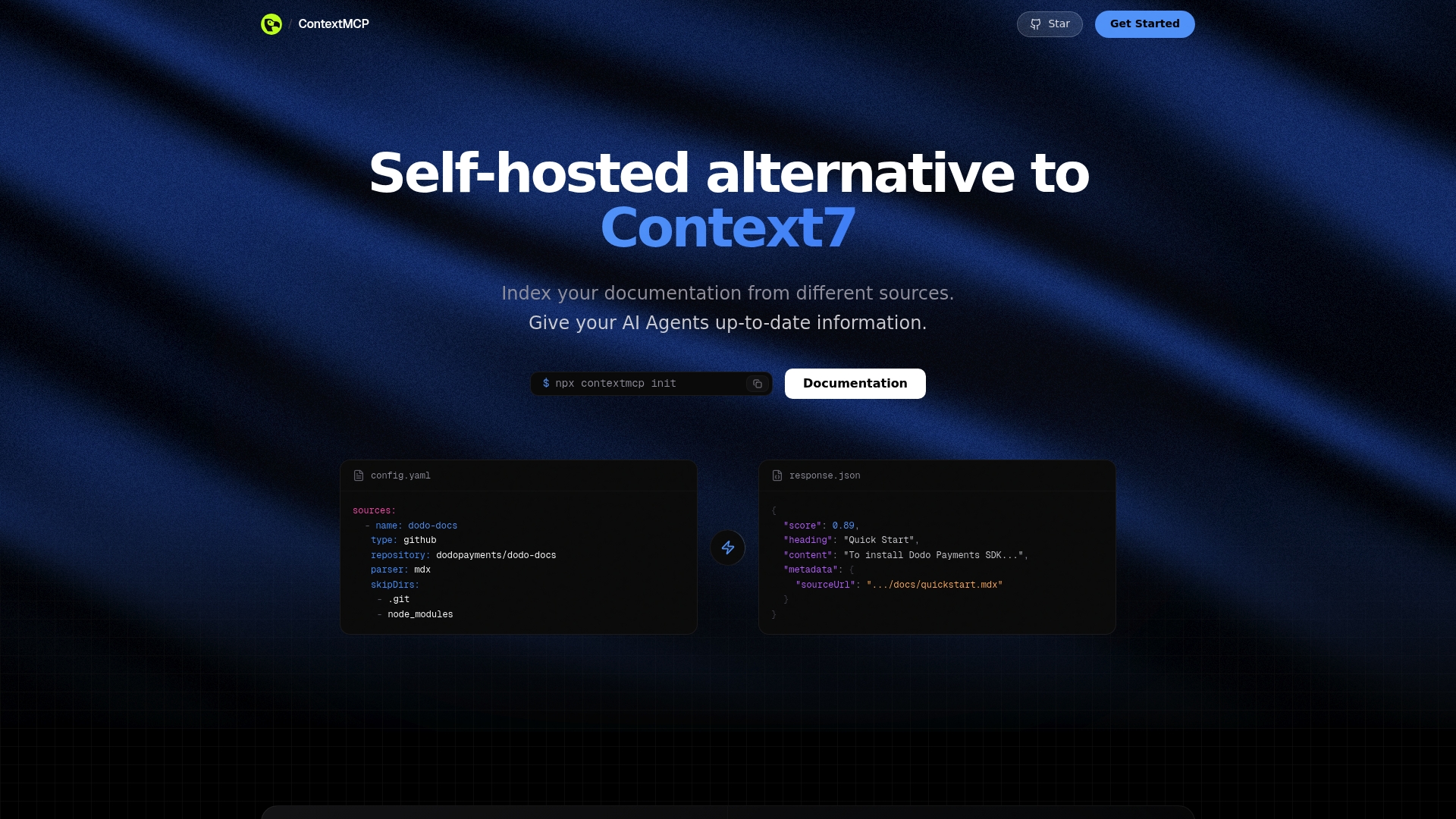
Runs on Cloudflare Workers to serve documentation at the edge with low latency. It combines AST aware chunking and scheduled reindexing, so agents see current, context-rich documentation. The project is open source and designed for teams that want full control over hosting and data.
Core Features
ContextMCP is a self hosted documentation indexer that pulls from multiple sources including GitHub repositories and other code stores. It exposes integrations via MCP Protocol and REST API, letting AI editors and custom agents fetch external context. The indexer schedules automatic reindexing and preserves code structure with AST aware chunking while running at the edge for low latency.
Key Differentiator
The defining feature is AST aware chunking paired with scheduled synchronization for consistently accurate documentation context. That approach keeps semantic boundaries intact so code examples and API snippets remain coherent for downstream agents. The combo reduces the chance that an agent mixes unrelated code fragments.
Pros
Open source and self hosted deployment gives teams full data ownership and the option to run code inside their cloud footprint. Edge native deployment on Cloudflare Workers reduces query latency for geographically distributed teams. AST aware chunking preserves code and semantic boundaries, improving context accuracy, and scheduled reindexing keeps documentation current while flexible integration options support both MCP Protocol and a standard REST API.
Cons
- Limited third party user feedback is available, so product maturity and real world experience are hard to gauge.
- Setup requires Cloudflare Workers deployment and API key management, which adds operational steps for small teams.
- Self hosting requires infrastructure management and platform expertise, increasing the implementation time for nontechnical groups.
When It May Not Fit
If your team lacks engineering resources for deployment and ongoing maintenance, ContextMCP adds operational overhead. Organizations that cannot use Cloudflare Workers because of policy or regional constraints will face platform mismatch. Teams that prefer a fully managed, vendor hosted indexing service rather than self hosted software should look elsewhere.
Who It’s For
Developers and engineering organizations building AI agents that need reliable, up-to-date documentation access will get the most value. Platform teams that want full control over data locality and retention will prefer its self hosted model. Project teams that need precise code context for code generation or technical support bots will find the chunking and reindexing behavior useful.
Real World Use Case
A company uses ContextMCP to index multiple code repositories and docs so their AI support bot Sentra answers technical questions with current information. The indexer preserves code semantics so Sentra cites correct snippets rather than fragmented lines. Scheduled reindexing keeps answers aligned with recent commits.
Website: https://contextmcp.ai
MCP Skills
At a Glance
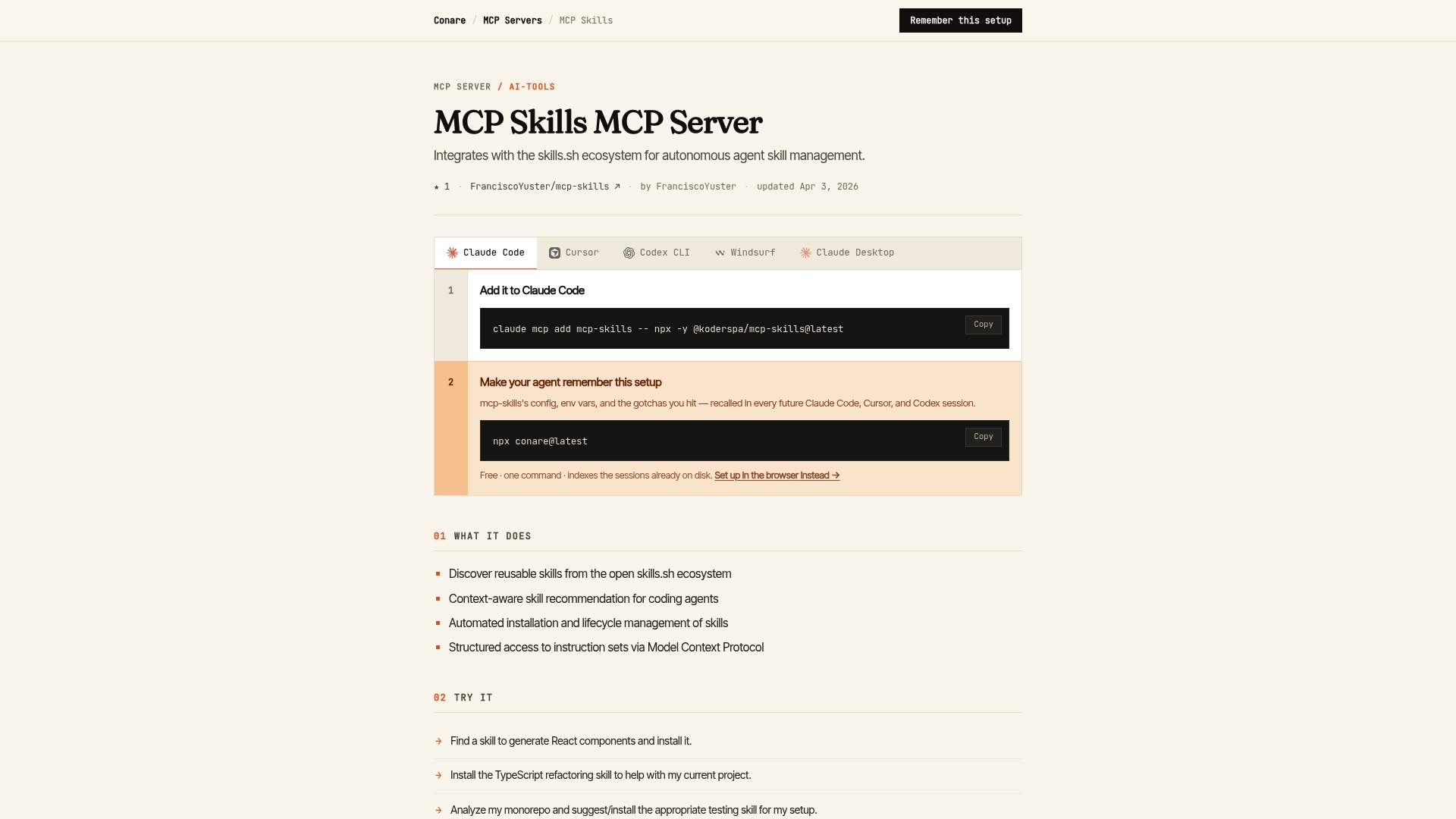
Automates installation, update, and uninstallation of agent skills so coding agents can extend themselves without manual scripts. The server indexes reusable skills from the open skills.sh ecosystem and exposes structured instruction sets over the Model Context Protocol. That lets agents discover and adopt tools for migration, testing, or scaffolding during normal coding sessions.
Core Features
MCP Skills discovers reusable skills in the open skills.sh catalog and offers context-aware recommendations to agents. It manages skill lifecycle actions including installation, updates, and removal, and it provides structured access to instruction sets through Model Context Protocol calls. The server also lets agents persist setup configurations across sessions so repeated workflows carry their prior state.
Key Differentiator
The single differentiator is direct integration between autonomous coding agents and the open skills.sh ecosystem. MCP Skills translates repository metadata and structured instructions into MCP-compatible operations, enabling agents to find, fetch, and run community skills without human-driven prompt hacks. That hands control of skill lifecycle to agents while keeping the ecosystem open to community-contributed tools.
Pros
MCP Skills supports autonomous discovery and management for AI coding agents, which reduces the manual effort of installing helpers across projects. The product facilitates integration with MCP-compatible tools so teams that already use the protocol can reuse existing infrastructure. Automatic lifecycle handling reduces drift between projects because agents receive and apply updates centrally. The server design favors developer workflows such as refactoring, migration, and automated scaffolding by surfacing targeted skill recommendations based on code context.
Cons
-
No substantive third-party reviews exist for this specific product; buyers must validate fit against technical documentation.
-
Requires familiarity with the MCP protocol and the skills.sh ecosystem to use effectively.
-
The vendor lists no third-party integrations in the product record, so buyers should confirm environment compatibility before adopting.
When It May Not Fit
Teams without MCP protocol experience will face a learning curve and may prefer simpler plugin systems. Organizations that require documented, independent user reviews for procurement will need to pilot the server internally before wider rollout. Projects that rely on proprietary toolchains may not find community skills relevant if contributors target open ecosystems.
Who It’s For
Developers, AI researchers, and enterprise engineering teams running MCP-compatible coding agents who want agents to discover and manage reusable skills automatically. This product fits groups that accept community-contributed skill artifacts and that can invest time to validate compatibility with internal toolchains and security controls.
Real World Use Case
In a mono repo, AI agents detect a need for React component generation and locate a matching skill in skills.sh. MCP Skills installs the generator, saves its setup across sessions, and pushes updates when maintainers publish fixes. The team gains consistent refactoring and generation behavior without manual installs or repeated prompts.
Website: https://conare.ai/marketplace/mcp/mcp-skills
Comparison of alternatives
ClaudeDrive excels in providing integrated document management directly within existing Claude accounts, whereas competitors focus on specialized capabilities like legal redlining or multi-source data connections.
Document Integration Across Platforms
ClaudeDrive ensures document management through native integration with the Claude environment, preserving its users’ workflows without necessitating external tools or configurations. Adeu.ai, however, integrates contract management into productivity software like Word and Teams, enabling specialized legal review capabilities. For teams operating in legal or EU-regulated environments, Adeu.ai’s compliance-focused features offer distinct advantages.
Adaptability for Data Connections
CorpusIQ stands out by connecting to over 37 business tools and utilizing over 133 prebuilt skills, ensuring efficient KPI tracking and answer sourcing inside popular conversational AI platforms. In contrast, ContextMCP offers customizable indexing services that are ideal for teams with the resources for self-hosting and deployment. These options provide users with a wide array of data management solutions beyond document hosting.
Best fit
- ClaudeDrive serves teams requiring straightforward setup within the existing Claude environment, ensuring private document queries and traceable updates.
- Adeu.ai is ideal for legal teams craving embedded contract review and compliance within applications they already use.
- CorpusIQ benefits organizations seeking central cross-tool query solutions natively interacting with AI platforms.
- ContextMCP suits engineering teams focused on maintaining complete control over self-hosted documentation indexing.
- MCP Skills supports developers who utilize MCP-compatible AI agents and require automated skills management without manual intervention.
Our pick
ClaudeDrive remains the most practical solution for teams already utilizing Claude that are looking for secure internal document management. However, it is less suitable for organizations seeking niche capabilities such as EU-compliant legal workflows or extensive integration options with diverse data sources.
To assess which platform aligns best with your organization’s document management and integration needs, the following table summarizes key features, differentiators, and usage scenarios across the discussed tools:
| Platform | Primary Feature | Key Differentiator | Best For | Notable Limitation | Pricing |
|---|---|---|---|---|---|
| ClaudeDrive | Shared drive with permission controls | Integration within the Claude platform environment | Teams using Claude needing secure document sharing | Limited functionality for non-Claude users | Free initially; from $49/mo per user |
| Adeu.ai | AI-powered contract review | Embeds automation within popular business applications | Legal teams managing contracts across EU-hosted systems | Known bugs and editor learning curve | Price not published |
| CorpusIQ | Live query routing through AI tools | Provides source-cited answers inside AI interfaces | SMBs needing cross-system query integrations | Limited independent user reviews | Starts at $29.95/mo |
| ContextMCP | Documentation at-edge indexing | AST aware chunking for precise knowledge retrieval | Developers needing self-hosted documentation systems | Requires Cloudflare Workers and technical deployment | Price not published |
| MCP Skills | Autonomous skill discovery | Integration with skills.sh ecosystem for agent skill management | Teams running MCP-compatible coding agents | Limited third-party user feedback and protocol prerequisites | Price not published |
Comparing MCP, Skills, and Connectors for Claude: What Leaders Need to Know
MCP, Skills, and connectors each handle document and data integration differently, creating challenges for leaders who want clear, up-to-date briefings without switching tools. The article highlights pain points like maintaining proper access controls and avoiding information leaks across teams. ClaudeDrive addresses these by delivering daily updates directly inside Claude, built only from documents each person is allowed to see with traceable sourcing. This ensures leaders avoid context switching while keeping sensitive information secure.
ClaudeDrive simplifies corporate updates by connecting your existing tools—meeting notes, GitHub, calendars—inside Claude. There is no new app to learn or dashboard to manage. Trusted content appears privately and reliably for every leader on your team. Learn more about how ClaudeDrive can fit your organization at claudedrive.ai.
FAQ
What unique feature does ClaudeDrive offer for document management?
ClaudeDrive enables document sharing within the existing Claude environment. This feature allows teams to drop files and organize folders while enforcing role-based access controls, ensuring that sensitive information stays secure within the designated team.
How does ClaudeDrive differ from Adeu.ai in terms of integrations?
Adeu.ai excels by embedding contract review directly inside widely used applications like Outlook, Word, and Slack. In contrast, ClaudeDrive focuses specifically on document sharing within the Claude environment, making it ideal for teams already utilizing Claude while keeping sensitive documents secure.
What is the pricing model for ClaudeDrive?
ClaudeDrive offers a free initial use plan, with paid subscriptions starting at $49 per month per user. This pricing model allows organizations to scale their use based on needs without upfront commitments.
Can teams track changes with ClaudeDrive?
Yes, ClaudeDrive provides daily updates that help leaders stay informed about changes in files while tracing insights back to specific sources. This tracking simplifies compliance reviews and helps maintain data integrity.
Who is the ideal user for ClaudeDrive?
ClaudeDrive is best suited for teams that already use Claude and require secure, permissioned document sharing. It caters specifically to product teams, executive offices, and legal groups needing precise control over sensitive files while enabling selective document queries.