Daily Update Leaders Can Trust: A Practical Guide
Discover how to create a daily update leaders can trust. Gain vital insights for effective decision-making and boost team performance.
ClaudeDrive
A Yungsten Tech product

Daily Update Leaders Can Trust: A Practical Guide

A daily update leaders can trust is a concise, fact-based briefing that delivers the critical insights required for timely decisions and effective team communication. Most executives start the day reacting to inbox volume rather than acting on clear priorities. That gap between noise and orientation costs real time. The Edelman Trust Barometer consistently shows that trust in organizational communication is a measurable driver of team performance, and the quality of daily information leaders receive sits at the center of that equation. A well-built briefing is not a summary of everything that happened. It is a curated, role-specific view of what matters most, delivered before the workday begins.
What makes a daily update trustworthy and reliable for leaders?
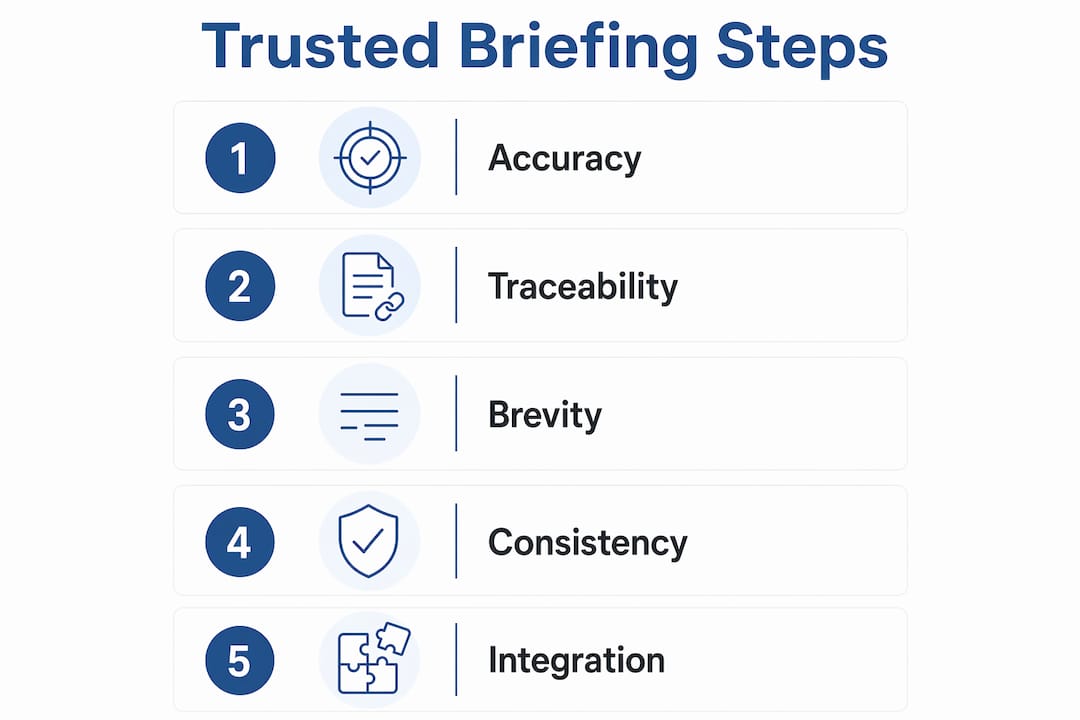
Trust in a briefing comes from four qualities: factual accuracy, traceability, brevity, and consistent delivery. Remove any one of these and the update becomes noise.
Factual accuracy means the briefing contains no opinion, no filler, and no hedged language. Every sentence states a fact or a status. Leaders who read an update that mixes editorial commentary with data quickly lose confidence in both.

Traceability is the quality most often missing from automated briefings. Traceable insights allow leaders to validate briefing accuracy and maintain confidence in automation. That means every claim links back to a source email, a financial record, or a public document. Without that link, a leader has no way to verify the claim before acting on it.
Brevity and timing matter as much as content. Premium briefings monitor over 10,000 global sources but condense them into a concise 5-minute read delivered before 6 AM. That format respects a leader’s time and creates a consistent morning ritual rather than another inbox item to process later.
Personalization determines whether a briefing stays relevant. Sales CEOs require pipeline metrics; product CEOs focus on usage and support escalations; fundraising CEOs want investor status and runway data. A generic briefing sent to all leaders fails all of them.
The tradeoff between automated and manual briefings is real. Automated briefings deliver speed and consistency. Manual briefings deliver editorial judgment. The best approach combines both: automation handles aggregation and scheduling, while a human or a well-tuned prompt handles framing and prioritization.
- Every insight must link to a named source
- Delivery time must be consistent, ideally before the workday starts
- Length should not exceed a 5-minute read
- Content must reflect the leader’s specific role and current priorities
- Opinion and filler must be absent from every line
Pro Tip: Run a sample audit on any briefing you receive. Pick three claims at random and trace each one back to its source. If you cannot complete that trace in under two minutes, the briefing lacks the traceability required for reliable leadership decisions.
How can leaders integrate trusted daily updates into their workflows?
The most effective integration puts the briefing before any other input. Leaders who read their update before opening email or attending the first meeting start the day with a clear frame. Those who check email first spend the morning reacting.
Scheduled AI routines running daily at 5 AM deliver briefings regardless of device state. That consistency is the point. A briefing that arrives at a different time each day loses its function as an orientation tool and becomes just another notification.
Connecting the briefing to existing systems
The briefing gains power when it pulls from the systems a leader already uses: calendar, inbox, key metrics dashboards, and project tracking tools. One-page briefs collapse “where do things stand?” from 30 minutes of multiple apps into 1–2 minutes of focused review. That compression is the core value.
Role-specific tailoring keeps the briefing focused. A COO does not need investor sentiment data every morning. A CFO does not need product sprint velocity. Configuring the briefing to pull only the metrics relevant to a given role prevents the update from becoming a general-purpose report that nobody reads carefully.
| Feature category | What to look for |
|---|---|
| Delivery timing | Automated, pre-6 AM, consistent daily schedule |
| Source integration | Inbox, calendar, metrics, project tools |
| Role personalization | Configurable by role and priority |
| Traceability | Every insight linked to a named source |
| Format | One page, 5-minute read, no filler |
Leaders save 30 minutes daily by reading a one-page morning brief versus reconstructing information from multiple apps. That time compounds across a year into hundreds of hours redirected from information gathering to actual decisions.
For AI integration into executive workflows, the key is treating the briefing as a system input, not a product feature. Connect it to the tools your team already uses. Set the schedule. Define the metrics. Then let the system run while you focus on what the briefing surfaces.
Pro Tip: Avoid the common mistake of treating an automated summary as a final record. Use it to orient your morning, then verify any number or claim that will drive a significant decision before you act on it.
What common mistakes undermine trust in daily updates?
The fastest way to destroy trust in a briefing is inconsistency. Nearly half of employees report low organizational trust, and poor leadership communication is a direct contributor. A briefing that arrives late, changes format without notice, or includes irrelevant content trains leaders to ignore it.
Verbosity is the second most common failure. A briefing that runs three pages instead of one forces the reader to do the work the briefing was supposed to do. Length signals poor curation, not thoroughness.
A daily update that requires interpretation is not an update. It is raw material. The leader’s job is to make decisions, not to edit a draft. Every minute spent decoding a briefing is a minute taken from the work the briefing was meant to support.
Missing source attribution is a credibility failure, not a formatting issue. When a briefing states that a key account is at risk without linking to the email or call note that surfaced that risk, the leader cannot act on it responsibly. Attribution is not optional.
Do’s and don’ts for leaders and briefing creators:
- Do require source links for every material claim
- Do set a fixed delivery time and treat late delivery as a system failure
- Do review the briefing format quarterly and adjust for changing priorities
- Don’t use the briefing as the sole input for a high-stakes decision
- Don’t allow opinion or editorial framing to enter the briefing without clear labeling
- Don’t send the same briefing to every leader regardless of role
Automated briefs are sharp drafts, not definitive records. They orient but do not replace direct verification. Leaders who treat an automated briefing as ground truth rather than a starting point expose themselves to compounded errors when the system misses an email or misstates a number.
How can technology platforms improve daily leadership briefings?
AI-driven platforms deliver consistent updates by scanning multiple data sources and synthesizing them into a single, role-specific view. The mechanism matters less than the guarantee: every line in the briefing traces back to a real source, and nothing is invented.
Transparency in automated briefings includes hyperlinking insights to original source documents, financial records, or email threads. That transparency allows leaders to validate claims independently, which is the foundation of sustained trust in any automated system.
ClaudeDrive takes a specific approach to this problem. A leader opens Claude, asks for their update, and reads one clear briefing built only from what they are allowed to see. The system connects to meeting notes, GitHub, the calendar, and other tools the team already uses. Each leader gets a private view of what happened in their domain. Nothing crosses a permission line it should not.
Privacy and access controls in briefing platforms
The briefing a CEO reads should not contain data that only the CFO is authorized to see. Effective platforms enforce access at the data layer, not just at the display layer. ClaudeDrive handles this by acting as a private company-context layer that feeds Claude rather than a separate assistant that requires its own permissions setup.
Personalization requires iterative tuning of data inputs, metrics, and narrative framing to align with evolving priorities. A briefing configured in january may need adjustment by april as business priorities shift. The platform should make that adjustment easy, not require a technical project.
For leaders thinking about cross-team AI adoption, the briefing layer is often the highest-return starting point. It requires no new workflow from the team, no dashboard to maintain, and no training to roll out. The leader simply asks for their update and reads it.
Pro Tip: Customize your briefing prompt to include a “decisions needed today” section. This forces the system to surface items that require your input, not just items that occurred. That single addition shifts the briefing from a status report to a decision-support tool.
Key Takeaways
A trusted daily update is the single most efficient way for leaders to start each day oriented, not reactive, because it delivers role-specific facts with traceable sources in under five minutes.
| Point | Details |
|---|---|
| Traceability is non-negotiable | Every briefing claim must link to a named source so leaders can verify before acting. |
| Brevity drives adoption | A 5-minute read delivered before 6 AM creates a consistent morning ritual leaders will use. |
| Personalization by role | Sales, product, and finance leaders each need different metrics to stay relevant and engaged. |
| Automation needs verification | Treat automated briefings as orientation drafts, not final records, and verify high-stakes claims. |
| Consistency builds trust | Late or irregular delivery trains leaders to ignore the briefing, regardless of content quality. |
What I’ve learned about trusting your daily briefing
The leaders I have seen get the most value from daily briefings share one habit: they treat the update as a conversation starter, not a conclusion. They read it, form a view, and then test that view against the first two conversations of the day. The briefing gives them a frame. Reality fills in the detail.
The mistake I see most often is the opposite. A leader reads an automated summary, accepts the framing, and walks into a meeting with a fixed position based on a draft. When the meeting reveals a different picture, the leader either defends the briefing or dismisses it entirely. Both responses erode trust in the system over time.
The better approach is to treat the benefits of traceable updates as a starting point for your own judgment, not a replacement for it. A briefing that tells you a key account is at risk should prompt you to call the account manager, not to send a rescue email based on a summary.
The other thing I have found consistently true: the quality of a briefing reflects the quality of the inputs. Leaders who invest time in defining their priorities, connecting the right data sources, and reviewing the format quarterly get briefings that actually orient them. Leaders who set it up once and never revisit it get a briefing that slowly drifts out of alignment with what they actually need.
Trust in a daily update is not a feature you turn on. It is a standard you maintain.
— Paul
ClaudeDrive and the briefing leaders actually read
Leaders who want a daily update they can act on without adopting a new tool have a direct path with ClaudeDrive.

ClaudeDrive connects to the tools your team already uses, including meeting notes, GitHub, and the calendar, and delivers a single, private briefing inside the Claude account you already have. Every line traces to a real source. Nothing is fabricated. Nothing crosses a permission line it should not. There is no new dashboard to learn and no wiki to maintain. Each leader gets their own view of what happened in their domain, built only from what they are authorized to see. See the live demo at ClaudeDrive or talk to us about a pilot.
FAQ
What is a daily update leaders can trust?
A daily update leaders can trust is a concise, fact-based briefing that delivers role-specific insights with traceable sources, delivered consistently before the workday begins. It orients leaders on key risks, decisions, and wins without requiring them to reconstruct information from multiple systems.
How long should a trusted daily leadership briefing be?
The most effective briefings are a 5-minute read, condensing multiple sources into one focused page. Length beyond that signals poor curation and reduces the likelihood that leaders will read it consistently.
How does source traceability improve briefing trust?
Traceable briefings link every insight to its original source, whether an email, financial record, or public document. That link allows leaders to verify claims independently before acting, which is the foundation of sustained confidence in any automated system.
What is the biggest mistake leaders make with daily updates?
The most common mistake is treating an automated briefing as a definitive record rather than an orientation draft. Automation may miss emails or misstate numbers occasionally, so leaders should verify any claim that will drive a significant decision.
How does ClaudeDrive deliver a trusted daily update?
ClaudeDrive acts as a private company-context layer inside Claude, pulling from connected tools like meeting notes, calendars, and GitHub. Each leader receives a briefing built only from data they are authorized to see, with every line traceable to a real source and nothing fabricated.