Document-Level Permissions for AI Search: 2026 Guide
Discover how document-level permissions for AI search enhance security. Learn to control access and protect sensitive information effectively.
ClaudeDrive
A Yungsten Tech product

Document-Level Permissions for AI Search: 2026 Guide

Document-level permissions for AI search are the access controls that determine which specific documents an AI system can retrieve and surface for a given user. Without them, an AI search tool becomes a liability: it can pull confidential board materials, HR records, or legal files and present them to anyone who asks. Enterprise frameworks like Microsoft Entra ID and systems built on OpenSearch or Azure AI Search all treat these controls as foundational, not optional. ClaudeDrive applies the same principle: every briefing a leader reads is built only from what that person is authorized to see.
1. What are document-level permissions for AI search?
Document-level permissions for AI search define access at the individual document level, not at the folder, site, or platform level. Platform-level access says “this user can enter the system.” Document-level access says “this user can see this specific file.” The distinction matters because AI search retrieves content across thousands of documents in milliseconds. A single misconfigured permission can surface a confidential file to the wrong person before any human reviewer notices.
The industry term for this control layer is document-level access control, sometimes called document-level security (DLS). Both phrases describe the same architectural guarantee: retrieval pipeline enforcement that prevents unauthorized information from reaching the user, regardless of how the query is phrased.

2. Top methods to enforce document-level permissions in AI search systems
Seven methods dominate enterprise deployments in 2026. Each addresses a different point in the retrieval process.
1. Metadata-based pre-filtering. Access control lists (ACLs) are stored as searchable metadata fields alongside each document at ingestion time. When a user queries the system, the search engine filters results against that metadata before returning anything. Enterprise RAG pipelines universally use metadata filters in vector databases for this purpose. Pre-filtering is fast and reduces the volume of results the AI model ever sees.
2. Query-time enforcement. Access checks run at the moment a query executes, not at ingestion. OpenSearch and AWS document-level security rely on read-time access checks to filter results based on the user’s explicit permissions. This approach reflects the most current permission state but adds latency to each query.
3. Hybrid pre-filter plus post-fetch verification. The most secure deployments combine both methods. A metadata filter narrows the candidate set, and a final verification check against the source system confirms access before the document reaches the AI model. Two-layer defense using metadata filter plus final source-of-truth verification is the recognized best practice to prevent leaks from stale data.
4. Stable identifier normalization. Hierarchical group memberships change. User accounts get renamed. Microsoft Entra ID object IDs flatten and stabilize permission enforcement by using GUIDs that remain valid even when display names or group structures change. This prevents permission checks from breaking silently.
5. Periodic re-synchronization. Permissions stored at ingestion time go stale as people join, leave, or change roles. Scheduled re-indexing pulls fresh ACL data from source systems like SharePoint or Active Directory and updates the metadata stored with each document chunk. Without this, a departing employee’s access may persist in the search index long after their account is deactivated.
6. Role-based and attribute-based filtering. Role-based access control (RBAC) assigns permissions by job function. Attribute-based access control (ABAC) adds conditions such as department, clearance level, or project membership. Both models can be encoded into document metadata and evaluated at query time. ABAC offers finer control for organizations with complex, context-dependent access rules.
7. Deny-by-default posture. Empty ACL metadata must default to “visible to none” rather than public access. A deny-by-default architecture means a document with missing or incomplete permission data is withheld, not surfaced. This single design choice prevents an entire class of accidental exposure.
Pro Tip: Test your deny-by-default behavior explicitly. Create a document with no ACL metadata and confirm the system returns zero results for any user. If it surfaces the document, your default is open, not closed.
3. How materializing permissions at ingestion improves security
Materializing permissions means extracting access control data from source systems and storing it alongside document content at index time. The result is a self-contained record: the document chunk and the list of identities authorized to see it travel together through the retrieval pipeline.
Security-first organizations standardize on storing ACLs as searchable metadata arrays alongside document chunks. This approach makes filtering deterministic. The search engine does not need to call back to SharePoint or Active Directory on every query. It reads the metadata it already holds and filters accordingly.
The tradeoff is freshness. Materialized permissions reflect the state of the source system at the last sync. Organizations in regulated industries, such as financial services or healthcare, typically run permission re-indexing on short cycles, sometimes hourly, to keep the index aligned with identity changes. Audit logs benefit directly: every retrieval decision is traceable to a specific permission state at a specific point in time.
Pro Tip: Store the timestamp of the last permission sync alongside each document chunk. Your audit team will thank you when they need to reconstruct who could have seen what on a specific date.
- Pull ACLs from authoritative sources: SharePoint, Active Directory, or your identity provider.
- Store them as flat arrays of stable identifiers, not display names.
- Log every sync event with a timestamp and a count of documents updated.
- Alert on sync failures immediately. A failed sync means permissions are drifting.
4. Common security pitfalls that threaten document-level permissions
Most enterprise AI search deployments that fail security reviews share the same failure modes. Recognizing them before deployment is cheaper than remediating them after an incident.
The stale ACL problem is the most common cause of unintended data exposure in enterprise AI search. When permission metadata in the search index diverges from the source system, users can retrieve documents they no longer have rights to. A two-layer check, pre-filter plus live source verification, is the only reliable mitigation.
-
Relying on AI system prompts for access control. Leading security experts advise against trusting LLM system prompts to prevent sensitive information leakage. A prompt that says “do not reveal confidential documents” is not an access control. It is a suggestion the model can ignore, misinterpret, or be prompted around.
-
Missing permission metadata treated as public. Any architecture that surfaces documents with empty ACL fields to all users has an open default. This is a configuration error, not a feature.
-
Improperly layered filters in retrieval pipelines. A retrieval pipeline that filters at the vector database stage but passes raw chunks to the AI model without a final authorization check can leak content through model outputs. The model sees the document even if the user should not.
-
Hierarchical permissions flattened incorrectly. SharePoint and similar systems use nested group structures. Flattening these into search metadata without resolving all group memberships creates gaps. A user who inherits access through a sub-group may be denied; a user who should be denied may inherit access through an unresolved parent group.
-
Delegated access without scope limits. When an AI system acts on behalf of a user, it must operate within that user’s permission scope, not the service account’s broader permissions. Failing to scope delegated access correctly means the AI can retrieve documents the user cannot.
5. Features leaders should prioritize when selecting a permission strategy
The right permission model depends on your identity infrastructure, your compliance requirements, and how much operational complexity your team can sustain. The table below maps the key decision criteria.
| Feature | Why it matters |
|---|---|
| Identity source integration | Permissions must trace back to your authoritative identity provider, not a local copy. |
| Automatic permission refresh | Manual sync processes fail silently. Event-driven or scheduled refresh keeps the index current. |
| Pre-filter plus post-fetch verification | One layer is not enough. Two layers catch what stale metadata misses. |
| Deny-by-default configuration | Missing metadata should block access, not grant it. Confirm this is the system default. |
| Audit log completeness | Every retrieval decision should be logged with the user identity, the permission state, and the timestamp. |
Organizations in regulated industries should weight audit log completeness and identity source integration most heavily. The permission-aware AI updates that leaders can trust are the ones where every line of output is traceable to a verified permission decision.
6. How to tailor document-level permissions to your organization
No single permission model fits every organization. The right approach depends on team size, regulatory exposure, and the specific AI use case.
-
Small teams with flat structures can often rely on a simple role-based model with two or three permission tiers. The overhead of ABAC is not justified when the organization has fewer than 50 people and minimal regulatory requirements.
-
Large enterprises with complex hierarchies need stable identifier normalization and event-driven permission refresh. Manual processes cannot keep pace with the volume of identity changes in a 5,000-person organization.
-
Highly regulated industries require complete audit trails. Every document retrieval must be logged, and the permission state at retrieval time must be reconstructable. Financial services firms subject to SOX or healthcare organizations under HIPAA cannot accept a system that cannot answer “who could have seen this document on this date?”
-
AI chatbots and RAG pipelines face the highest risk of permission leakage because the AI model synthesizes content from multiple documents. A single improperly retrieved document can contaminate an entire response. Context-aware access that mathematically prevents unauthorized retrieval is the standard for these use cases.
-
Budget-conscious deployments can start with metadata pre-filtering alone and add post-fetch verification as a second phase. Starting with deny-by-default costs nothing extra and eliminates the most common exposure class from day one.
The AI update traceability practices that work in production share one trait: they treat permissions as a first-class data attribute, not an afterthought applied after the search index is built.
Key Takeaways
Effective document-level permissions for AI search require deny-by-default architecture, two-layer enforcement, and continuous synchronization with authoritative identity sources.
| Point | Details |
|---|---|
| Deny-by-default is non-negotiable | Missing ACL metadata must block access, not grant it, to prevent accidental exposure. |
| Two-layer enforcement catches stale data | Pre-filter plus post-fetch verification is the only reliable defense against permission drift. |
| Materialization requires stable identifiers | Use GUIDs from your identity provider to keep permission checks valid through group changes. |
| Prompt-based access control fails | LLM system prompts cannot substitute for architectural enforcement in the retrieval pipeline. |
| Audit logs must capture permission state | Log the permission state at retrieval time, not just the user identity, for defensible compliance. |
Why most AI search security reviews fail before they start
The pattern I see most often is this: a team builds a capable AI search system, gets to the security review, and discovers the permission model was bolted on at the end. The retrieval pipeline was designed for relevance. Access control was treated as a configuration step. That sequence produces systems that pass functional tests and fail security audits.
The uncomfortable truth about document-level permissions is that they have to be designed into the data model before the first document is indexed. Retrofitting them is expensive and incomplete. You cannot add a deny-by-default posture to a system that has been running with an open default for six months without auditing every document that was surfaced in the interim.
The second failure I see is leadership treating permissions as a technical detail. It is not. The question “who is allowed to see what” is a governance decision. The technology enforces it, but the policy has to come from leadership. When a CISO or a COO cannot articulate the permission model in plain language, the engineering team fills the gap with assumptions. Those assumptions are where the leaks come from.
The organizations that get this right share one habit: they define the permission model in business terms first. “Finance directors see financial documents. Project leads see their project files. No one sees HR records except HR.” Then they ask the technical team to implement that model with two-layer enforcement and a deny-by-default posture. That sequence produces systems that pass security reviews and stay compliant as the organization changes.
— Paul
ClaudeDrive and secure document-level permissions
ClaudeDrive is built on the principle that a leader’s daily briefing should contain only what that leader is authorized to see. Every briefing is constructed from verified, permission-filtered sources. Nothing crosses a line it should not.
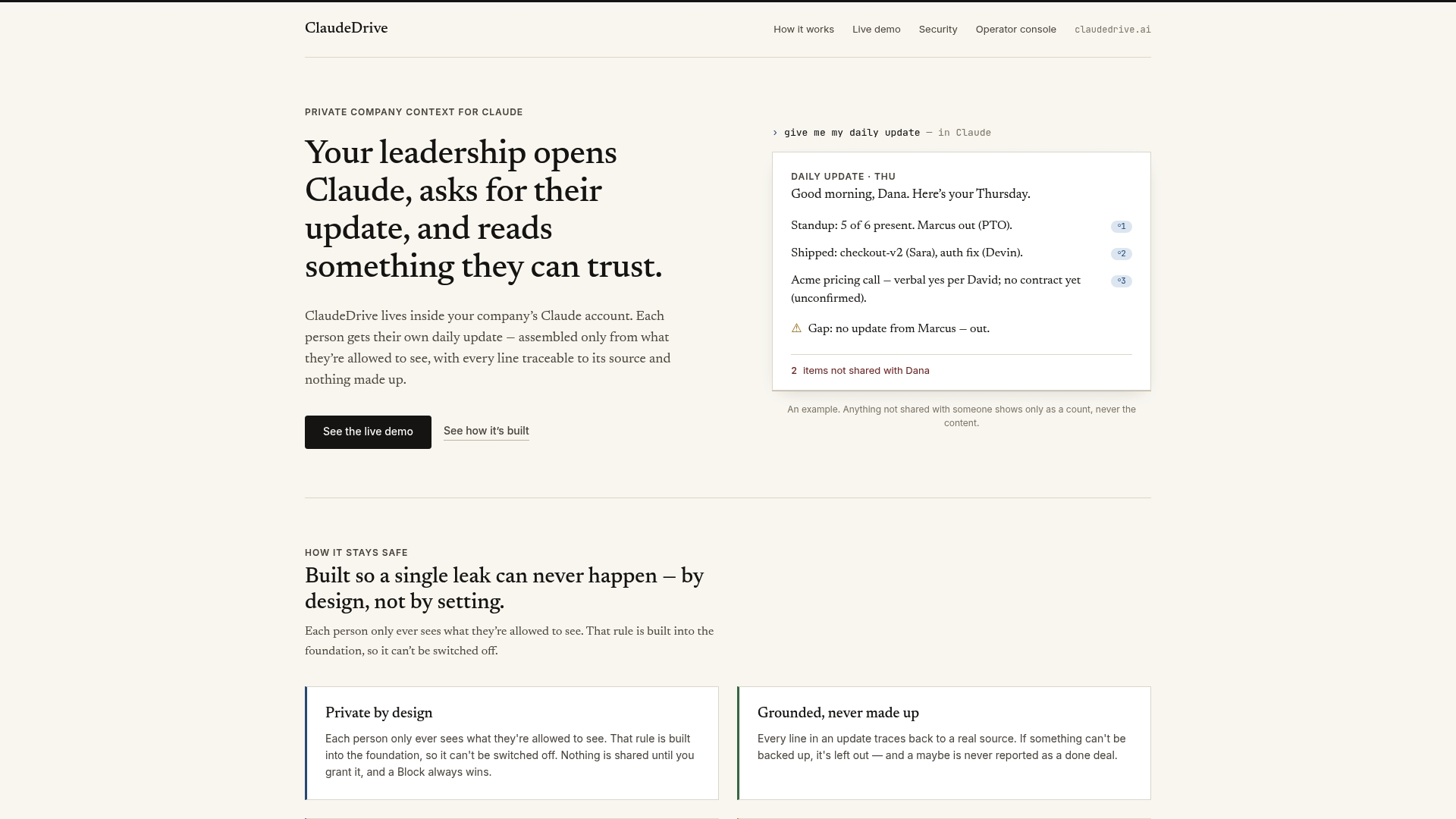
ClaudeDrive connects to the tools your organization already uses, pulls permission data from your identity sources, and builds each person’s briefing from their own authorized view of company activity. There is no shared dashboard where one person’s update bleeds into another’s. Every line is traceable to a real source, and the permission check happens before the content reaches the model. Security professionals can review the ClaudeDrive console to see how permission-aware briefings work in practice. Talk to us about a pilot.
FAQ
What is document-level access control in AI search?
Document-level access control restricts which specific documents an AI search system can retrieve for a given user, enforcing permissions at the individual file level rather than the platform level. It prevents unauthorized content from appearing in AI-generated responses.
Why can’t AI system prompts replace proper access controls?
Security experts advise against using LLM system prompts as access controls because prompts can be overridden, misinterpreted, or bypassed through adversarial queries. Architectural enforcement in the retrieval pipeline is the only reliable method.
What does deny-by-default mean for AI search permissions?
Deny-by-default means any document with missing or empty permission metadata is withheld from all users rather than surfaced publicly. This posture eliminates an entire class of accidental exposure caused by incomplete permission data.
How often should permission metadata be re-synchronized?
Re-synchronization frequency depends on how quickly your organization’s identity data changes. Regulated industries typically sync hourly or on an event-driven basis. Any organization should alert immediately on sync failures, since a failed sync means permissions are drifting from the source of truth.
What is the two-layer permission enforcement model?
The two-layer model combines a metadata pre-filter at the vector database stage with a final verification check against the source identity system before content reaches the AI model. This approach catches leaks that stale metadata alone would miss.