Department Update Automation with Claude Team: 2026 Guide
Explore how department update automation with Claude Team streamlines workflows, delivering reliable updates without manual input. Discover the benefits now!
ClaudeDrive
A Yungsten Tech product

Department Update Automation with Claude Team: 2026 Guide

Department update automation using Claude Team is defined as a recurring, scheduled workflow where Claude’s managed agents collect internal data, generate structured briefings, and route them to the right people without manual input. The core tools are Claude Code routines, managed agents, and vault-based credential management. Together, they let department heads at high-growth companies replace manual status reports with reliable, audience-specific updates that run on a schedule. ClaudeDrive builds on this foundation to give leaders a trusted daily briefing inside the Claude account they already use.
What tools and configurations are needed for department update automation with Claude Team?
Three components work together to make automated team updates reliable. Claude Code routines handle scheduling. Claude Managed Agents execute the work. Vault-stored credentials keep API keys out of the model context entirely.
Routines in Claude Code let you configure an automation once and run it on cron schedules, API calls, or event triggers via Claude’s web infrastructure. This removes dependency on any user device or open browser tab. The automation runs whether or not anyone is logged in.

Vault-stored environment variables ensure API keys are handled at the network boundary, never embedded in prompt contexts. The agent connects to approved tools using placeholders. The real secret never appears in the model’s input. Updating the vault propagates key rotation automatically, with no prompt edits required.
Plan tiers and daily run limits
Daily routine-run limits vary by plan tier. Capacity planning starts here.
| Plan | Daily routine runs |
|---|---|
| Pro | 5 per day |
| Max | 15 per day |
| Team / Enterprise | 25 per day |
Key integration points to configure before your first run:
- Meeting notes source: Google Docs, Notion, or a shared drive folder
- Project data source: GitHub, Jira, or Linear for task and blocker status
- Calendar feed: for scheduling context and upcoming milestones
- Output channel: Slack, email, or a shared document destination
- Vault credentials: one entry per tool, rotated on a defined schedule
Pro Tip: Connect the fewest tools needed for your first routine. One data source and one output channel is enough to prove the workflow before adding complexity.
How to build and deploy an automated department update workflow
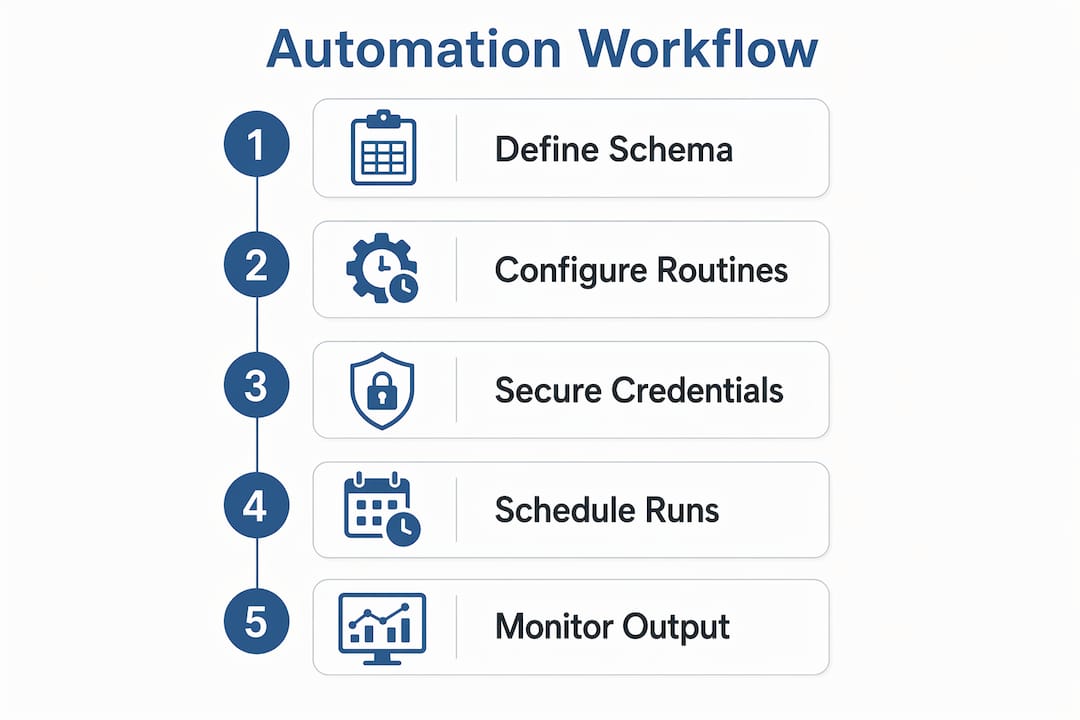
Building a reliable department automation solution follows a clear sequence. Each stage has a defined input, a defined output, and a failure mode you can test before going live.
-
Define your output contract first. Decide exactly what the update will contain: decisions made, action items with owners, blockers with context. Meeting transcripts converted to structured JSON using Claude API output schemas produce consistent fields every run. Consistency here prevents downstream formatting failures.
-
Build reusable skills for each data source. A skill is a discrete automation unit: one skill pulls GitHub pull request status, another extracts action items from a meeting transcript. Claude Cowork’s skill-based approach handles conditional logic, retries, and cross-team coordination. Skills are reusable across multiple routines, so you write the logic once.
-
Schedule the routine with cron syntax. Set the run time to match your team’s rhythm. A Friday afternoon run works well for weekly department updates. A daily 7 a.m. run works for operational teams that need a morning briefing. Claude Code’s web infrastructure runs the schedule without any device staying on.
-
Package the automation as a plugin. Packaging automations as team plugins enables reuse across the department without rewriting the workflow for each person. One seller at Anthropic automated customer follow-up emails this way. The same pattern applies to internal update workflows.
-
Implement idempotent design. An idempotent workflow produces the same output if it runs twice on the same data. Idempotent design and stable output contracts prevent duplicate or corrupted reports when a routine retries after a network interruption.
-
Run a dry run before activating. Execute the full pipeline manually with real data. Check that every field in the output contract is populated. Confirm the output reaches the correct channel. Only then activate the scheduled routine.
Pro Tip: Write your output contract as a fixed JSON schema before you write a single line of automation logic. Every downstream process, from Slack formatting to email routing, depends on that schema staying stable.
What are best practices for scaling and securing department update automations?
Scaling a department automation solution from one team to five requires the same discipline as the initial build, applied consistently. Security and reliability are the two areas where teams most often cut corners and pay for it later.
Secure credential management
Vault-based environment variables provide a clean upgrade path for any scheduled Claude Managed Agent. The plain guarantee is this: the real API key never appears in the agent’s input. Tools connect via approved domains using placeholders. When a key rotates, you update the vault once. Every routine using that credential picks up the change automatically.
Reliability and error handling
Audit weekly and monitor logs to detect silent failures and maintain trust in automated updates. — Claude Lab
Silent failures are the most dangerous failure mode in unattended automation. A routine that runs but produces an empty or malformed update looks like success until someone notices the briefing is wrong. Lightweight run logging and pause controls distinguish a silent failure from a successful run. Build logging into every routine from day one.
Key practices for production-ready automated reporting systems:
- Log every run with a timestamp, input source, output destination, and success or failure status
- Set a human review checkpoint at least once per week for any routine running daily
- Use pause controls to halt a routine immediately if output quality drops
- Rotate credentials on a fixed schedule using vault updates, not prompt edits
- Test failure modes explicitly by cutting off one data source and confirming the routine fails loudly, not silently
Scaling to multiple audiences
Audience-specific update versions from a single structured source maintain consistency and reduce drift across reports. One Friday run can produce an executive summary, a board update, and a team briefing from the same structured input. Each version filters and formats the same data differently. This approach is more reliable than maintaining separate pipelines per audience, because the source data stays synchronized. Leaders who need personalized updates for different roles get consistent facts presented at the right level of detail.
Capacity planning matters at scale. A department with five active routines running daily needs a Team or Enterprise plan to stay within the 25-run daily limit. Pro and Max plans hit their caps quickly in multi-department deployments.
What are common pitfalls when automating department updates with Claude Team?
Most automation failures trace back to four root causes. Each one is preventable with the right design decision made early.
-
Fragile output formats. When a routine produces free-form text instead of a fixed schema, any downstream process that parses that text will break when the wording changes. Fix this by defining a JSON output schema before building the routine and validating every run against it.
-
Non-idempotent workflows. A workflow that creates a new document every time it runs will produce duplicate reports if the routine retries. Design every write operation to check whether the output already exists before creating it.
-
Routine quota limits causing skipped runs. A Pro plan hitting its 5-run daily cap will silently skip lower-priority routines. Plan-specific run caps need monitoring. Set up an alert when daily usage exceeds 80% of the plan limit.
-
No logging or monitoring. An unmonitored routine that fails produces no update and no alert. The department head assumes the briefing is coming. It never arrives. Lightweight logging solves this. Every run should write a status record somewhere readable.
-
Skipping the dry run. Activating a routine without a manual test run is the fastest way to send a malformed update to a stakeholder. Run the full pipeline manually with real data at least twice before activating the schedule.
Pro Tip: Schedule a monthly audit of all active routines. Check run logs, verify output quality, and confirm credentials are current. An audit practice for AI updates catches drift before it becomes a trust problem.
Key takeaways
Department update automation with Claude Team works when you combine stable output contracts, vault-secured credentials, and idempotent workflows before activating any scheduled routine.
| Point | Details |
|---|---|
| Define output contracts first | Fix the JSON schema before building any routine to prevent downstream formatting failures. |
| Use vault credentials for every tool | Vault-stored keys never appear in the model context, making key rotation automatic and safe. |
| Match plan tier to run volume | Team and Enterprise plans support 25 daily runs; Pro plans cap at 5, which limits multi-department scale. |
| Build audience-specific versions from one source | Generate executive, board, and team briefings from the same structured input to keep facts consistent. |
| Log every run and audit weekly | Silent failures are the most common production risk; logging and weekly review catch them before they erode trust. |
What I’ve learned from watching leaders automate their department updates
The teams that get the most value from Claude Team automation share one habit: they start with one routine and one audience before adding anything else. The temptation is to automate everything at once. That approach produces five fragile workflows instead of one reliable one.
Cross-functional input matters more than most leaders expect. The engineering lead knows what GitHub fields are meaningful. The chief of staff knows what the board actually reads. Getting both of them in the room before you write the output schema saves weeks of rework.
The security question comes up early in every conversation. Vault-based credential management is the right answer, and it is worth explaining plainly to any stakeholder who asks: the API key never enters the model’s context. That one sentence resolves most security objections.
The subtler shift is what happens to team roles after automation takes hold. The people who used to spend Friday afternoons compiling status reports start spending that time on the analysis those reports were supposed to enable. That is the actual return on investment, and it rarely shows up in the initial business case.
— Paul
How ClaudeDrive supports department update automation at scale
ClaudeDrive gives leaders a daily briefing inside the Claude account they already use. Connect meeting notes, GitHub, and the calendar, and each person gets a private view of what happened, built only from sources they are allowed to see.
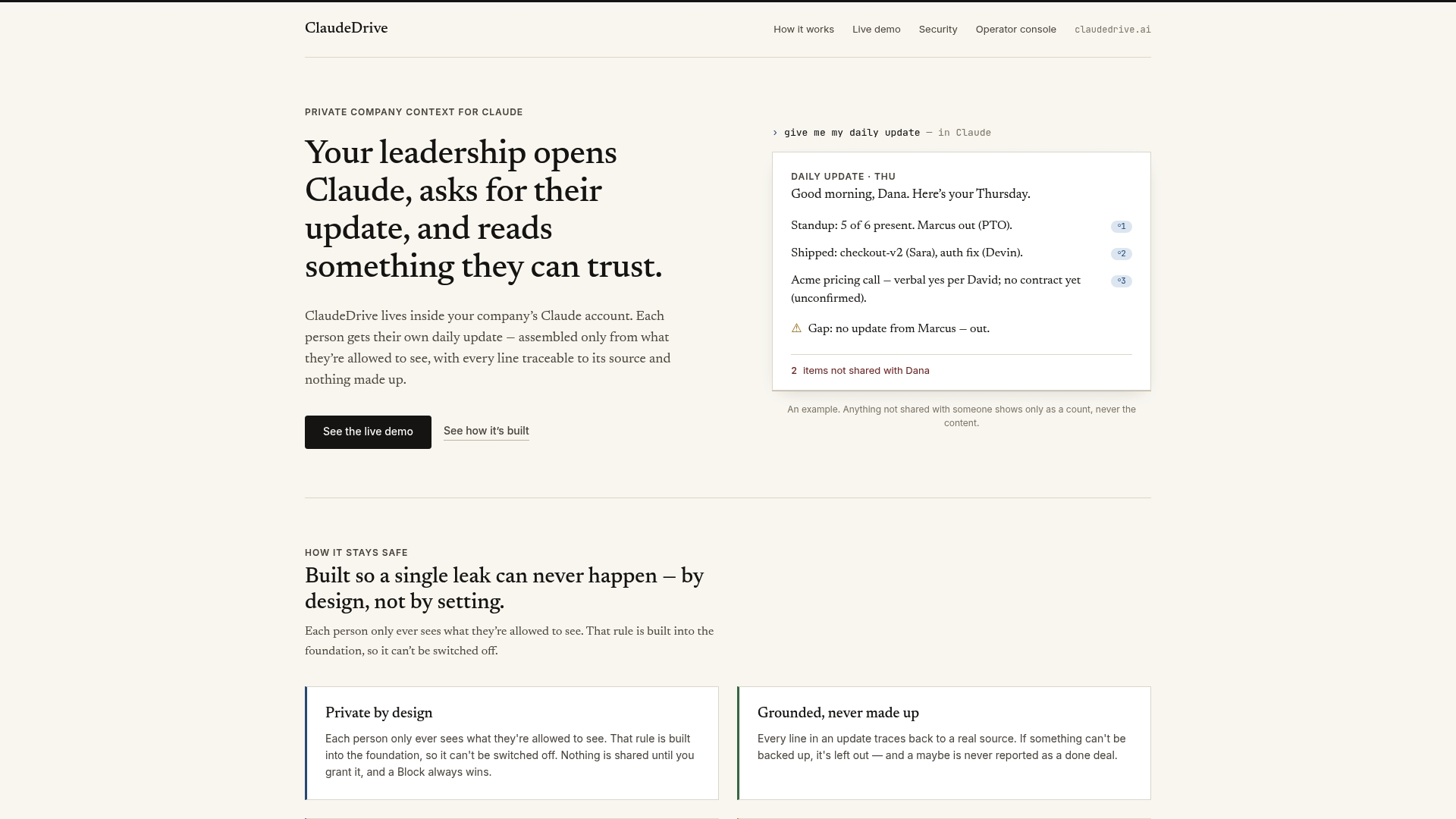
ClaudeDrive Console centralizes routine management, credential vaults, and output monitoring in one place. Department heads can track automation health, review run logs, and adjust audience targeting without touching the underlying configuration. Every line in the briefing traces back to a real source. Nothing is made up. No new app to roll out, no dashboard to learn. Talk to us about a pilot.
FAQ
What is department update automation with Claude Team?
Department update automation with Claude Team is a scheduled workflow where Claude’s managed agents collect internal data and generate structured briefings automatically. Routines, vault credentials, and managed agents work together to run these updates without manual input.
How many routines can Claude Team run per day?
Daily routine-run limits depend on your plan: Pro supports 5 runs per day, Max supports 15, and Team or Enterprise plans support 25. Multi-department deployments typically require a Team or Enterprise plan to avoid hitting the cap.
How does vault-based credential management work?
Vault-stored environment variables keep API keys at the network boundary, so the real secret never appears in the agent’s model context. When a key rotates, you update the vault once and every routine using that credential picks up the change automatically.
What causes silent failures in automated department updates?
Silent failures occur when a routine runs but produces no output and no error alert. The fix is lightweight run logging that records a status entry for every execution, combined with a weekly human review of recent logs.
Can one routine generate updates for multiple audiences?
Yes. A single structured source input can produce an executive summary, a board update, and a team briefing in one run. Generating audience-specific update versions from one source keeps facts consistent and eliminates drift between reports.