How AI Personalizes Team Updates for Leaders
Discover how AI personalizes team updates, enhancing communication and efficiency. Learn the benefits for leaders and project managers!
ClaudeDrive
A Yungsten Tech product

How AI Personalizes Team Updates for Leaders

AI personalization in team communications is the process of using machine learning and contextual data to deliver role-specific information to each person on a team, rather than broadcasting the same message to everyone. Understanding how AI personalizes team updates is now a core competency for project managers and team leaders who need their people informed without drowning them in noise. Tools like ClaudeDrive and ZoomMate have moved this from theory to daily practice. AI-driven personalized digests reduce new hire ramp-up time by 30–50% by surfacing only what is relevant to each person’s role and context. That number alone reframes personalization from a nice-to-have into a leadership priority.
How AI personalizes team updates: the core mechanisms
AI personalizes team communications by pulling from multiple data sources simultaneously: calendar events, project management tools, chat history, and document repositories. The system reads who you are, what you own, and what changed since your last update. It then filters and ranks information by relevance to your specific role before composing a briefing.
The most important input is role and project context. An engineering lead needs to know about build failures and pull request reviews. A sales manager needs pipeline movement and deal stage changes. AI reads these distinctions from your position in the org chart, your tool permissions, and your historical interaction patterns.

A research collaboration between NTT Docomo and NAIST demonstrated that AI can estimate team alignment in real time by analyzing workplace chat on platforms like Slack and Microsoft Teams. This metric, called the Shared Mental Model (SMM), measures how consistently team members understand their roles and goals. Leaders who have access to this signal can spot misalignment before it becomes a missed deadline.
The distinction between automatic summarization and action-driven updates matters here. Summarization tells you what happened. Action-driven updates tell you what to do next, who owns it, and when it is due. The best AI team update tools deliver both in a single briefing, categorized by urgency and audience.
Key data inputs that AI uses to personalize updates:
- Role and title to filter by organizational relevance
- Project membership to surface only active work streams
- Communication history to weight recurring topics higher
- Calendar context to flag upcoming deadlines or meetings
- Tool permissions to restrict information to what each person is authorized to see
What outcomes do personalized AI updates actually produce?
The clearest benefit is onboarding speed. New hires typically spend their first weeks piecing together context from scattered wikis, old Slack threads, and informal conversations. AI-generated role-specific digests compress that process significantly. The 30–50% reduction in ramp-up time cited in recent research translates directly into faster contribution and lower manager burden during the critical first 90 days.
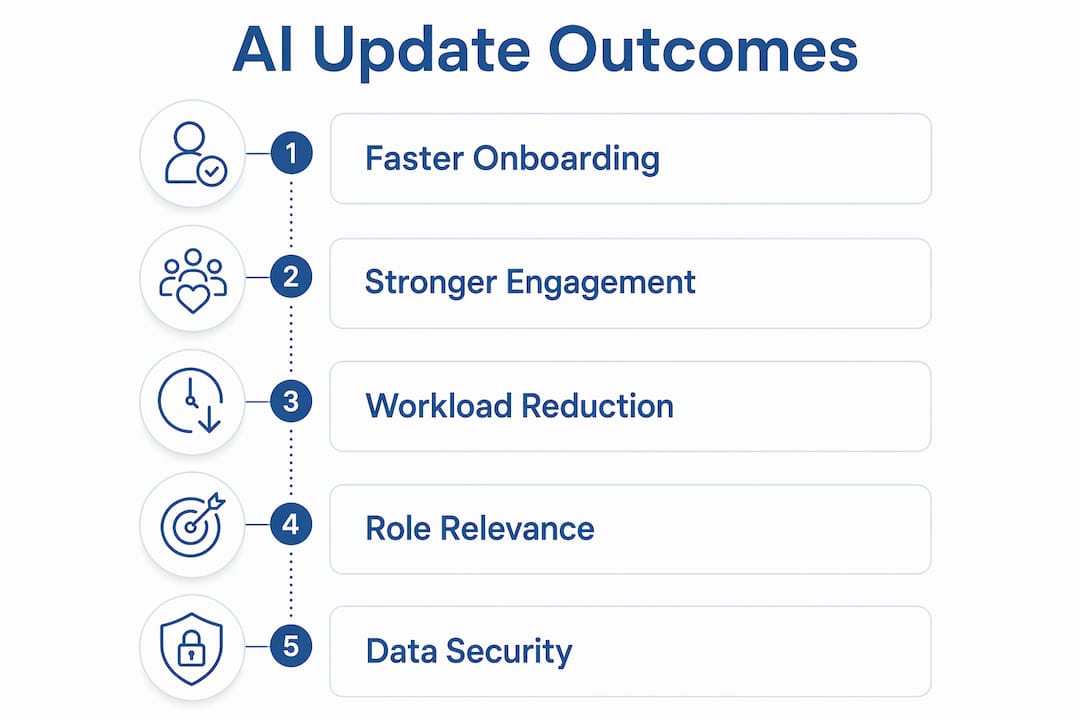
Engagement is the second measurable outcome. Text-heavy email updates get skimmed or ignored. AI-generated video updates, produced with avatar tools and localized automatically for multilingual teams, achieve 3–4x higher watch-through rates compared to paragraph-style emails. That gap is not about production quality. It is about format matching the way people actually consume information.
Here is a practical sequence for rolling out AI-personalized updates across a team:
- Audit your current update process. Identify how many update types you produce weekly and who receives each one.
- Connect your core tools. Link your meeting notes, project tracker, and calendar to your AI system.
- Define your audience segments. Separate engineering, sales, operations, and leadership into distinct update tracks.
- Set permission boundaries. Confirm that each person’s briefing contains only what they are authorized to see.
- Run a two-week pilot. Measure read rates, response time to action items, and manager time saved.
For frontline and deskless workers, segmenting by role, location, and shift produces the strongest engagement gains. A hospital system that sends the same update to ICU nurses and billing staff is wasting both groups’ time. AI makes granular segmentation practical at scale, which was previously impossible without a dedicated communications team.
Pro Tip: Name your audience explicitly in every AI prompt. “Write a weekly update for the engineering team focused on sprint progress and blockers” produces a sharper result than “write a team update.” Specificity in the prompt is the fastest way to improve output quality.
The communication workload reduction is also significant. A single AI agent can generate five tailored updates from one source dataset, covering executives, project teams, external stakeholders, frontline staff, and technical leads simultaneously. That replaces what previously required five separate drafts, five rounds of editing, and five distribution decisions.
How does AI move from updates to completed work?
The next frontier in AI-driven team engagement is not better summaries. It is task execution. ZoomMate, launched by Zoom, represents this shift clearly. Rather than producing a meeting recap, ZoomMate executes follow-ups automatically within existing workflows, including updating project trackers, assigning tasks, and routing approvals without requiring a human to re-enter the same information.
This matters for project managers because the gap between “we discussed it” and “it got done” is where most execution failures live. An AI that can update Jira, send a follow-up message, and flag an overdue item directly from a meeting transcript removes that gap entirely.
ZoomMate AI agents operate proactively within team chats, pulling data from multiple connected systems to execute workflows without repeated prompts. The practical implication is that a project manager can review a morning briefing, approve the AI’s proposed actions, and have those actions completed before the first standup of the day.
What this looks like in practice:
- Meeting transcript in → action items extracted, owners assigned, Jira tickets created
- Pipeline update in → executive briefing drafted, deal stage changes flagged for sales lead
- Calendar event added → pre-read materials compiled and distributed to attendees automatically
Pro Tip: Keep a human-in-the-loop review step for any AI action that touches external stakeholders or financial data. The five minutes spent reviewing an AI draft before it sends is the difference between a polished communication and a credibility problem.
The future of AI team communication is built on systems of action, not systems of record. Leaders who adopt this framing early will have a structural advantage in execution speed.
What are best practices for optimizing AI-personalized updates?
The most common mistake team leaders make is treating AI output as final. AI produces a neutral, accurate summary. It does not know that the board presentation is next week, that a key client relationship is fragile, or that the engineering team is already stretched. That context lives in your judgment, not in the data.
Manual framing takes about five minutes per update and is the step that separates a useful briefing from a generic one. Use that time to adjust urgency, add strategic emphasis, and reframe any item that could be misread without context.
| Practice | What it prevents |
|---|---|
| Name the audience in your prompt | Generic output that fits no one specifically |
| Set permission filters before generating | Information crossing organizational boundaries |
| Segment by role, location, and shift | Irrelevant updates that reduce trust over time |
| Add a manual framing layer before sending | Neutral summaries that miss strategic context |
| Run a monthly accuracy audit | Drift between AI output and actual team priorities |
For permission-aware updates, the rule is simple: each person’s briefing should contain only what they are authorized to see. This is not just a privacy concern. It is a trust concern. A team member who receives information above their clearance level loses confidence in the system. ClaudeDrive handles this by building each briefing from only the sources that person is connected to, with every line traceable to a real source.
The audit process deserves a fixed place on your calendar. Once a month, pull three recent AI-generated updates and compare them against what actually mattered that week. If the AI consistently surfaces low-priority items or misses recurring themes, adjust your data inputs and prompt structure. The system improves when you correct it.
For teams exploring AI daily update formats by audience type, the structure that works best separates each briefing into three layers: what happened, what needs a decision, and what is on track without intervention needed.
Key takeaways
AI personalizes team updates by combining role context, tool permissions, and communication history to deliver briefings that are relevant to each person and traceable to real sources.
| Point | Details |
|---|---|
| Role context drives relevance | AI filters information by title, project membership, and permissions before composing any briefing. |
| Personalized digests accelerate onboarding | Role-specific AI updates reduce new hire ramp-up time by 30–50% compared to general information dumps. |
| Video updates outperform email | AI-generated video briefings achieve 3–4x higher completion rates than paragraph-style email updates. |
| One dataset, five audiences | A single AI agent can produce five distinct stakeholder updates from one source, cutting manual drafting time significantly. |
| Human framing is non-negotiable | Five minutes of manual context-setting per update is what separates a useful briefing from a neutral summary. |
Where I land after two years of watching teams adopt this
I have watched teams adopt AI-generated updates with genuine enthusiasm, then quietly abandon them three months later. The pattern is consistent. The tool works. The process does not. Leaders set up the AI, approve the first few outputs, and then stop reviewing them. The briefings drift. People stop reading. The tool gets blamed.
The real issue is that AI personalization requires a judgment layer that most teams never build. The AI handles the data. You handle the meaning. That division of labor only works if you show up for your half. The AI update tools that stick are the ones embedded in workflows leaders already use, not the ones that require opening a new dashboard.
ClaudeDrive gets this right by design. It lives inside Claude, which leaders already have open. There is no new interface to learn and no separate system to maintain. The briefing appears when you ask for it, built from the tools you already connected. That frictionless access is what makes the judgment layer sustainable. You are more likely to spend five minutes refining a briefing that is already in front of you than to log into a separate platform to do the same thing.
My honest recommendation: pilot with one team, one data source, and one audience segment. Get the permission structure right before you scale. Measure read rates and action completion, not just output volume. The teams that treat AI personalization as a communication discipline, rather than a technology deployment, are the ones that sustain it.
— Paul
See what ClaudeDrive delivers for your leadership team
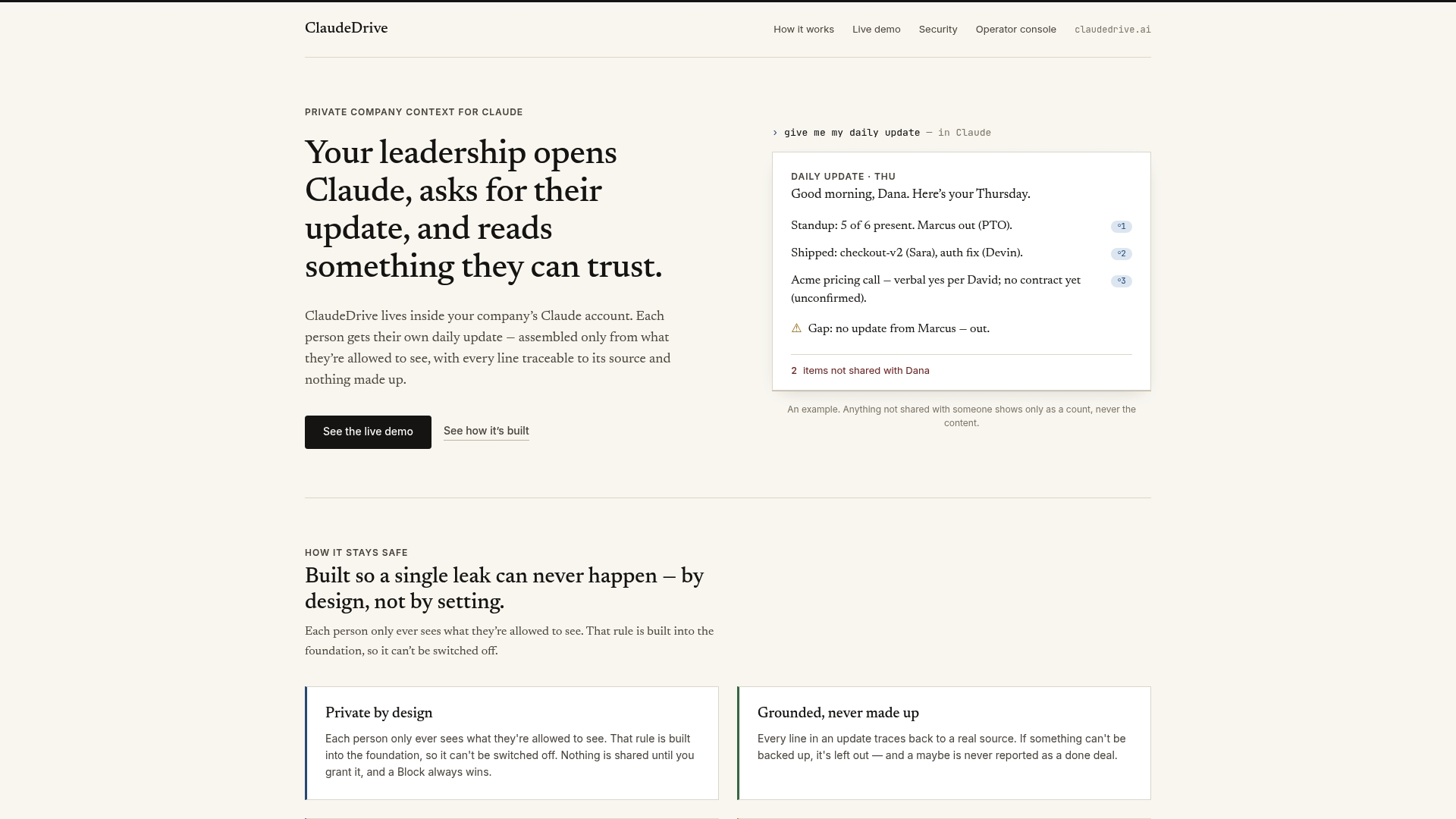
ClaudeDrive gives leaders a daily briefing they can trust, built from the tools they already use: meeting notes, GitHub, the calendar, and more. Each person gets their own private view of what happened, with every line traceable to a real source and nothing that crosses a permission boundary. There is no new app to roll out and no dashboard to learn. Open Claude, ask for your update, and read a clear briefing built only from what you are allowed to see. If you are evaluating how to bring personalized team communications into your leadership workflow, see the live demo or talk to us about a pilot.
FAQ
How does AI decide what to include in a team update?
AI filters content by role, project membership, tool permissions, and communication history. It surfaces information relevant to each person’s responsibilities and excludes anything outside their authorized scope.
Can AI personalize updates for frontline or deskless workers?
Yes. Segmenting by role, location, and shift produces strong engagement gains for frontline teams. AI makes this level of granular segmentation practical without requiring a dedicated communications staff.
How long does it take to set up AI-personalized team updates?
Setup time depends on how many tools you connect. Linking meeting notes, a project tracker, and a calendar typically takes less than a day. The first useful briefing is available immediately after connection.
Do AI-generated updates require human review before sending?
The most effective practice includes a five-minute manual framing step per update. AI produces accurate summaries, but strategic context, urgency, and narrative emphasis require human judgment to apply correctly.
What is the difference between AI summarization and AI-driven updates?
Summarization reports what happened. AI-driven updates add action items, ownership, deadlines, and priority signals. The best tools, including ZoomMate and ClaudeDrive, deliver both in a single role-specific briefing.