MCP Server with Per-User Permissions: A Security Guide
Discover how an MCP server with per-user permissions enhances data security with tailored access controls. Learn effective strategies today!
ClaudeDrive
A Yungsten Tech product

MCP Server with Per-User Permissions: A Security Guide

An MCP server with per-user permissions enforces individualized access to tools and data by combining authentication methods like OAuth 2.1 with role-based and contextual authorization strategies. The Model Context Protocol, or MCP, is the emerging standard for connecting AI models to external tools and data sources. The critical fact most teams miss: MCP lacks a built-in permission system, which means security depends entirely on what you layer on top. Role-Based Access Control (RBAC), OAuth 2.1, and middleware like Open Policy Agent (OPA) are the building blocks that make per-user enforcement real. ClaudeDrive applies this architecture so every leader sees only what they are authorized to see, with every result traceable to a verified source.
What components make up per-user permission control in MCP servers?
Security in an MCP environment is built from three distinct layers: tool-surface minimization, identity authentication, and request-level authorization. Each layer addresses a different failure point. Skipping any one of them leaves a gap that a misconfigured tool or a compromised token can exploit.
Authentication: proving who you are
Authentication answers one question: who is making this request? The three methods used in production MCP environments are OAuth 2.1, JSON Web Tokens (JWT), and API keys.
- OAuth 2.1 is the current recommended standard for delegated access. It issues scoped tokens that specify exactly which resources a caller may reach.
- JWT embeds user identity and role claims directly in a signed token. The server reads the token on every request without a round trip to an identity provider.
- API keys are the simplest option and the least secure. They identify a caller but carry no role or scope information by default.
The MCP host manages user identity and attaches authorization tokens with scopes to every outbound MCP request. That attachment is what allows the server to enforce access at the tool level rather than just at the connection level.
Authorization: deciding what you can do
Authentication is not authorization. Confirming a user’s identity does not tell the server what that user is allowed to do. Authorization requires explicit rules. The three frameworks that matter here are RBAC, scope-based access, and resource-level policies.
RBAC assigns users to roles such as “analyst,” “manager,” or “admin.” Each role maps to a defined set of permitted tools. Scope-based access, borrowed from OAuth, narrows that further: a token might grant read access to a calendar tool but not write access. Resource-level policies go one step further and restrict access to specific records or datasets within a tool.

Pro Tip: Register only the tools a role actually needs at connection time. The AI model can only reason about tools it can see, so role-aware tool registration is your first and most effective line of defense.
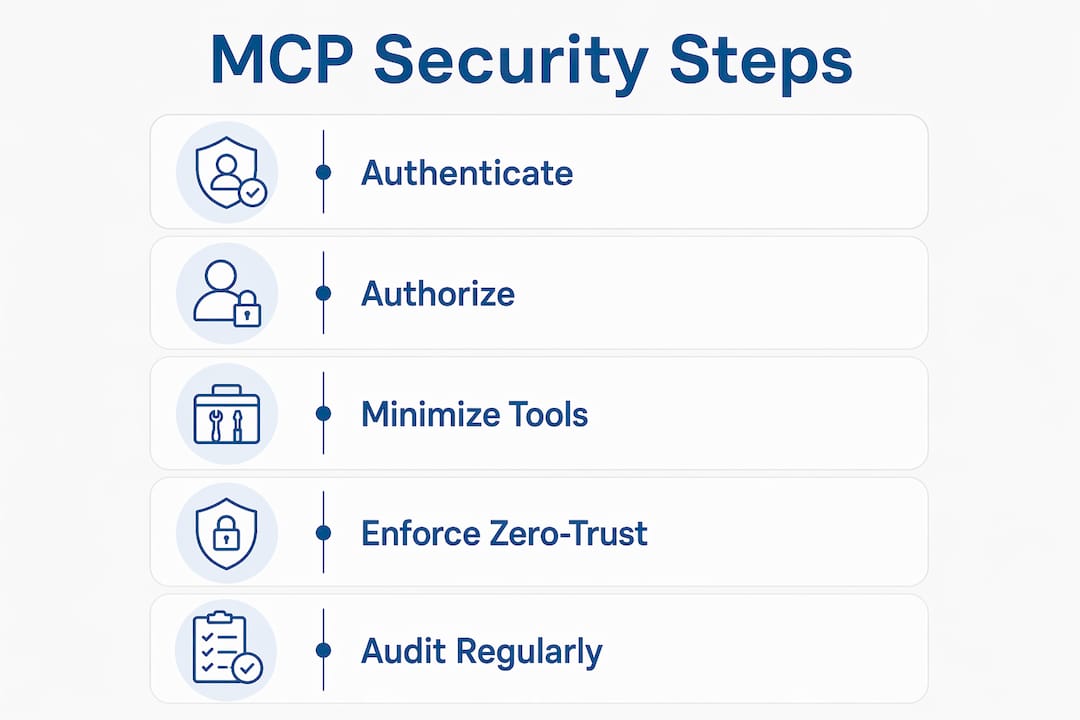
How to implement per-user tool registration in MCP servers
Implementing user-specific permissions requires moving authorization decisions into the request pipeline, not leaving them as an afterthought in application code. The steps below reflect production patterns used in enterprise MCP deployments.
-
Derive roles at connection time. When a user connects, decode their JWT or OAuth token immediately. Extract role claims and store them in the session context. Every subsequent tool call references this context.
-
Register only permitted tools per role. Do not expose all tools and then filter results. Providing fewer, role-specific tools from the start is more effective than dynamic filtering after full exposure. An analyst role registers read-only data tools. An admin role registers write and configuration tools.
-
Bind data scopes to user or tenant IDs. Inside each tool’s execution logic, data scoping must bind directly to the user or tenant ID at the point of execution. A query that returns records must include a WHERE condition tied to the caller’s identity. This prevents one tenant’s data from appearing in another’s response.
-
Insert OPA middleware into the request pipeline. Open Policy Agent intercepts each JSON-RPC request before it reaches the tool. OPA evaluates the request body against your policy definitions and returns an allow or deny decision. This decouples security policy from server code, which makes policies auditable and independently testable.
-
Apply per-user rate limiting. Set request quotas at the user or tenant level. Per-tenant rate limiting controls blast radius in multi-tenant environments, preventing one account from degrading performance for others or from extracting data through high-volume queries.
Pro Tip: Test your role-to-tool mapping in a staging environment before production. Attempt to call a tool your test user should not have access to. If the server returns the tool’s output instead of a denial, your registration logic has a gap.
A managed IT partner with experience in fine-grained access control can help you design the middleware layer before you write a single line of server code. Getting the architecture right early avoids expensive refactoring later.
What security best practices protect MCP servers with per-user permissions?
The most common MCP security failures do not come from broken authentication. They come from tool implementations that trust their inputs too much.
Minimize the tool surface
Every tool you expose is an attack surface. Remove tools that are not required for a given deployment. Disable write operations unless a role explicitly requires them. The fewer tools available, the smaller the window for misuse.
Block dangerous operations at the tool level
The primary MCP security vulnerability lies in tool implementation, with threats like server-side request forgery (SSRF) and path traversal being the most common. Pre-resolve file paths before any operation and enforce strict allowlists on external domains. A tool that fetches a URL should only be allowed to reach domains on an approved list. A tool that reads files should only operate within a defined workspace directory.
A penetration and vulnerability assessment run against your MCP tool implementations will surface these weaknesses before attackers do. This is not optional for production deployments handling sensitive data.
Gate sensitive actions with explicit consent
Gating sensitive MCP operations with explicit user consent is a recognized best practice for high-risk environments. Audit requirements include JSON Lines logging of every tool call and blocking access to sensitive files such as .env and .pem configuration files.
Multi-step approval for destructive or irreversible actions adds a human checkpoint that automated pipelines cannot bypass. This is especially relevant for tools that write to databases, send communications, or modify configurations.
Enforce zero-trust on every tool call
Zero-trust security requires authorization checks on every tool invocation, not just at connection time. A user who authenticated successfully at login must still be authorized for each specific tool call during the session. This matters because session tokens can be stolen or roles can change mid-session. An external policy engine, independent of server code, handles this check without creating a single point of failure.
Developers frequently err by trusting transport-layer security alone. TLS protects data in transit. It does not enforce what an authenticated user is allowed to do once connected.
How to verify and audit per-user permissions in your MCP environment
Verification is not a one-time task. Permission systems drift as roles change, tools are added, and teams grow. The following table shows the core verification activities, their purpose, and recommended frequency.
| Activity | Purpose | Frequency |
|---|---|---|
| Permission boundary testing | Confirm denied tools return errors, not data | Before every production release |
| Audit log review | Detect unexpected tool calls or access patterns | Daily or via automated alerting |
| Role-to-tool mapping audit | Catch privilege creep as roles evolve | Monthly |
| Policy engine rule review | Verify OPA or equivalent rules match current policy | Quarterly or after any policy change |
| Security scan of tool implementations | Identify SSRF, path traversal, and injection risks | Quarterly or after new tool additions |
Audit logs should use JSON Lines format, with one record per tool invocation. Each record should include the caller’s identity, the tool name, the timestamp, and the policy decision. This format is machine-readable and integrates directly with SIEM platforms like Splunk or Elastic.
Monitoring for anomalous usage patterns means setting baselines. If an analyst role typically calls three tools per session and a session suddenly calls thirty, that is a signal worth investigating. Rate limit alerts serve double duty: they protect system performance and flag potential data extraction attempts.
Pro Tip: Build a permission-aware retrieval test suite that runs automatically on every deployment. Include at least one test per role that attempts to access a tool outside that role’s allowlist. A passing test suite means your permission boundaries held.
Privilege creep is the slow accumulation of permissions that were granted for a temporary reason and never revoked. A monthly review of role-to-tool mappings, compared against the baseline defined at deployment, catches this before it becomes a compliance problem. Pair this with a formal offboarding process that removes user sessions and tokens immediately when someone leaves a team.
Key Takeaways
Effective per-user permission control in MCP servers requires authentication, role-aware tool registration, and zero-trust authorization on every tool call, not just at connection time.
| Point | Details |
|---|---|
| MCP has no built-in permissions | Security requires layered controls: tool minimization, authentication, and request-level authorization. |
| Register tools by role at connection time | Expose only the tools a role needs; the AI model cannot misuse tools it cannot see. |
| Bind data to user or tenant ID | Scope every query to the caller’s identity at execution to prevent cross-tenant data leaks. |
| Use OPA for policy enforcement | Middleware like Open Policy Agent decouples security rules from server code and makes them auditable. |
| Audit every tool invocation | JSON Lines logs and monthly role reviews catch privilege creep and anomalous usage before they become incidents. |
The part most teams get wrong about MCP permissions
The teams I see struggle most with MCP security are not the ones who skipped authentication. They authenticated fine. The problem is that they treated authentication as the finish line when it is actually the starting line.
Confirming identity is table stakes. The real work is defining, enforcing, and auditing what each identity is allowed to do, at the tool level, on every single call. That requires a different mindset than traditional API security, where you often gate at the endpoint and trust the rest. In an MCP environment, the “endpoint” is a dynamic set of tools that changes based on who is connected. If your authorization logic does not account for that dynamism, you have gaps.
The other pitfall I see consistently is exposing all tools and then trying to filter results. It feels easier to build that way. It is not safer. The AI model reasons about every tool it can see, which means a model with access to a write tool will sometimes use it, even when the user’s intent was read-only. Role-aware registration at connection time is the correct pattern, and it is worth the extra setup cost.
My honest recommendation: treat your MCP permission architecture the same way you would treat a retrieval access control design for a sensitive database. Define the roles first. Map tools to roles before writing server code. Test denials as rigorously as you test successful calls. The teams that do this upfront spend far less time on incident response later.
— Paul
ClaudeDrive and per-user permission enforcement

ClaudeDrive is built on the principle that every leader should see exactly what they are authorized to see, and nothing more. The platform connects to your existing tools, meeting notes, GitHub, and calendar, then delivers a daily briefing inside Claude that is scoped to each person’s role. No data crosses a permission boundary. Every line in the briefing traces back to a real source.
For enterprises that need secure, role-aware MCP access without standing up a new application or maintaining a separate dashboard, ClaudeDrive handles the permission layer so your team does not have to build it from scratch. See the live demo or talk to us about a pilot.
FAQ
What is an MCP server with per-user permissions?
An MCP server with per-user permissions enforces individualized tool and data access by combining authentication (OAuth 2.1 or JWT) with role-based authorization rules. Each user sees and can invoke only the tools their role permits.
Does MCP include a built-in permission system?
MCP does not include a native permission system. Security requires layered controls built on top of the protocol, including authentication, role-aware tool registration, and request-level authorization middleware.
What is the difference between authentication and authorization in MCP?
Authentication confirms who the user is. Authorization determines what that user is allowed to do. Both are required; authentication alone does not prevent an authenticated user from accessing tools or data outside their permitted scope.
How does Open Policy Agent help with MCP access control?
Open Policy Agent intercepts each JSON-RPC request before it reaches a tool and evaluates it against defined policy rules. This decouples security logic from server code, making policies independently auditable and easier to update without redeploying the server.
How often should MCP permission settings be audited?
Role-to-tool mappings should be reviewed monthly to catch privilege creep. Permission boundary tests should run before every production release, and audit logs should be reviewed daily or through automated alerting for anomalous patterns.