Manager Visibility With Team AI Updates: A Leader's Guide
Enhance your manager visibility with AI updates! Get daily briefings from approved sources, ensuring clarity and accountability for your team.
ClaudeDrive
A Yungsten Tech product

Manager Visibility With Team AI Updates: A Leader’s Guide

Give yourself a daily, permission-aware AI briefing built only from sources you control, and stop guessing what your team actually did this week. AI adoption is already correlated with rising demand for managers, according to IESE Insight, specifically because someone still has to interpret the signal and make the call. Tools like ClaudeDrive exist to handle the synthesis part: pulling from meeting notes, GitHub, and your calendar to produce one update per person, with every line traceable to a real source.
Before you connect anything, lock in three non-negotiables:
- Connect permissioned sources only. Meeting notes, calendar, and project trackers, not a dump of every shared drive in the company.
- Require source-linked updates and audit trails. If a claim in your briefing can’t be traced to a document, a commit, or a meeting, it doesn’t belong in the briefing.
- Set a human-in-the-loop rule. Any AI-flagged risk or decision recommendation gets a manager’s eyes before it triggers action.
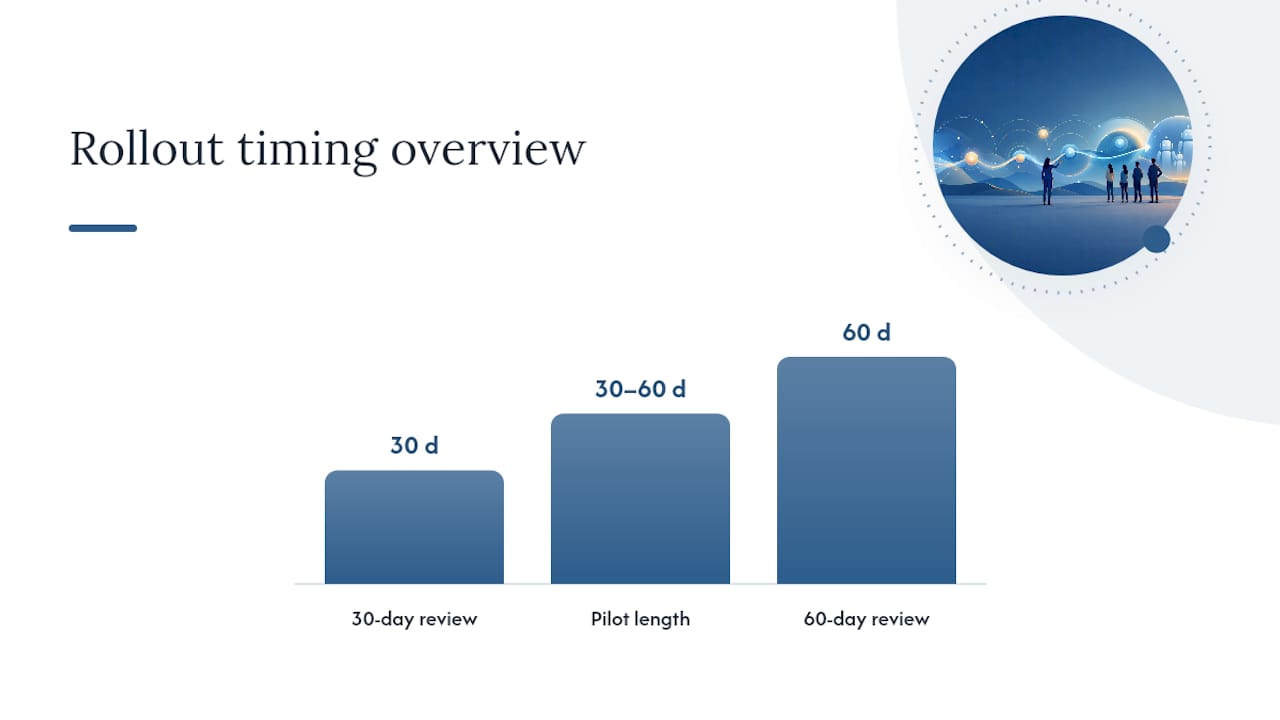
Start small. Invite your CTO or chief of staff plus one team lead into a pilot, connect two or three sources, and give it 30 days before judging results. By day 30 you should know whether the daily brief is catching things your standup missed. By day 60 you’ll have enough data to decide whether to expand it. That’s the whole test: does it save time and catch problems earlier than your current process does?
Key Takeaways
Reliable manager visibility depends on permission-aware retrieval, source-linked updates, and a human-in-the-loop rule for any AI-flagged decision.
| Point | Details |
|---|---|
| Pilot one workflow first | Pick a single team or process, measure a baseline, and run a 30 to 60 day pilot before scaling. |
| Require source links on every claim | Reject any AI update system that can’t show exactly where a claim came from. |
| Measure time and errors, not adoption | Track time-to-decision and report creation time against a real baseline, not prompt counts. |
| Keep humans owning the final call | Use AI briefs for triage and synthesis; reserve judgment on risk and resourcing for the manager. |
| Start with ClaudeDrive for the pilot | ClaudeDrive delivers permission-aware, source-linked daily updates inside Claude with audit trails and instant offboarding built in. |
Table of Contents
- What manager visibility team AI updates actually fix
- How does AI turn team signals into manager updates?
- What should you connect first, and what should you expect?
- What governance and privacy guarantees should you require?
- How do you measure whether visibility actually improved?
- A 90-day checklist for rolling this out without breaking trust
- What a real pilot sequence looks like
- Best practices for reading and acting on AI-generated insights
- Why AI updates should free managers for judgment, not replace it
- Recommended solution: ClaudeDrive for permission-aware manager updates
- Frequently Asked Questions
- Sources
What manager visibility team AI updates actually fix
The real cost of poor visibility isn’t a vague sense of being out of the loop. It’s specific: decisions delayed by days because nobody could confirm what actually happened in a project, accountability gaps when three people think someone else owns a task, and hours a week spent assembling status reports that add zero strategic value.
Middle management work is disproportionately loaded with reporting, meeting summaries, scheduling, and KPI assembly, the exact category of task that IESE Insight’s analysis found is being compressed by AI adoption. That compression isn’t eliminating managers. It’s freeing them to spend more time on conflict resolution, coaching, and the tradeoffs that actually require judgment.
Think about what a manager without real visibility does instead: chases updates in Slack, sits through status meetings that could have been a summary, and makes resourcing calls based on whoever spoke up loudest in the last sync. None of that is decision quality. It’s decision theater, and it burns hours that should go to actual leadership work.
The fix isn’t more meetings or more dashboards. It’s a single trustworthy briefing that tells you what changed, what’s at risk, and where the sources are, so intervention happens while it still matters instead of after the deadline slips.
How does AI turn team signals into manager updates?
AI synthesizes scattered team signals, meeting notes, commits, calendar events, chat threads, into a short brief with source links and flagged risks, so you read one thing instead of ten. That’s the mechanical answer. The trust answer is more important: every line in that brief needs to point back to something real, and the system needs to know who’s allowed to see what before it writes a single word.
Common inputs worth connecting, roughly in order of value:
- Meeting notes for decisions made and open questions.
- Calendar for what’s coming up and who’s involved.
- Issue trackers for what’s stuck, what shipped, and what’s overdue.
- Code repositories for engineering velocity and blockers.
- Shared docs for anything that changed since the last brief.
The manager-facing output should look like a daily brief with a handful of flagged risks, a short decision summary, and a list of follow-ups that actually need your attention, not a raw feed of everything that happened.
Three guardrails separate a trustworthy system from a noisy one. First, every assertion needs a source link, so if the brief says a deadline slipped, you can click through and see exactly where that came from. Second, access has to be scoped: what shows up in your brief should reflect only what you’re permitted to see, and what a peer sees should reflect their own permissions, not yours. Third, there needs to be an audit trail, so when someone leaves the team, their access to the underlying data disappears cleanly and immediately.
Pro Tip: Start with the two or three highest-value sources, not everything at once. A brief built from a bloated source list buries the signal you actually need under noise you don’t.
What should you connect first, and what should you expect?
Connect meeting notes and your calendar first. They generate the highest volume of decisions and context per hour invested, and they’re usually the easiest to wire up without touching sensitive systems. Project trackers come next, followed by code repositories if you’re managing technical teams. Payroll and people data belong last, if at all, and only with explicit legal review, since that data carries its own compliance obligations separate from general work visibility.
Here’s what a manager typically sees at each stage:
| Source Connected | What You Get | Typical Cadence |
|---|---|---|
| Meeting notes | Decisions made, open questions, action owners | Daily summary |
| Calendar | Upcoming commitments, meeting load by team member | Daily to weekly |
| Project tracker | Blocked tasks, overdue items, velocity trends | Daily digest, weekly rollup |
| Code repository | Merge activity, stalled pull requests, deploy status | Daily to real-time alerts |
| Shared documents | Recently changed specs, plans, or proposals | Weekly summary |
A high-value update tells you something you’d otherwise miss until it became a problem: a pull request stalled for four days, a decision made in a meeting you weren’t in that affects your roadmap. Noise is a restatement of things you already know, like a calendar invite for a meeting you’re already attending. Tune cadence down and thresholds up until what’s left is worth reading every morning.
The difference between a daily brief and an escalation alert matters here too. A daily brief is calm and comprehensive: five bullet points covering what moved. An escalation alert interrupts you because something specific crossed a threshold, a deadline is 48 hours out with no movement, or a key contributor has been blocked for a week. Mixing the two formats into one undifferentiated stream is how managers start ignoring the whole system.
What governance and privacy guarantees should you require?
Insist on permission-aware, traceable updates with named accountability before you connect a single source. That’s the one requirement that makes everything else in this article safe to implement. Without it, you’re building a system that might surface confidential context to the wrong person, and no amount of clever summarization fixes that.
Require these specific items from any vendor:
- Source-linking on every claim, so nothing in a brief is unverifiable.
- Per-person view enforcement, meaning your report’s brief and your peer’s brief reflect their own individual access, not a shared pool.
- Audit logs showing who accessed what and when.
- Access-scoped retrieval, so the system only pulls from what a given person is cleared to see.
- Instant offboarding guarantees, so access disappears the moment someone leaves.
- Human verification for any output that recommends a decision or flags a risk.
A credible guarantee reads something like: every line traceable to a named source and a timestamp, nothing fabricated, and nothing surfaced that crosses a permission boundary. That’s a specific, checkable claim, not a marketing phrase.
Shared memory across AI agents raises a particular risk worth naming directly. VentureBeat’s reporting on Asana’s agent architecture found that shared context makes agents more useful, but an incorrect fact written once can silently propagate across a team’s agents unless the vendor builds in correction and expiry mechanisms. Separate reporting on Tencent’s Team Memory calls this the “poisoned well” problem: production memory systems today mostly lack robust correction workflows, so a wrong fact can quietly degrade quality across the whole team.
Data minimization matters as much as access control. Connect only what the update use case requires, and exclude high-risk confidential stores unless there’s an explicit, documented approval for that specific source.
How do you measure whether visibility actually improved?
Measure changes in time-to-decision, time saved on reporting, and error reductions tied to specific workflows, not how many prompts got run. Adoption counts are a vanity metric. What matters is whether a manager caught a problem three days earlier than they would have otherwise, or whether a weekly status report that used to take ninety minutes now takes ten.
Track these specifically:
- Baseline time for the task you’re trying to improve, measured before the pilot starts.
- Time after pilot, measured the same way, on the same task.
- Percent reduction in report creation time, compared against that baseline.
- Number of escalations caught earlier than they would have surfaced through normal reporting.
- Accuracy rate of source-linked assertions, checked by spot-auditing a sample of brief items against their cited sources.
A sample metric sheet you can copy directly into a pilot proposal:
| Metric | Baseline | Target | Review Cadence |
|---|---|---|---|
| Weekly status report time | 90 minutes | Under half an hour | Weekly |
| Time-to-decision on flagged risks | 3-5 days | Within a day | Bi-weekly |
| Escalations caught before deadline | Reactive only | 1-2 per sprint caught early | Per sprint |
| Source-link accuracy on spot-checks | N/A (new metric) | High accuracy | Monthly |
A recommended pilot structure runs baseline and setup in the first 30 days, adds full governance review in days 31 to 60, and measures impact for a scale decision by day 90, a cadence the Coursiv executive AI governance guide lays out in similar terms. Don’t skip the baseline step. Without it, you have no way to prove the pilot did anything at all.
A 90-day checklist for rolling this out without breaking trust
Pick one workflow, measure its current baseline, and run a 30 to 60 day pilot with governance built in from day one. That’s the entire minimal test. Everything else is sequencing.
- Select one workflow where visibility is genuinely weak, not the whole organization at once.
- Measure the baseline for time spent and errors made under the current process.
- Connect two to three sources tied directly to that workflow, nothing broader.
- Define access rules explicitly: who sees what, and who approved that scope.
- Set human-in-the-loop criteria for any output that flags a risk or recommends a decision.
- Review at 30 days, checking early signal against your baseline metrics.
- Review again at 60 days, with enough data to see a real trend, not noise.
- Decide: scale, adjust the source list, or stop.
Involve a small set of roles with tightly scoped permissions: the pilot owner (usually a chief of staff or CTO) needs full visibility into the pilot’s configuration, the participating team lead needs visibility into their own team’s data only, and IT or security needs read access to the audit log, not the underlying content itself. Favoring several narrowly scoped roles over one person with broad access, an approach Research recommends for agentic systems generally, keeps the pilot from becoming a single point of failure.
Pro Tip: Model the tool publicly yourself before asking your team to trust it. Share a mistake the AI made early on and how you caught it. Leaders who normalize experimentation and talk openly about early failures get far more honest adoption than leaders who roll something out silently and expect buy-in. This mirrors what Harvard Business School’s research on AI-led management found: adoption sticks when leaders model the behavior themselves, not when it’s mandated from a policy document.
What a real pilot sequence looks like
Picture a 40-person product organization where the VP of Engineering can’t get a straight answer on sprint risk until the Friday retro, three days too late to do anything about it. The pilot connects meeting notes, the issue tracker, and the team calendar for one 12-person engineering pod. The AI brief runs daily, flags anything blocked more than 48 hours, and requires the VP to confirm any flagged item before it triggers a Slack ping to the team lead.
By week four, the pattern is already visible: stalled pull requests that used to surface at the retro are now flagged the same day they stall. By week eight, the team has data comparing days blocked before and after the pilot. Atlassian’s research on making work visible found that connecting existing systems like trackers and meeting notes yields disproportionate clarity gains compared to adding new meetings or reporting rituals, which tracks with what a pilot like this typically shows.
The pilot owner, usually the VP or a chief of staff working alongside them, decides to scale based on one number: did escalations get caught earlier, and did the team spend less time in status meetings as a result.
The brief didn’t replace my judgment on what to do about a stalled deliverable. It just meant I wasn’t finding out about the stall three days after it mattered.
Best practices for reading and acting on AI-generated insights
Treat every AI flag as a lead, not a verdict. If the brief says a project is at risk, your first move is to check the linked source, not to escalate immediately based on the summary alone. The summary is a starting point for a two-minute investigation, not a replacement for one.

Watch for patterns instead of single data points. One stalled pull request isn’t a crisis. The same contributor showing up in three flagged items across two weeks is worth a direct conversation. AI updates are good at surfacing individual signals; connecting them into a pattern is still a manager’s job.
Push back when a brief feels wrong. If a source link doesn’t actually support the claim next to it, report it and treat the whole brief with a bit more skepticism until it’s fixed. A system with no correction path for bad information will just keep serving you bad information, which is exactly the “poisoned well” risk that shows up in shared-memory architectures.
Finally, resist the urge to read the brief and act immediately every single time. Some flagged items can wait for your next 1:1. Reserve real-time intervention for things that are genuinely time-sensitive, or you’ll train your team to see every AI-flagged item as a fire drill.
Why AI updates should free managers for judgment, not replace it
The mistake I see leaders make with AI visibility tools is treating the brief as the decision instead of the input to one. AI is very good at synthesis: pulling ten scattered signals into one coherent paragraph. It is not good at knowing whether a stalled deliverable is a capacity problem, a morale problem, or a scope problem, because that requires context the system doesn’t have and shouldn’t be given access to guess at.
The IESE research on managerial demand backs this up in a way I find underappreciated: AI adoption correlates with more demand for managers, not less, because someone still has to own the judgment calls that admin work used to crowd out. The time you get back from not writing status reports should go to coaching conversations and cross-team negotiation, not to reading more AI output.
Build a culture where trying the tool and getting a flag wrong is fine, as long as it gets reported and fixed. Reward people for catching an AI error, not just for using the tool. Vanity adoption metrics, like number of briefs read per week, tell you nothing about whether visibility actually improved outcomes.
One trend worth watching closely: shared memory across AI agents on a team is coming fast, and it raises the exact governance question this article keeps returning to. When one agent’s memory feeds another’s, an uncorrected error doesn’t stay contained. Any vendor offering this needs a clear answer for how a wrong fact gets corrected and how that correction propagates. Ask that question before you ask about features.
Recommended solution: ClaudeDrive for permission-aware manager updates
Everything in this article points to one requirement: a briefing you can actually trust, built only from what you’re allowed to see. That’s the specific problem ClaudeDrive was built to solve. Connect meeting notes, GitHub, and your calendar, and each person on your team gets their own private daily update inside the Claude account they already use, no new app, no dashboard to learn, no wiki to maintain.

Every line in that update traces back to a real source, so when the brief tells you a deadline slipped, you can see exactly where that came from. Access is scoped per person from the start, offboarding is instant, and the full audit trail means you can always answer who saw what and when. This is the same permission-aware update pattern that fits directly into the rollout checklist above: connect two or three sources, define access rules, and start reading a brief you don’t have to second-guess.
When you demo it, ask two things: how source links are surfaced on every line, and exactly what happens to a person’s access the moment they’re offboarded. Those two answers tell you whether a vendor takes governance seriously or is treating it as a feature request. For a deeper look at how each person gets a private update built from only their own permissions, see the ClaudeDrive Console. See the live demo, or talk to us about a pilot.
Frequently Asked Questions
What does “manager visibility” mean in the context of AI updates? It means a manager can see accurate, source-traceable status on their team’s work without manually chasing updates, and only sees information they’re actually permitted to access.
How is this different from a regular dashboard? A dashboard shows raw data across every connected system. A permission-aware AI update synthesizes only what a given person is cleared to see into a short, readable brief with sources attached.
Do I need to connect every tool my team uses at once? No. Start with two or three high-value sources, typically meeting notes and calendar, then expand once you’ve confirmed the brief is actually useful and accurate.
How long should a pilot run before deciding to scale? Most leaders can see a real signal within 30 days and enough data for a confident go/no-go decision by day 60 to 90.
What happens to someone’s data access when they leave the team? A properly governed system revokes access instantly. Ask any vendor to show you exactly how offboarding works before you commit to a pilot.
Sources
- AI is increasing demand for managers — and changing their skill sets | IESE Insight
- How Managers Are Using AI to Make Smarter Decisions | HBS Online
- Asana’s AI agents share memory across your company — but not your secrets | VentureBeat