Private AI Update for Each Employee: 2026 Leader's Guide
Discover how a private AI update for each employee enhances decision-making, boosts productivity, and fosters trust within your organization.
ClaudeDrive
A Yungsten Tech product

Private AI Update for Each Employee: 2026 Leader’s Guide

A private AI update for each employee is a personalized, secure briefing that delivers only the information that individual is allowed to see, pulled from the tools they actually use, and traceable to a real source. No generic company blast. No dashboard to check. Just a clear, relevant summary waiting when they open their AI assistant.
The case for deploying these updates is concrete. AI-driven analytics can improve employee decision-making and performance by up to 30%, enhancing workflow efficiency and reducing context-switching. Meanwhile, AI can automate a significant portion of routine work activities, freeing people for higher-value tasks. Organizations that get personalized AI communication right gain a measurable edge in both productivity and employee trust.
Here is what every business leader needs to know before deploying this model:
- Each employee receives a briefing built only from data they are permitted to access.
- Every line in the update traces back to a real source, so nothing is invented.
- The AI agent pulls from connected tools like calendars, meeting notes, and project trackers.
- Privacy controls determine what each person sees before the update is generated.
- No new app is required. The update lives inside the AI environment the team already uses.
What private AI updates for employees actually are
Generic company-wide AI communications push the same digest to everyone. A private AI update works differently. It is scoped to one person’s role, their permitted data, and the context they actually need that day. The AI agent reads from the sources that person is connected to, assembles a briefing, and delivers it on demand.

Employee-facing AI agents are the engine behind this model. Each agent is configured with a specific set of data connections and access rules. When an employee asks for their update, the agent queries only what that person is authorized to see, then composes a summary in plain language. The result feels like a well-briefed chief of staff handing you a morning memo, not a search engine returning links.
Personalization goes beyond role-based filtering. Effective agents learn which topics matter most to each person, how frequently they want updates, and which projects are currently active. Techniques like retrieval-augmented generation allow the agent to pull the most relevant recent context rather than summarizing everything indiscriminately. The architecture that makes this private is straightforward: each employee’s query runs against only their permitted data slice, and nothing from one person’s view leaks into another’s.
Why the benefits are real and measurable
The productivity case for personalized AI updates is well-documented. AI-driven analytics improve decision-making and performance by up to 30%, according to 2026 industry analysis. That gain comes from reducing the time employees spend hunting for context before they can act.
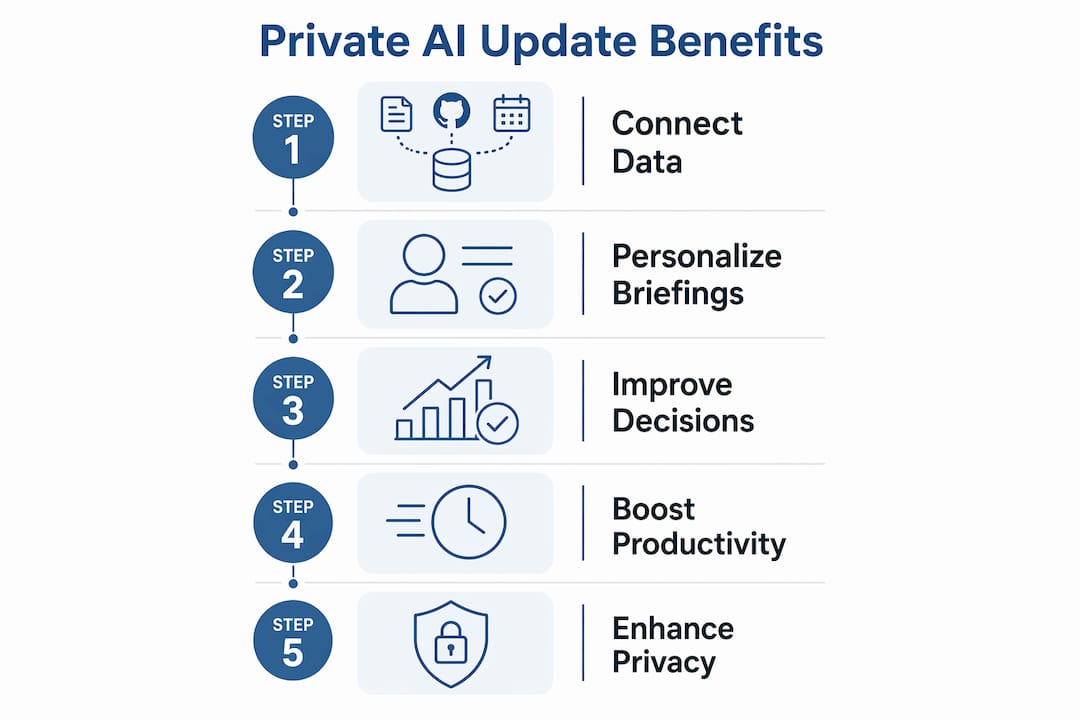
Context-switching is one of the most expensive hidden costs in knowledge work. When an employee has to check five tools before they can answer a question, they lose focus and time. A single, well-scoped daily briefing collapses that into one interaction. The 74% of employees who say they want to learn during spare time at work benefit directly when AI surfaces relevant skill-building content alongside their operational updates.
The benefits stack up across the organization:
- Decision speed: Leaders and individual contributors act faster when context is pre-assembled.
- Engagement: Employees who receive relevant, personalized communication report higher job satisfaction.
- Skill development: AI identifies gaps and surfaces targeted learning, rather than pushing generic training catalogs.
- Reduced burnout: Fewer repetitive information-gathering tasks means more time for meaningful work.
- Audit confidence: Every update is traceable, so leaders can verify what information drove a decision.
Stat to know: AI can automate a significant portion of routine work activities. Redirecting that time toward judgment-intensive work is where the real productivity gain lives.
Privacy and security: what leaders must get right
The biggest risk in deploying personalized AI updates is not the AI itself. It is the access model underneath it. If the system does not enforce strict permission controls, one employee’s briefing can surface data another person was never supposed to see. That is a trust failure, and it is recoverable only with significant effort.
Effective private AI update solutions provide full audit trails and role-based data access, so every line in a briefing traces to a source and a permission level. This is not a nice feature. It is the baseline for any deployment where employees handle sensitive information.
The security practices that matter most:
- Permission controls: Define who can see what before connecting any data source. Access rules must be set at the data layer, not just the interface.
- Audit trails: Every output should log which sources it drew from, so leaders can review and verify.
- Human-in-the-loop gates: For any AI action beyond reading and summarizing, require employee verification before the system executes. This limits AI autonomy and keeps humans accountable.
- No cross-employee data leakage: Each person’s update must be generated from their own permitted data slice only.
- Ethical guardrails: Personalized AI should augment judgment, not surveil employees or score behavior without transparency.
Pro Tip: Before going live, run a permission audit. Ask: if this employee’s briefing were printed and left on a conference table, would anything in it cross a line? If yes, the access model needs tightening before deployment.
Privacy-first AI update delivery also requires transparency with employees about what the AI reads and what it does not. When people understand the boundaries, trust follows.
How to deploy private AI updates without the common mistakes
Most deployments stumble in the same three places: data integration complexity, change management, and ongoing maintenance. Getting ahead of all three is what separates a successful rollout from a pilot that quietly dies.
Start with a narrow data scope. Connect two or three sources first, such as meeting notes, a project tracker, and a calendar. Validate that the permission model works correctly before adding more. Expanding too fast creates integration debt that is hard to unwind.
Plan for change management from day one. Employees who do not understand what the AI reads, or why it generates the briefing it does, will not trust it. A short orientation session covering what the agent accesses, how to give feedback, and what it cannot do goes a long way. Scaling personalized AI updates requires planning for integration, training, and continuous maintenance, not just a technical launch.
Key deployment considerations:
- Assign a clear owner for the update configuration and permission model.
- Set a review cadence, monthly at minimum, to check that data sources are current and access rules still reflect org structure.
- Build a feedback loop so employees can flag irrelevant or incorrect content.
- Document compliance requirements before connecting any HR or financial data.
- Treat the first 90 days as a calibration period, not a finished product.
Ethical and compliance requirements deserve their own planning track. Personalized AI that touches performance data, compensation, or health information falls under EEOC recordkeeping requirements and, depending on state, California Consumer Privacy Act obligations. Know which data categories you are touching before you connect them.
What real-world AI agent deployments actually teach you
The organizations that get the most from employee-facing AI agents share one habit: they treat the first deployment as a learning exercise, not a finished product. The briefing that works in week one rarely looks the same by month three, and that is a good sign.
Research using the Job Demands-Resources model found that generative AI boosts productivity and mitigates technostress effectively when paired with proper support resources. The keyword is “paired.” Dropping an AI update tool on employees without context creates anxiety, not efficiency.
Practical lessons from deployments that worked:
- Frequency matters more than volume. A daily briefing that takes two minutes to read beats a weekly digest that takes twenty. Shorter and more frequent wins on engagement.
- Relevance decays fast. An update that was useful in Q1 may be noise by Q3 if the project landscape changed. Build in a quarterly content review.
- Auditability builds trust. When employees can see which source each line came from, skepticism drops. Opaque AI outputs generate resistance.
- Feedback loops close the gap. A simple thumbs-up or thumbs-down on each briefing gives the system signal to improve. Without it, the agent keeps generating the same irrelevant content.
- Frame AI as augmentation, not replacement. Employees who understand that the briefing frees them from information-gathering, rather than replacing their judgment, adopt it faster and use it more effectively.
Personalized briefing frequency and relevant content directly reduce employee exhaustion and build acceptance over time. That finding holds across industries and role types.
How ClaudeDrive delivers trusted, private daily briefings
ClaudeDrive is built specifically for this use case. A leader opens Claude, asks for their update, and reads a briefing assembled only from what they are permitted to see. Every line traces to a real source. Nothing is invented. Nothing crosses a data boundary it should not.
The setup is straightforward. Connect meeting notes, GitHub, a calendar, or other tools the team already uses. Tag who is allowed to see what. ClaudeDrive handles the rest, organizing context and generating a private view for each person. There is no new app to roll out, no dashboard to learn, and no wiki to maintain. It feeds Claude, the AI environment leaders already have, rather than adding another tool to the stack.
What makes ClaudeDrive’s approach different:
- Source traceability: Every line in the briefing links back to a real document or data point, so leaders can verify what drove the summary.
- Permission enforcement: Each person’s update is built only from their permitted data. Nothing leaks across the line.
- No hallucination: The system does not generate content it cannot source. If the information is not in the connected tools, it is not in the briefing.
- C-suite ready format: The briefing is written for a leader who has two minutes, not an analyst who has two hours.
- No new adoption curve: Because it runs inside Claude, the only thing employees learn is to ask for their update.
For organizations evaluating AI solutions for business, the question is not whether to deploy personalized AI updates. It is whether the system you choose can guarantee that each employee sees only what they should, and that every output is traceable. ClaudeDrive is built to answer both.

Ready to see it in practice? Talk to us about a pilot or see the live demo at claudedrive.ai.
Key Takeaways
A private AI update for each employee delivers the most value when permission controls, source traceability, and change management are built in from the start, not added later.
| Point | Details |
|---|---|
| Performance gains are documented | AI-driven analytics improve employee decision-making and performance by up to 30%. |
| Automation frees real time | AI can automate a significant portion of routine work activities, redirecting effort to higher-value tasks. |
| Privacy requires a data-layer model | Permission controls must be set at the data source, with full audit trails on every output. |
| Human-in-the-loop gates are essential | Require employee verification before any AI action beyond reading and summarizing executes. |
| Frequency and relevance drive adoption | Shorter, more frequent briefings with traceable sources reduce technostress and build trust. |