Why Manual Updates Waste Team Time at Scale
Discover why manual updates waste team time. Learn how to reclaim productivity and prevent burnout in high-growth companies.
ClaudeDrive
A Yungsten Tech product

Why Manual Updates Waste Team Time at Scale

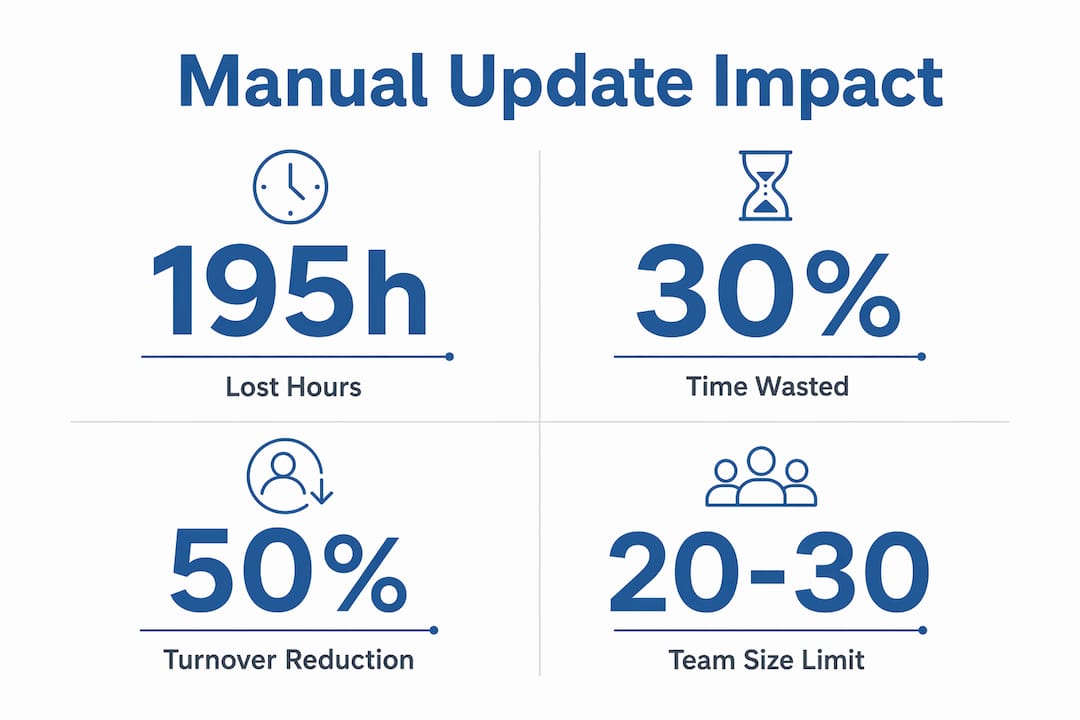
Manual updates are the single largest hidden drain on team productivity in high-growth companies. Employees spend 45 minutes per day on manual data entry alone, which equals roughly 195 hours per year per person. That time does not disappear quietly. It compounds across teams, fragments attention, delays decisions, and pushes your best people toward burnout. Understanding why manual updates waste team time is the first step toward fixing the problem at its root.
Why manual updates waste team time more than managers realize
The scale of time lost to manual updates is larger than most managers estimate. The 195 hours per year figure covers only direct data entry. It does not count the time spent switching between tools, chasing down the right version of a report, or sitting through a status meeting where 90% of attendees admit to daydreaming. That disengagement is not a culture problem. It is a process problem.
Context switching is the compounding cost that rarely appears on any budget line. Every time a team member stops a task to pull data, copy it into a spreadsheet, and send it up the chain, they lose the focused thread of whatever they were doing before. Research on manual processes identifies context switching between tools as the primary time cost, not the updates themselves. The interruption tax is real and it accumulates daily.

The table below shows how manual update time compounds across a team of ten people over one year.
| Task | Time per person per week | Annual cost (10-person team) |
|---|---|---|
| Manual data entry | 3.75 hours | 1,950 hours |
| Status report preparation | 2 hours | 1,040 hours |
| Cross-tool copy and paste | 1.5 hours | 780 hours |
| Meeting time for manual updates | 2 hours | 1,040 hours |
| Total | 9.25 hours | 4,810 hours |
Nearly 4,810 hours per year is the equivalent of more than two full-time employees doing nothing but manual updates. For a high-growth company, that is two salaries funding zero strategic output.
Key factors that drive this time loss include:
- Repetitive copy-paste work across disconnected tools with no single source of truth
- Version confusion when multiple people maintain separate update files
- Meeting overhead for updates that could be read in two minutes
- Delayed decisions because the right data is not available when leaders need it
What are the common inefficiencies and errors caused by manual updates?
Human error rates increase predictably as task repetition rises. Skipping steps or making errors approaches certainty in manual update workflows over time. This is not a staffing quality issue. It is a fundamental limit of human attention applied to repetitive, low-judgment work.
The errors themselves carry a secondary cost. When a manager receives an update with a wrong number, they either act on bad data or spend time verifying it. Both outcomes are expensive. Acting on bad data leads to poor decisions. Verifying data manually restarts the same cycle that produced the error in the first place.
Manual updates also create siloed knowledge. When one person owns the update process for a given system or team, that person becomes a single point of failure. This pattern is called hero dependency, and it is one of the most dangerous structural risks in a growing company. If that person is sick, leaves, or burns out, the update process breaks entirely.
Pro Tip: Map every manual update task to a named owner. If the same name appears more than three times, you have a hero dependency risk. That person is also likely your highest burnout candidate.
The morale cost is real and measurable. Back-office teams lose 15–30% of their time on tasks that require no expert judgment. That is time those employees know is wasted. Talented people do not stay in roles where they spend a third of their week on work a computer could do. The impact on turnover is direct: manual workloads drive the disengagement that precedes resignation.
When do manual update processes break down as teams scale?
Manual update processes do not degrade gradually. They break at thresholds. Manual workflows become unmanageable at around 20–30 employees or when transaction volume crosses 500 per period. Below those thresholds, a capable person can hold the process together through effort. Above them, the volume exceeds human capacity and errors multiply faster than they can be corrected.
The comparison between manual and automated approaches at scale is stark. Manual Application Lifecycle Management requires 3,750 hours annually per 1,000 applications. Automation reduces that to 500 hours, an 87% efficiency gain. That is not a marginal improvement. It is a structural change in what a team can accomplish.
The instinct at this breaking point is to hire. Adding headcount to manage manual workloads increases complexity and cost without fixing the underlying process. New hires bring onboarding time, salary overhead, and the need to learn a broken system. The process stays broken. The team just gets bigger around it.
Pro Tip: Before approving a headcount request tied to operational workload, ask whether the task requires human judgment or human effort. If it is the latter, the answer is process change, not a new hire.
The non-linear cost curve of manual updates is the key insight here. A process that works fine at 15 people does not scale to 40 people with twice the effort. It collapses. High-growth companies hit this wall faster than they expect because growth accelerates the timeline to the breaking point.
What practical strategies can managers use to cut time-consuming updates?
The first step is a task audit. Not every manual update is a candidate for automation. Some updates require human judgment: interpreting ambiguous signals, making calls that carry accountability, or communicating decisions that need context. The goal is to separate judgment tasks from execution tasks and automate the execution layer.
A useful framework for this audit:
- List every recurring update task your team performs weekly. Include meeting prep, report generation, status emails, and data pulls.
- Tag each task as judgment-required or execution-only. Be honest. Most status updates are execution-only.
- Identify the data sources each task draws from. If a task pulls from three tools manually, it is a strong automation candidate.
- Estimate the weekly time cost for each task across the full team, not just the person who owns it.
- Prioritize by time cost and error risk. Start with the tasks that consume the most time and carry the highest error rate.
Scoped AI update tools address the execution layer directly. They pull from connected sources, apply access rules so each person sees only what they are authorized to see, and deliver a single clear briefing. The leader reads it, trusts it, and moves on. No chasing. No reconciling.
Automation does not mean losing control. The fear that automation increases risk is common and understandable. Manual processes feel controllable because a person is visibly doing the work. The data shows the opposite: manual processes carry higher error rates, higher turnover risk, and lower resilience than well-designed automated ones. Control comes from auditability, not from human touch at every step.
Automated company updates also improve adoption. When updates arrive consistently, are easy to read, and contain only relevant information, people actually engage with them. The 90% daydreaming rate in manual status meetings drops when the update is a two-minute read rather than a thirty-minute call.
Building trust in a new update process takes deliberate steps. Start with one team and one update type. Make the source of every data point visible. Let leaders verify the output against the raw source for the first few weeks. Trust builds through transparency, not through assertion.
Key Takeaways
Manual update inefficiencies compound across teams and scale, making process change a leadership priority, not an IT project.
| Point | Details |
|---|---|
| Time loss is larger than it appears | Each person loses roughly 195 hours per year to manual data entry alone, before counting meetings and context switching. |
| Errors are structural, not personal | Human error rates in repetitive tasks increase predictably; the process design is the problem, not the individual. |
| Hero dependency is a fragility risk | When one person owns a manual update process, their absence breaks the entire workflow. |
| Manual processes break at scale thresholds | Teams hitting 20–30 people or 500+ transactions per period face non-linear cost growth that headcount cannot fix. |
| Automation reduces turnover, not just time | Automating routine tasks can cut operational team turnover by 30–50%, making it a retention strategy as much as an efficiency one. |
The control illusion is the real problem
The most persistent obstacle I see in high-growth teams is not a lack of tools. It is a belief that manual oversight equals control. Leaders hold onto manual update processes because they feel accountable for every step. What they are actually doing is trading strategic capacity for the illusion of safety.
I have watched teams where one person owns the weekly status rollup. That person is indispensable, exhausted, and quietly looking for another job. The team does not realize the risk until the person leaves and the update process falls apart in week two. The knowledge was never in the system. It was in one person’s head.
The shift that actually works is moving accountability from the process to the output. You do not need to see every step of how an update was assembled. You need to trust that the output is accurate and traceable. That is a different kind of control, and it is more durable. When every line in a briefing links back to a real source, you have more accountability than any manual process provides, because the audit trail is built in rather than reconstructed after the fact.
The teams that break out of manual update cycles fastest are the ones where leadership decides the problem is structural, not behavioral. They stop asking people to work harder on broken processes and start asking what the process should look like if it worked.
— Paul
How ClaudeDrive removes the manual update burden
Leaders at high-growth companies spend real hours each week assembling updates that should arrive automatically.
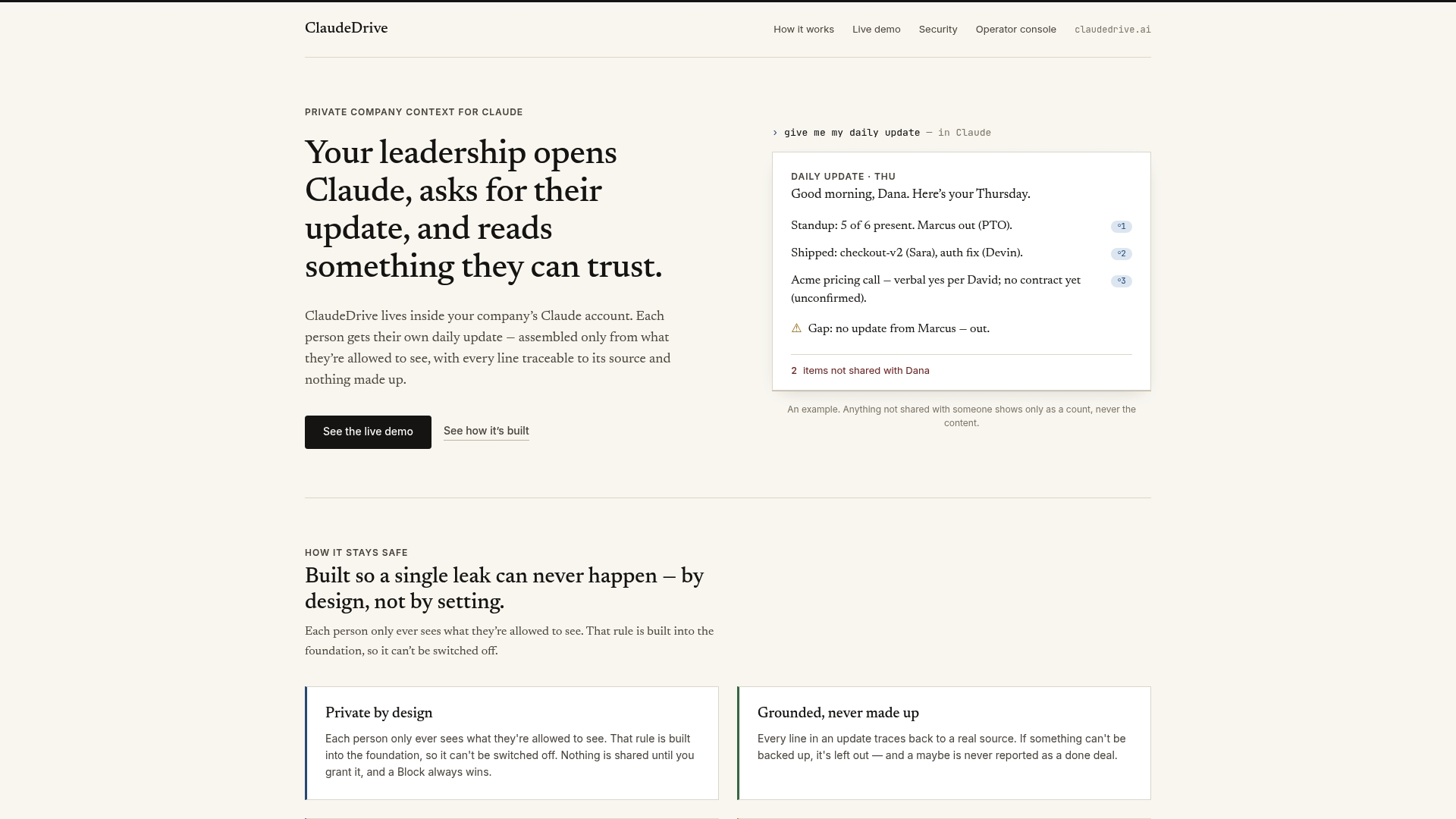
ClaudeDrive connects to the tools your team already uses, including meeting notes, GitHub, and the calendar, and delivers one clear daily briefing inside Claude. Each person sees only what they are authorized to see. Every line traces back to a real source. Nothing is invented. There is no new app to roll out, no dashboard to configure, and no wiki to maintain. The ClaudeDrive Console is the private context layer that feeds Claude with your company’s actual data, so leaders can ask for their update and read something they can trust in under two minutes. Talk to us about a pilot.
FAQ
Why do manual updates waste so much team time?
Manual updates waste time through direct labor, context switching, and error correction. Each person loses roughly 195 hours per year to manual data entry alone, and that figure does not include meeting time or rework.
At what team size do manual update processes break down?
Manual update workflows become unmanageable at around 20–30 employees or when transaction volume exceeds 500 per period. Beyond those thresholds, error rates and delays grow faster than teams can manage them.
What is hero dependency and why does it matter?
Hero dependency occurs when critical process knowledge lives in one person rather than in a system. That person becomes a single point of failure, and their departure or absence breaks the entire update workflow.
Can automation reduce team turnover, not just save time?
Automating routine tasks can reduce operational team turnover by 30–50%. Employees who spend less time on repetitive, low-judgment work report higher engagement and are less likely to leave.
How do I know which manual tasks to automate first?
Start with tasks that require execution rather than judgment, pull from multiple tools, and consume the most weekly time across the team. Status report generation and data reconciliation are the most common high-value targets.