Connect Meeting Notes, GitHub & Calendar to Claude
Easily connect meeting notes, GitHub, and calendar to Claude. Get permission-scoped daily briefings with traceable sources today!
ClaudeDrive
A Yungsten Tech product

Connect Meeting Notes, GitHub & Calendar to Claude

Yes, you can connect meeting notes, GitHub repos, and calendars to Claude and receive permission-scoped daily briefings today. Every line in those briefings traces back to a real source, Claude cannot modify anything it reads, and each person sees only what they already have access to. The fastest path to proving this out: approve a scoped pilot connecting one meeting-notes source, one calendar domain, and one or two GitHub repos, then run daily briefs to a small leadership group for two to four weeks.
The three things to confirm before you start:
- Read-only access enforced. MCP connectors expose transcripts, calendar events, and repo data as context only. Claude cannot write back to any source.
- Per-user scoping. Each leader sees only the meetings they attended, the repos they can access, and the calendar events on their domain. Nothing leaks across the line.
- Traceable source links. Every item in a briefing links to the timestamped meeting, commit, or calendar event that produced it.
Table of Contents
- Why does connecting meeting notes, GitHub, and calendar data to Claude matter for leaders?
- What architecture and guarantees should leaders expect?
- What do leaders and IT need to prepare before connecting these sources?
- What governance and security considerations require executive sign-off?
- What does a realistic pilot-to-scale rollout look like?
- What pitfalls derail pilots and how do you prevent them?
- ClaudeDrive is the recommended path for permission-controlled daily updates
- Key Takeaways
- What daily Claude updates actually change for leadership
- Resources to share with your platform or IT team
Why does connecting meeting notes, GitHub, and calendar data to Claude matter for leaders?
The problem is not that the information does not exist. It is that it lives in four places, and nobody has time to consolidate it before the 8 AM standup. A leader who wants to know what committed last week, what got blocked, and what is on the calendar for the next sprint has to open GitHub, a meeting-notes app, and a calendar, then synthesize manually. That takes 20–30 minutes every morning and still misses things.
When you sync meeting notes to Claude alongside GitHub and calendar data, that consolidation happens automatically. The daily brief surfaces decisions, open action items, and repo-linked blockers tied to calendar context, all in one place, all sourced.
Practical use cases leaders run on day one:
- Executive daily brief. Open Claude, ask for your morning update, read a structured summary of yesterday’s decisions and today’s commitments.
- Pre-meeting prep. Ask Claude what was decided the last time this group met and what is still open.
- Cross-team blockers report. Surface unresolved action items across multiple teams without chasing anyone.
- Sprint-risk snapshot. Pull open PRs, unresolved decisions, and upcoming milestones into one view before a board call.
Grain’s Claude connector demonstrates this concretely: it pulls today’s calendar events, finds past recordings with the same attendees, and posts a structured brief before the meeting starts. That is the outcome. The architecture behind it is straightforward.
What architecture and guarantees should leaders expect?
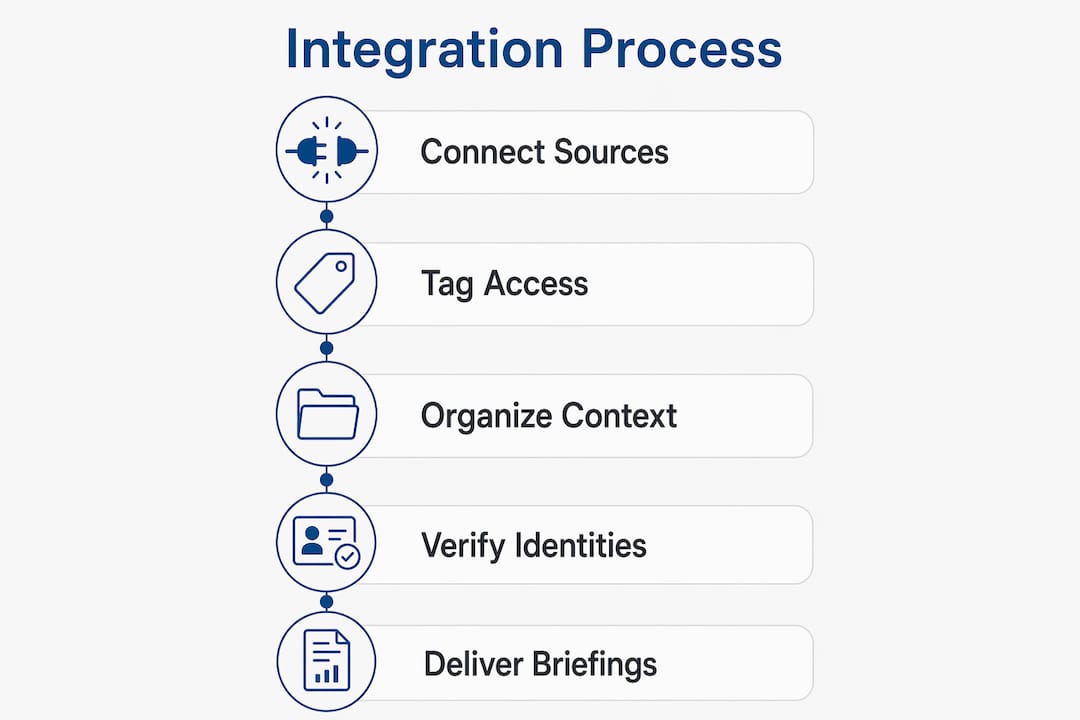
Three read-only MCP connectors feed Claude as context: one for meeting notes, one for calendar, one for GitHub. A permissions layer sits in front of all three and enforces per-user scope at retrieval time. Claude never touches source data directly.
Authentication by source type:
- Meeting notes (Fellow, Grain, Spinach): OAuth or workspace-level admin toggle. Fellow’s Anthropic-verified connector requires no developer setup — an admin enables it, users toggle it on, and Claude gets five read-only tools covering summaries, transcripts, action items, and participant lists.
- Calendar (Google Calendar, Microsoft 365/Outlook): OAuth/SSO. On macOS, an additional OS-level Automation permission prompt is required the first time an agent accesses local calendar data.
- GitHub: Personal Access Tokens (PAT) or service accounts. Repos support issues, PRs, and code search. GitHub integrations work best when scoped to specific repos rather than entire organizations.
Spinach takes a slightly different approach: it captures structured, speaker-labeled transcripts and pushes them to its own MCP server so Claude can answer questions about past meetings without any manual export step. Batch processing via MCP lets Claude analyze dozens of transcripts in one pass to surface recurring blockers and unresolved commitments.
Pro Tip: Put company-wide calendars in global MCP settings and GitHub repos in project-specific settings. Mixing them in one global config creates noise and loosens security boundaries you want tight.

For highly sensitive notes, a local file-based approach keeps data on-premises and avoids external API dependencies entirely. Files remain readable long-term and carry no vendor lock-in risk.
What do leaders and IT need to prepare before connecting these sources?
A clean pilot needs sign-off on four things before IT touches a single token.
Leadership approvals checklist:
- Scope: which meeting-notes source, which calendar domain, which repos.
- Data types permitted: transcripts, summaries, action items, calendar event titles and attendees.
- Retention policy: how long briefing context is stored and where.
- Pilot dates and success criteria.
Technical prerequisites (hand to IT):
- Authorize the meeting-notes provider (Fellow, Grain, or Spinach) via admin console.
- Create scoped PATs for each GitHub repo in scope; store them in a secrets manager.
- Confirm OAuth client readiness for Google Calendar or Microsoft 365.
- On macOS endpoints, pre-authorize the Automation permission for calendar access in System Settings before the pilot starts — denied OS permissions are the most common silent failure in calendar integrations.
- Confirm MCP server endpoints and test connectivity.
Roles and responsibilities:
| Role | Responsibility |
|---|---|
| Executive sponsor | Approves scope, data types, and retention policy |
| Platform owner | Configures MCP connectors and manages access mapping |
| IT / security | Creates PATs, configures OAuth, monitors audit logs |
| HR / legal | Reviews consent and retention policies before go-live |
| Each leader | Toggles their own connector; reviews first three briefs for accuracy |
Smoke tests before go-live: verify per-user scoping (confirm user A cannot see user B’s private meetings), validate a sample brief against its source links, and document a rollback plan if a connector returns unexpected data.
What governance and security considerations require executive sign-off?
Least-privilege scoping is the baseline. Each connector should expose only the data types the briefing actually needs — action items and summaries, not raw audio files; calendar event titles and attendees, not email body content.
Governance checklist for executives:
- Require an approval flow for any new connector added after go-live.
- Schedule quarterly access reviews: who still needs which repos and meeting-note sources.
- Confirm instant offboarding: when someone leaves, their access to briefing context revokes immediately.
- Require audit logs that show every query, every source retrieved, and every user who triggered a brief.
The “show me proof” test: ask your vendor to demonstrate that every line in a sample briefing links to a timestamped source. If they cannot, the system is not auditable enough for executive use.
On data residency: decide before go-live whether transcript backups are vendor-managed or local. For organizations subject to GDPR or CCPA, retention windows for meeting transcripts and calendar data require legal review. A local MCP approach eliminates cloud-residency questions entirely for the most sensitive content.
This article is general information, not legal advice. Have counsel review your retention and consent policies for your specific situation.
What does a realistic pilot-to-scale rollout look like?
Weeks 1–2: Connect one meeting-notes source (Fellow or Grain work well here), one calendar domain, and one or two GitHub repos. Run daily briefs to three to five leaders. Staffing: one platform owner and one engineer for the first week, then part-time after that.
Weeks 3–4: Measure four things: accuracy of source attribution, percentage of action items surfaced that leaders confirm as real, leader satisfaction with brief quality, and mean time to correct a misattributed item. Set a threshold for each before you start.
Scale gates: Only expand to additional repos and calendar domains after the pilot metrics clear. Phased onboarding by team, not by data type, keeps access reviews manageable. Org-wide rollout follows after a second access-review cycle confirms scoping is clean.
What pitfalls derail pilots and how do you prevent them?
Over-sharing. Connecting every repo and every meeting-notes workspace on day one is the most common mistake. Start with the narrowest useful scope and expand only after the pilot proves per-user mapping is working.
Poor transcript quality. Briefs are only as good as the transcripts feeding them. Standardize recording settings and validate sample transcripts for speaker labels and decision extraction before the pilot starts. Spinach’s structured capture handles this automatically; raw .vtt files from Zoom often need cleanup.
Identity mismatches. Calendar attendees and meeting-notes users need to map to the same identity. SSO alignment during setup prevents a leader from seeing someone else’s action items or missing their own.
macOS calendar permission failures. This one is quiet and frustrating. An agent that cannot access local calendar data returns nothing, with no error. Pre-authorize the macOS Automation permission in System Settings before the pilot, and document the step in your test plan.
Metrics to watch: rate of misattributed items per brief, percentage of briefs with unresolved action items older than five days, and brief generation latency under peak load.
ClaudeDrive is the recommended path for permission-controlled daily updates
Every leader in your organization already has a Claude account. ClaudeDrive puts a private company-context layer behind it so that when someone opens Claude and asks for their morning update, they read a briefing built only from what they are allowed to see.

Connect meeting notes (Fellow, Grain, or Spinach), GitHub repos, and Google Calendar or Microsoft 365 in one place. ClaudeDrive enforces per-user scoping at retrieval, keeps all connectors read-only, and logs every query and source for your audit trail. Instant offboarding means a departing employee’s access to briefing context revokes the moment you remove them. No new app for leaders to learn, no dashboard to maintain, no wiki to keep current.
The pilot scope ClaudeDrive recommends: one meeting-notes source, one calendar domain, one or two repos, two to four weeks, five leaders. That is enough to validate accuracy, trust, and daily value before you scale.
Talk to us about a pilot or see the live demo to confirm the setup fits your org’s security requirements.
Key Takeaways
Connecting meeting notes, GitHub, and calendar data to Claude delivers permission-scoped daily briefings where every line traces back to a real, timestamped source.
| Point | Details |
|---|---|
| Run a scoped pilot first | Start with one meeting-notes source, one calendar domain, and one to two repos before expanding. |
| Require read-only MCP connectors | Per-user scoping and read-only access are non-negotiable; Claude must not be able to modify source data. |
| Demand traceable source links | Every line in a briefing must link to a timestamped meeting, commit, or calendar event and appear in the audit log. |
| Pre-authorize OS-level permissions | macOS Automation permission for calendar access must be granted before the pilot or calendar data will silently go missing. |
| ClaudeDrive as the recommended path | ClaudeDrive delivers per-user scoped, source-linked daily briefs inside Claude with read-only connectors, audit trails, and instant offboarding. |
What daily Claude updates actually change for leadership
The shift is not about saving time, though that happens. It is about trusting what you read. Before this kind of setup, a morning brief was either something a chief of staff assembled manually or something an AI generated with no way to verify it. Both had real costs: the first took an hour, the second required constant fact-checking.
What changes when every line in a Claude briefing links to the meeting where it was said, the commit where it was merged, or the calendar event where it was scheduled is that you stop second-guessing the brief. You ask Claude for your morning update, you read it, and you act on it. The source links are there if you want them. Most mornings, you do not need them.
That is the operational change worth approving a pilot for. Not the architecture, not the connectors. The moment a leader reads a brief and trusts it enough to walk into a board meeting on it.
Resources to share with your platform or IT team
Your job is to approve the scope and timeline. Hand these to your platform owner or IT lead to configure the connectors, tokens, and test plan.
- Fellow connector setup: How to connect Claude to your meeting notes with Fellow — admin toggle, no developer setup required.
- Grain workflows: AI workflows built with Grain and Claude — morning brief scheduling and calendar-meeting pairing.
- Spinach MCP server: Meeting transcripts with Claude via Spinach — structured transcript capture and batch processing.
- GitHub and calendar auth patterns: MCP integration guide for GitHub and calendar — PAT creation, OAuth setup, and global vs. project-specific config.
- macOS calendar permission note: Founder daily brief README — OS-level Automation permission steps to include in your test plan.
- Local-only option for sensitive notes: minutes — local meeting memory tool — on-premises capture with no cloud dependency.
- ClaudeDrive implementation guides: How to connect Claude to internal docs and the per-user permissions security guide for IT-facing security and architecture detail.