How to Keep Your Remote Team Informed with AI
Discover how to keep your remote team informed with AI-driven briefings, reducing meetings and enhancing communication for effective collaboration.
ClaudeDrive
A Yungsten Tech product

How to Keep Your Remote Team Informed with AI

The fastest way to keep a remote team informed with AI is a permission-aware daily briefing delivered inside the assistant your leaders already use. Connect meeting notes, your calendar, and your code or ticket sources, and each person gets a private, source-linked update built only from what they’re allowed to see. No new dashboard. No wiki to maintain.
What you get when this is working:
- Fewer status meetings, because the brief replaces them
- Faster onboarding, because new hires can read a searchable record of decisions
- Fewer missed blockers, because alerts fire before your standup
- Cleaner handoffs, because every decision traces back to a source
- A governance trail, because every line is attributed and auditable
Two practical constraints to set before you start: define who can see what (permissioning), and commit to a weekly human review of AI-generated updates so errors get caught early.
ClaudeDrive is built for exactly this setup. Leaders open Claude, ask for their update, and read a briefing built only from sources they’re cleared to see, with every line traceable to a real document.
Key Takeaways
AI-driven, permission-aware daily briefings delivered inside a leader’s existing assistant are the most practical way to keep a distributed team informed without adding admin overhead.
| Point | Details |
|---|---|
| Fix structure before adding AI | Map channels, set a blocker SLA, and pick one source of truth before connecting any tool. |
| Connect four source types | Meeting notes, calendar, code/ticket sources, and chat deliver most of the signal for a leadership brief. |
| Permissioning is non-negotiable | Every brief must contain only information the recipient is cleared to see, enforced at retrieval. |
| Measure a small KPI set | Track meeting time saved, blocker resolution time, and decision logging completeness weekly. |
| ClaudeDrive fits inside Claude | Leaders get a source-linked, permission-aware daily brief inside Claude, with no new app to adopt. |
Table of Contents
- Why remote teams fall out of sync and what to fix first
- What AI features actually keep a remote team informed
- Practical workflows: where to insert AI updates without adding admin overhead
- Which integrations deliver the most value and how to implement them
- Governance: how to keep AI updates trustworthy and auditable
- How to measure success, expected timeline, and cost considerations
- One-page checklist and a sample 30-day pilot workflow
- Why ClaudeDrive is a practical fit for leaders who need this now
- What actually changes when you trust the brief
- ClaudeDrive gives leaders a brief they can trust
- Sources
Why remote teams fall out of sync and what to fix first
The failure is almost never a motivation problem. It’s a structural one. Most distributed teams have four specific breakdowns running simultaneously, and fixing any one of them without the others produces only partial improvement.
The four failure modes:
- Fragmented channels. Decisions land in Slack DMs, email threads, Zoom chats, and Notion comments, with no single place to check. A new engineer joining the team has no way to reconstruct why a product decision was made three weeks ago.
- Asynchronous gaps. A blocker posted at 6 PM Eastern sits unread until 9 AM Pacific. By then, the person who posted it has already gone around it the wrong way.
- Untagged decisions. The team reaches a conclusion in a meeting, but nobody writes it down with a date and an owner. Two weeks later, two people remember the decision differently.
- Status theatre. Updates get posted because the process requires them, not because anyone reads them. Async standups fail most often when leadership doesn’t enforce blocker SLAs or reply in threads.
A short example of how this plays out: a backend engineer flags a dependency conflict in a Slack thread at end of day. The thread lives in a channel the product lead doesn’t monitor. The sprint demo is in 48 hours. Nobody connects the dots until the morning of the demo, when the engineer mentions it in the standup. Two days of potential fix time, gone.
The fix starts with two decisions, not a tool purchase. First, pick one source of truth for decisions: a shared doc, a Notion database, a GitHub discussion, anything centralized and dated. Centralized documentation with clear owners is what keeps async workflows from collapsing. Second, set a blocker SLA: any blocker posted by 5 PM local time gets a response within two hours, from a named owner.
Pro Tip: Before connecting any AI tool, audit your channels for one week. Count how many decisions were made in DMs or ephemeral threads that never made it into a shared doc. That number tells you exactly how much context your AI briefings will be missing on day one.
What AI features actually keep a remote team informed
AI doesn’t solve the structural problems above by itself. What it does is make the right structure dramatically cheaper to maintain. Here are the capabilities that deliver real value for leaders, and what each one removes from your calendar.
Automated meeting summaries and transcripts
A meeting ends. Within minutes, a summary lands in the right channel: decisions made, action items assigned, open questions flagged. Tools like Otter.ai, Fireflies, and the native transcription in Google Meet and Microsoft Teams can generate these automatically. The value for a leader isn’t the transcript itself. It’s that the decision log writes itself, and anyone who missed the meeting can get current in three minutes instead of scheduling a catch-up call.
Async daily and weekly briefs
Rather than reading 14 Slack threads to understand what happened yesterday, a leader opens their assistant and asks for the brief. The AI pulls from connected sources (meeting notes, merged PRs, closed tickets, calendar events) and returns one structured summary. AI tools embedded in existing platforms like Slack and Microsoft Teams increase adoption precisely because they don’t require anyone to open a new app. The brief is a byproduct of work already happening, not extra documentation someone has to write.
Proactive alerts for blockers, PRs, and decisions
Reactive updates (someone reads the brief and notices a problem) are useful. Proactive alerts are better. Configure your AI layer to fire a notification when a PR has been open without review for more than 24 hours, when a ticket is marked “blocked,” or when a decision log entry has no assigned owner. These alerts reach the right person before the standup, not during it.
Unified, searchable knowledge access
A new hire asks: “Why did we move from REST to GraphQL on the payments service?” Without a searchable record, the answer lives in someone’s memory or a Slack thread from eight months ago. With a centralized AI-connected knowledge base, the answer surfaces in seconds, with a source link. Async updates create institutional memory that speeds onboarding when documentation is kept centralized and discoverable.
Personalized briefings per role
A CTO’s daily brief should surface merged PRs, open incidents, and architecture decisions. A chief of staff’s brief should surface hiring pipeline updates, board prep items, and cross-team blockers. Role-based briefings mean each leader reads only what’s relevant to their decisions, not a firehose of everything.
Permissioning and source-linking are not optional features. They’re the trust mechanics that make AI updates usable. If a leader can’t verify where a line in their brief came from, they can’t act on it confidently. If the AI can surface information someone isn’t cleared to see, the system is a liability. Every AI update tool you evaluate should answer both questions clearly before you connect a single source.
For a deeper look at how these capabilities fit together, the AI team update tool guide on the ClaudeDrive blog covers core integrations and workflow patterns in detail.
Practical workflows: where to insert AI updates without adding admin overhead
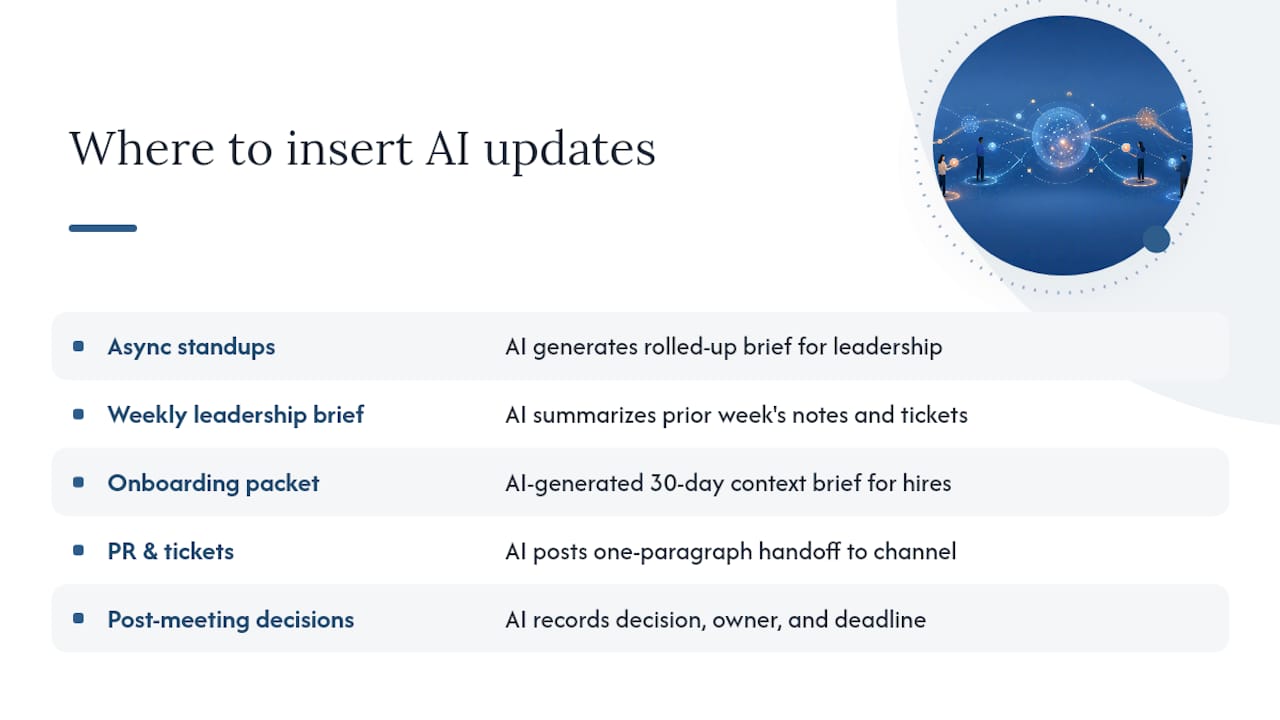
The goal is to make AI updates a byproduct of work already happening, not a new task someone has to complete. Here are the five workflows where that substitution is cleanest.
Async standups. Replace the synchronous daily standup with a short written update posted to a shared channel. An AI tool reads those updates and generates a rolled-up brief for leadership. Async standups work well across time zones when leadership enforces blocker SLAs and responds in threads. The brief doesn’t replace the standup; it replaces the meeting where the standup was read aloud.
Weekly leadership brief. Every Monday morning, the AI pulls from the previous week’s meeting notes, closed tickets, and calendar events and delivers a structured summary to each leader. No one writes it. It exists because the work happened.
Onboarding packet. New hires get a brief that covers the last 30 days of decisions, open questions, and team context, generated from the same sources the rest of the team uses. This replaces the three-hour “context dump” call that nobody enjoys giving or receiving.
PR and issue handoffs. When a PR is merged or a ticket moves to a new owner, the AI generates a one-paragraph handoff note and posts it to the relevant channel. The receiving engineer has context without asking for it.
Post-meeting decision logging. After every meeting with a decision, the AI summary includes a structured decision record: what was decided, who owns it, and what the deadline is. That record feeds the searchable knowledge base automatically.
To keep the admin tax near zero, three rules help: keep prompts short and specific, auto-link every update to its source document, and set reactive alerts only for blockers (not for every update). Treating communication like infrastructure means defining where each message belongs before you automate anything.
For ready-to-use brief templates, the AI daily update format examples guide has formats leaders can copy directly.
Pro Tip: Set a rolling blocker SLA: any item tagged “blocked” in a standup update or ticket must receive a named response within four hours during business hours. Post the SLA in your team handbook and have the AI flag any blocker that ages past it. This one rule eliminates most of the “updates nobody reads” failure mode.
Which integrations deliver the most value and how to implement them
Not all integrations are equal. Four source categories deliver most of the signal for a leadership brief, and connecting them in the right sequence avoids the most common permission mistakes.
Priority integrations, ranked by signal value
- Meeting notes and transcripts (Google Meet, Zoom, Fireflies, Otter.ai): the richest source of decisions, action items, and context. Connect this first.
- Calendar (Google Calendar, Outlook): gives the AI temporal context. It knows what meetings happened, who attended, and what’s coming up. Without this, briefs lack sequence.
- Code and ticket sources (GitHub, Jira, Linear): surfaces engineering progress, blockers, and merged work. Essential for CTOs and engineering leads.
- Chat (Slack, Microsoft Teams): the noisiest source, but useful for surfacing blockers and decisions that never made it into a formal doc. Connect last, with the narrowest scope.
Implementation sequence
- Connect meeting notes in read-only mode. Confirm the AI can summarize a recent meeting accurately before moving on.
- Add the calendar. Verify that the brief correctly reflects the previous week’s meetings and the upcoming week’s commitments.
- Connect code and ticket sources. Confirm that merged PRs and closed tickets appear in the brief with correct attribution.
- Pilot with one team for two weeks. Collect feedback on accuracy and relevance before expanding.
- Add chat sources with a narrow scope (specific channels only, not all of Slack). Review the first three briefs manually before trusting them.
- Expand to additional teams after the pilot team confirms the brief is accurate and the permissioning is correct.
Integration checklist:
- Read-only access only for all connected sources
- Each source scoped to the minimum channels or repos needed
- Audit log enabled before the first brief is generated
- At least one named human reviewer for the first two weeks of briefs
- Offboarding procedure documented before any contractor or external collaborator is added
AI tools embedded in existing platforms increase adoption by eliminating new dashboards. The strongest argument for embedding updates inside a leader’s existing assistant (rather than a standalone tool) is that adoption requires no behavior change. The brief is there when they open the tool they already use.
Pro Tip: Run a “permission audit” before connecting any source: list every person who will receive a brief, and for each source you’re connecting, confirm that every person on that list is cleared to see everything in that source. If anyone isn’t, scope the source more narrowly before connecting it.
For a step-by-step guide to centralizing sources, the centralized AI feed guide covers connector setup and common scoping decisions.
Governance: how to keep AI updates trustworthy and auditable
An AI brief that leaders can’t verify is worse than no brief. It creates false confidence. The governance layer is what separates a trustworthy update system from a liability.
Minimum governance checklist:
- Every line in a brief traces to a named source document with a link
- Access controls are enforced at the point of retrieval, not just at the point of display
- An audit log records who received what brief, when, and from which sources
- A human reviewer spot-checks at least one brief per week per team
- An escalation rule routes any blocker that appears in a brief to a named owner within four hours
- A redaction and offboarding procedure is documented and tested before the system goes live
Team policy to publish:
- Who can see which briefs (by role and team)
- What sources feed each brief
- What is logged and for how long
- How to request that a piece of information be redacted
- What happens to a departing employee’s access (instant offboarding, not end-of-week)
The plain guarantees that make a brief trustworthy are: nothing is made up, every line links to a source, and nothing crosses a permission line. The technical mechanism that enforces these guarantees matters less to a leader than the guarantee itself. What matters is that when a line appears in the brief, the leader can click through to the source document and confirm it.
Status theatre is the primary failure mode of automated update systems. Avoiding it requires leadership to actively engage with the brief: respond to blockers in threads, acknowledge decisions, and route open questions to owners. An audit trail helps, but it doesn’t replace the habit of reading and responding.
For practical audit procedures and spot-check templates, the AI updates audit guide covers governance cadence in detail.
How to measure success, expected timeline, and cost considerations
KPIs worth tracking
Keep the measurement set small. A long dashboard of communication metrics gets ignored. Measure a small set of signals and review them weekly:
- Time saved in status meetings: track meeting minutes per week before and after the brief is live
- Blocker resolution time: average hours from blocker posted to blocker resolved
- Decision logging completeness: percentage of meetings that produce a dated decision record
- Documentation usage: how often the searchable knowledge base is queried per week
- Onboarding time to first contribution: days from start date to first merged PR or closed ticket
Rollout timeline
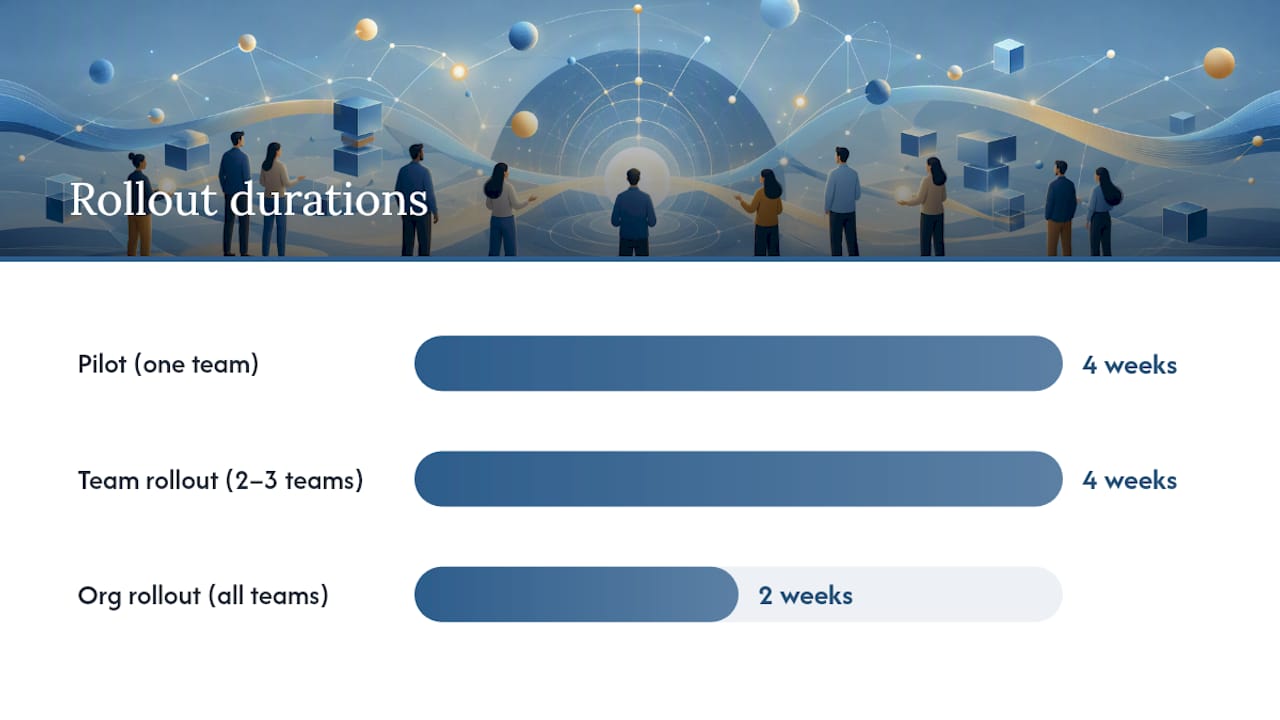
| Phase | Duration | Milestone |
|---|---|---|
| Pilot (one team) | Weeks 1–4 | First brief delivered; accuracy confirmed by human review |
| Team rollout | Weeks 5–8 | Two to three teams live; permissioning confirmed; KPIs baselined |
| Org rollout | Weeks 9–10 | All teams live; governance policy published; first monthly review complete |
Most teams see measurable time savings in status meetings within the first 30 days of the pilot. A clear ROI signal (onboarding speed, blocker resolution time) typically appears in the 60–90 day window, once the knowledge base has enough history to be genuinely useful.
Cost factors to budget
- Connector setup: typically a one-time configuration cost, either internal engineering time or a vendor setup fee
- Seat-based AI usage: most AI assistant platforms charge per seat per month; budget for the number of leaders receiving briefs, not the whole team
- Summary storage: if briefs are stored for audit purposes, factor in storage costs for 90 days of history
- Leader time for governance: budget two to three hours per month for the human reviewer role; this is not optional overhead, it’s the control that keeps the system trustworthy
Async standup tools report steep time reductions in per-person standup time in practice, though actual savings depend on how consistently leadership follows up on blockers. The more reliably the brief replaces a live meeting, the faster the time savings compound.
One-page checklist and a sample 30-day pilot workflow
Pre-launch checklist
- Select the pilot team (8–15 people, one time zone spread)
- Map all active sources: meeting notes, calendar, tickets, code repos, relevant Slack channels
- Define the blocker SLA (recommended: four hours during business hours)
- Name a single brief owner responsible for weekly human review
- Connect sources in read-only mode, starting with meeting notes and calendar
- Confirm permissioning: every pilot team member is cleared for every connected source
- Enable the audit log before the first brief is generated
- Schedule a weekly 30-minute review for the first four weeks
Sample 30-day pilot plan
Week 1: Connect and confirm
- Connect meeting notes and calendar
- Generate the first brief manually and review it line by line with the brief owner
- Success criterion: every line in the brief traces to a named source
Week 2: Add code and ticket sources
- Connect GitHub or Jira in read-only mode
- Confirm that merged PRs and closed tickets appear correctly
- Success criterion: no phantom items (lines with no traceable source)
Week 3: Run live with the pilot team
- Deliver the brief daily to all pilot team members
- Brief owner reviews one brief per day for the first five days
- Success criterion: zero permission errors; all blockers routed within the SLA
Week 4: Measure and decide
- Count status meeting minutes saved versus the pre-pilot baseline
- Survey the pilot team on brief accuracy and relevance (five-question survey, ten minutes)
- Success criterion: team rates brief accuracy at 4/5 or higher; at least one status meeting eliminated
Quick tips for a low-disruption pilot:
- Don’t announce the pilot as a “new tool rollout.” Frame it as a brief the leader is trying out.
- Keep the brief to five to seven bullet points for the first two weeks. Longer briefs get skimmed.
- Default to async communication and use the one weekly sync meeting to discuss patterns from the brief, not to read it aloud.
For a set of ready-to-use brief formats, the AI daily update examples guide has templates sized for leadership, engineering, and cross-functional teams. For executive-level brief structures, executive summary examples from RFP Forge offers formats leaders can adapt directly.
Why ClaudeDrive is a practical fit for leaders who need this now
The guarantees leaders need from an AI update system are specific: nothing made up, every line traceable, no information crossing a permission line, and no new app to roll out. ClaudeDrive is built around those four guarantees.
What ClaudeDrive delivers for leaders:
- Briefs are generated inside Claude, the assistant leaders already use. No new dashboard, no new login.
- Every line in a brief links to its source document. If a line looks wrong, the leader clicks through and checks.
- Access controls are enforced at retrieval. A leader’s brief contains only information from sources they’re cleared to see. Nothing leaks across team lines.
- Offboarding is instant. When someone leaves, their access is removed at the source level, not just the display level.
- The audit log records every brief: who received it, when, and from which sources.
Deployment example for a 25-person product team:
Connect the team calendar, meeting notes (Fireflies or Otter.ai), and the GitHub repo. Tag access by role: engineering leads see PR and incident data; the product lead sees roadmap and decision log data; the chief of staff sees cross-team blockers and hiring pipeline. Confirm permissions with a one-hour review. The first brief is delivered in Claude the same day. No migration. No training session.
Pro Tip: Start with daily briefs to the two or three most senior leaders only. Run that for two weeks before enabling team-level briefings. This gives you time to catch any permissioning gaps before they reach a wider audience, and it gives senior leaders a chance to calibrate what “accurate and useful” means for their role.
What actually changes when you trust the brief
The shift isn’t technical. It’s behavioral. When a brief is accurate and traceable, a leader stops opening Slack first thing in the morning to reconstruct what happened. They open Claude, read the brief, and spend the first 20 minutes of their day on decisions, not on information gathering.
What disappears: the 9 AM standup that was really a status report. The “can you catch me up?” message to a direct report. The meeting that existed to share information that could have been written down.
What requires cultural work: getting the team to stop treating the brief as a replacement for conversation. The brief surfaces patterns. The weekly sync is where you discuss them. Running async by default while keeping one weekly synchronous meeting for deeper discussion is the cadence that works. The sync meeting should surface what the brief flagged, not re-read it.
The one cultural change that determines whether this works: leaders have to respond to blockers in the brief. Not in a separate meeting. In the thread, within the SLA. When that habit is in place, the system earns trust. When it isn’t, the brief becomes the next thing the team posts updates into and nobody reads.
ClaudeDrive gives leaders a brief they can trust
Most AI update tools ask you to adopt a new platform. ClaudeDrive works differently. It feeds the Claude account your leaders already use, so the brief is there when they open their assistant, built only from sources they’re cleared to see, with every line traceable to a real document.

Connect meeting notes, your calendar, and GitHub. Tag access by role. Each leader gets their own private view of what happened, without a new dashboard to learn or a wiki to maintain. The governance layer (audit log, instant offboarding, source attribution) is built in, not bolted on.
For leaders who want to see how this works before committing to a rollout, the ClaudeDrive Console has a live demo and a pilot contact form. See the live demo, or talk to us about a pilot.
Sources
- How to communicate with dispersed teams: A guide for leaders
- Async and remote stand-ups | TeamRetro
- Provide Regular and Predictable Updates — The Holloway Guide to Remote Work
- Async Standup — Complete Guide for Remote & Distributed Teams (PullNotifier)
- How to Improve Remote Work Communication Across Time Zones